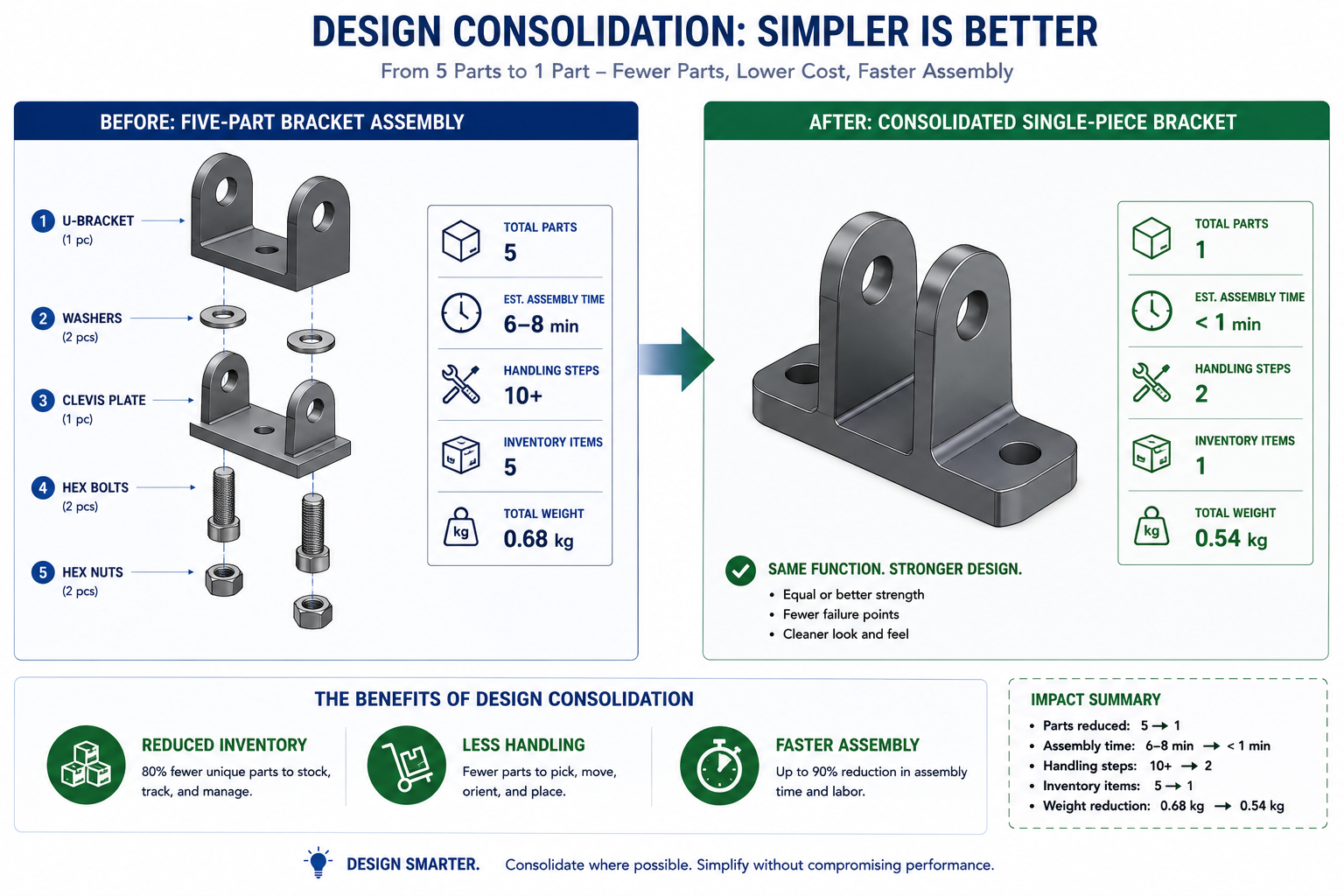
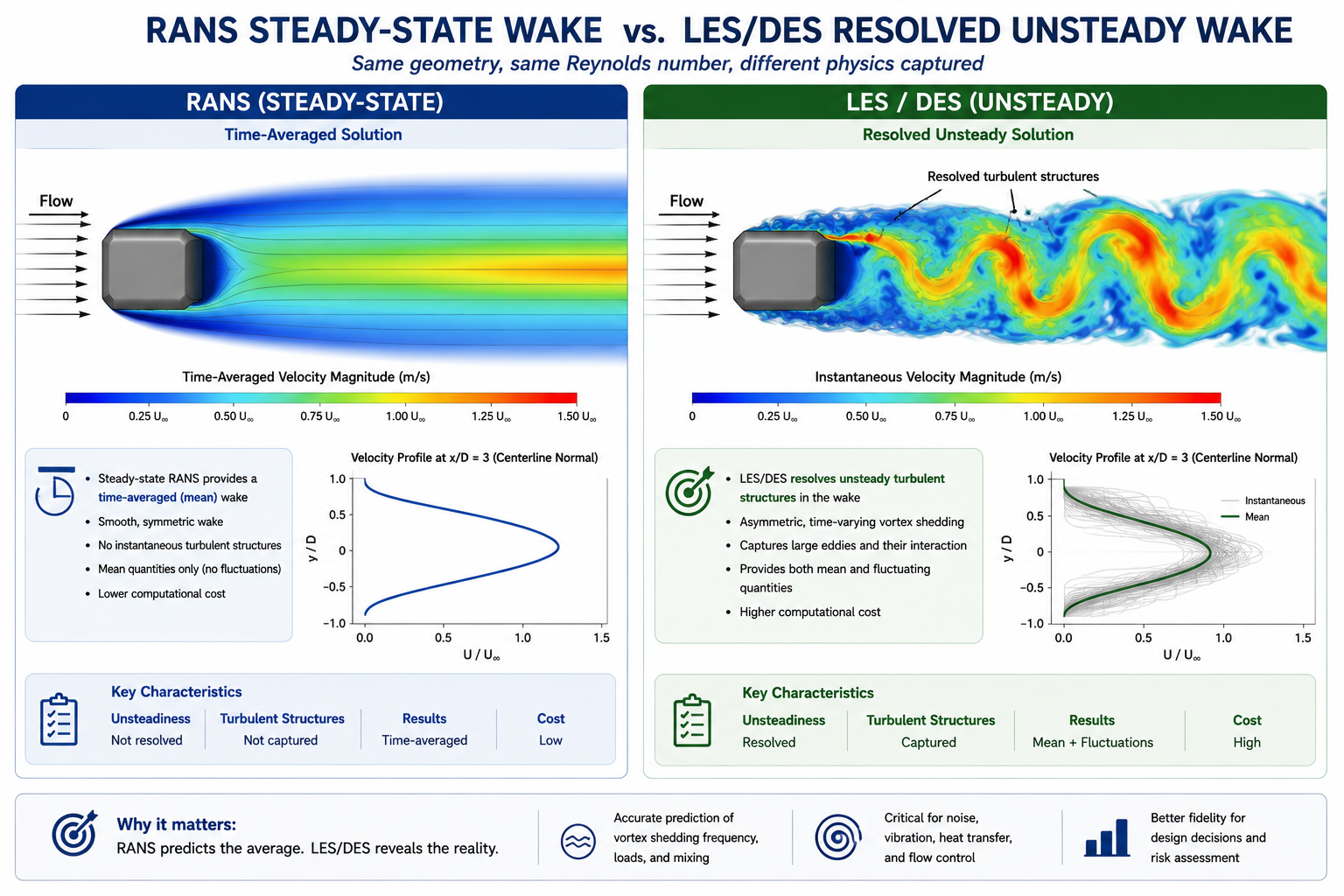
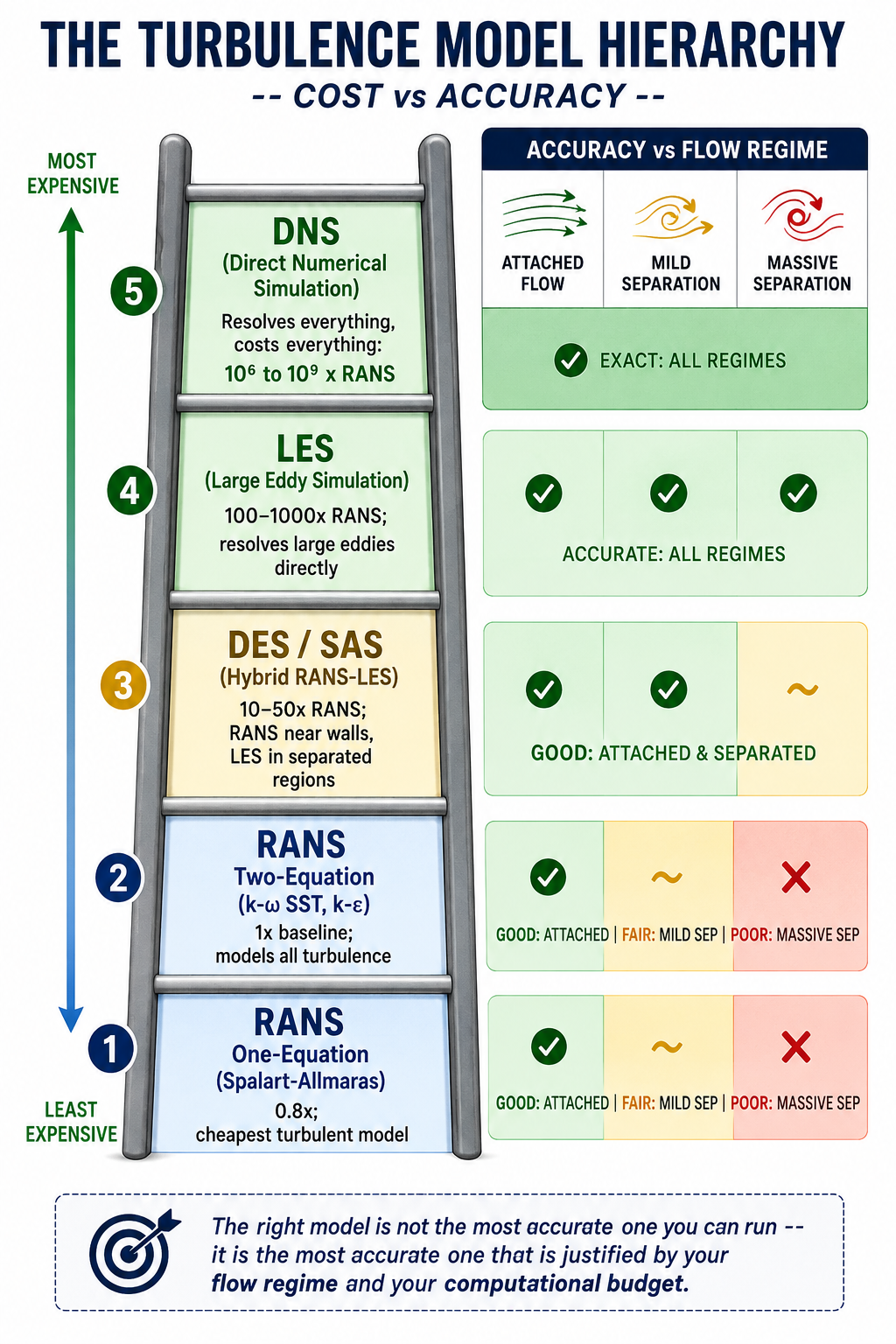
Tag: cad

  • Engineering Drawing Standards: ASME, ISO, and DIN — What Is the Difference?

    Engineering Drawing Standards: ASME, ISO, and DIN — What Is the Difference?

    86%  of US engineering companies use ASME Y14.5 as their GD&T standard (Krulikowski survey, 133 respondents across 27 countries)
    56%  of non-US international companies also use ASME Y14.5, making it the most-used GD&T standard globally despite ISO GPS being the international standard
    100+  individual modular standards in the ISO GPS family, compared to approximately 17 documents in the ASME Y14 series
    R2024  ASME Y14.5-2018 reaffirmed in 2024, confirming it remains the current ASME GD&T standard. No new revision is in force as of 2026.

    Introduction:

    A machined shaft is designed in the United States under ASME Y14.5. The purchase order goes to a precision machinist in Germany who works exclusively to DIN EN ISO standards. The drawing arrives. The machinist reads the cylindricity tolerance as independently controlled, as ISO 8015 requires, and machines the shaft to those standards. The shaft arrives in the US. Inspection rejects it because under ASME’s envelope principle, the size tolerance was supposed to control the cylindricity automatically, and the part’s form errors fall outside what the ASME-reading inspector considers acceptable.

    Nobody did anything wrong. The drawing was correct. The machinist was correct. The inspector was correct. The problem was that the drawing did not state which engineering drawing standard governed its GD&T, and the two parties operated under different default assumptions about what the same symbols and tolerance values meant.

    This guide explains what ASME, ISO, and DIN drawing standards are, how they differ technically and philosophically, which industries and geographies use which, and what the specific conflicts are between standards that cause parts to be made or inspected incorrectly when engineers do not know which standard applies.

    Quick answer:  ASME Y14.5 is the US standard for GD&T and engineering drawings, using third-angle projection and the envelope principle by default. ISO GPS (ISO 1101 and related standards) is the international standard, using first-angle projection and the independency principle. DIN standards are German national standards that have largely been harmonised with ISO since the 1990s and are now cited as DIN EN ISO in most cases. All three must be explicitly stated in the drawing title block because mixing them without notation causes misinterpretation of tolerances and views.
    Engineering Drawing Standards ASME, ISO, and DIN
    Always check the projection symbol in the title block before reading any view on a drawing from an unfamiliar source.

    ASME, ISO, and DIN: What Each Standard System Actually Is

    ASME: The American Engineering Drawing Language

    ASME stands for the American Society of Mechanical Engineers, a non-profit professional organisation founded in 1880. Its Y14 series of standards defines how engineering drawings are produced and interpreted in the United States. The most important of these is ASME Y14.5, which defines GD&T: the symbolic language for communicating dimensional requirements and tolerances.

    ASME Y14.5 can trace its roots to MIL-STD-8, a US military standard from 1949. It was the wartime need for interchangeable parts produced at multiple facilities that drove the early development of formalised geometric tolerancing. The standard has been revised approximately every decade since the 1960s. The current version is ASME Y14.5-2018, reaffirmed in 2024 (designated R2024), confirming it remains in force. No newer revision is in effect as of 2026.

    The 2018 edition made two changes that every engineer working to ASME standards should know: it deprecated the concentricity and symmetry symbols, replacing them with positional or profile controls, and it explicitly incorporated Model-Based Definition (MBD), recognising that tolerances are increasingly embedded in 3D models rather than printed on 2D drawings.

    ISO GPS: The International Drawing Language

    ISO is the International Organization for Standardization, founded in 1947. Its ISO GPS system (Geometrical Product Specifications) is the international framework for engineering drawing standards, covering everything from line types (ISO 128) to surface texture (ISO 1302) to the full GD&T system (ISO 1101, ISO 8015, and over 100 related standards).

    Unlike ASME’s relatively consolidated Y14 series of around 17 documents, the ISO GPS system is modular and composed of more than 100 interrelated standards, each covering a narrow, specific aspect of geometric specification. ISO 1101 covers tolerancing symbols. ISO 8015 defines the fundamental rules. ISO 5459 covers datum references. ISO 14638 defines the masterplan for the GPS system. This modularity is both a strength, each standard can be updated independently, and a challenge, because understanding the full system requires familiarity with multiple documents.

    ISO GPS is the default standard in Europe, increasingly adopted in Asia, and the required standard for international supply chains that cross multiple regulatory jurisdictions. Its first-angle projection convention and independency principle for tolerancing represent fundamentally different default assumptions from ASME.

    DIN: The German National Standard

    DIN stands for Deutsches Institut fur Normung, the German Institute for Standardization, founded in 1917. DIN standards for engineering drawings have been through significant harmonisation with ISO since the 1990s as part of European standardisation efforts. The consequence is that most current DIN engineering drawing standards are designated DIN EN ISO, meaning they are the German national adoption of a European (EN) adoption of an International (ISO) standard.

    The practical meaning: DIN EN ISO 1101 is the same standard as ISO 1101 in technical content. DIN EN ISO 2768 is the same as ISO 2768. When a German supplier cites DIN EN ISO standards, they are working to the same technical requirements as any other ISO GPS user. The DIN-specific designation indicates the standard has been formally adopted as a German national standard, which carries regulatory significance in some procurement contexts.

    Where DIN remains genuinely distinct is in standards that have not been harmonised, such as DIN 7168 (German general tolerances, which differs from ISO 2768 in some tolerance classes), older DIN standards that remain in use in specific industries, and VDA (Verband der Automobilindustrie) supplementary standards for German automotive supply chains that have no direct ISO equivalent.

    AttributeASME (Y14 series)ISO (GPS system)DIN (German standard)
    Governing bodyAmerican Society of Mechanical EngineersInternational Organization for StandardizationDeutsches Institut fur Normung (German Institute for Standardization)
    Primary geographyUSA, Canada, parts of AsiaEurope, Asia, global baselineGermany, Austria, German-speaking markets
    GD&T standardASME Y14.5-2018 (R2024)ISO 1101, ISO 8015, 100+ GPS standardsDIN ISO 1101 (mirrors ISO GPS)
    Projection methodThird-angle projection (ANSI)First-angle projection (ISO)First-angle projection (ISO-aligned)
    Line standardsASME Y14.2ISO 128DIN ISO 128
    Title block standardASME Y14.1ISO 7200DIN 6771
    Tolerance philosophyEnvelope principle (Taylor principle)Independency principle (ISO 8015)Independency principle (ISO-aligned)
    Default for dimensionsAll dims controlled by size limitsForm error independent of sizeForm error independent of size
    Standards structure~17 documents in Y14 series100+ modular GPS standardsAligned to ISO, with German national supplements
    Industry dominanceAerospace, defence, US automotiveEuropean mfg, pharma, global supplyGerman automotive (VDA), machinery, industrial

    Third-Angle vs First-Angle Projection: The Most Visible Difference

    This is the difference that causes the most obvious manufacturing errors when it is not checked. The projection method determines where each view sits on the drawing sheet relative to the front view, and getting it wrong means reading a right side view where a left side view should be, and vice versa.

    AspectThird-angle projection (ASME / ANSI)First-angle projection (ISO / DIN)
    Where views sitView placed on the side you look from. Right side view sits to the right of front view.View placed on the opposite side. Right side view sits to the LEFT of front view.
    Top view positionTop view sits ABOVE the front viewTop view sits BELOW the front view
    Identification symbolCircle on left, cone pointing rightCircle on right, cone pointing left
    Dominant standardUSA, Canada, Australia (some use)Europe, Asia, rest of world
    Risk of confusionReading first-angle as third-angle produces mirrored or inverted partsSame risk applies in reverse for non-European readers
    Where statedAlways in the title blockAlways in the title block
    Critical checkConfirm before reading any drawing from an unfamiliar sourceNever assume. Always check the projection symbol in the title block first.

    The projection symbol in the title block is small and easy to overlook. It is also the single most important piece of information on the drawing for anyone who has not worked with both systems. An engineer trained exclusively in ASME drawings, reading a European supplier’s first-angle drawing without checking the symbol, will consistently misidentify which side of the part each view shows.

    The manufacturing consequence of projection confusion:  A bracket designed with a mounting boss on the right side, read from a first-angle drawing by an engineer expecting third-angle, will be interpreted as having the boss on the left side. The machinist machines what the drawing appears to show. The part is wrong. By the time it is discovered, the setup, material, and machining time are wasted. The root cause is not the drawing. It is failing to check the projection symbol before reading the views.

    Envelope vs Independency: The Most Important Technical Difference

    This is the difference that causes the most subtle and expensive manufacturing problems when standards are mixed, because the same tolerance value means something different depending on which principle applies. A 25mm shaft toleranced at plus or minus 0.1mm under ASME and the same shaft under ISO are not the same specification, even though the numbers are identical.

    AspectEnvelope Principle (ASME Y14.5)Independency Principle (ISO 8015 / DIN)
    What it meansThe size tolerance automatically controls form. A 25mm +/-0.1mm cylinder may not exceed a perfect 25.1mm envelope at any cross-section.Size and form are independent. A 25mm +/-0.1mm cylinder may be anywhere between 24.9mm and 25.1mm at any cross-section, but form errors must be separately controlled.
    Who controls form errorsThe size limits do this automatically for ASME drawings without extra symbolsForm errors (straightness, cylindricity, flatness) must be explicitly called out with GD&T symbols
    Effect on designFewer symbols needed for simple prismatic featuresMore symbols required to fully constrain form, but intent is more explicit
    Effect on inspectionEnvelope gauge checks form and size simultaneouslyForm and size inspected separately unless combined control is explicitly stated
    Which standard appliesASME Y14.5 (default, unless E modifier reverses it)ISO 8015 (default for ISO drawings). ASME can invoke ISO 8015 using the E modifier.
    Risk of misinterpretationAn ISO-trained inspector may not apply the envelope check on an ASME drawingAn ASME-trained inspector may assume form is controlled when it is not on an ISO drawing

    A Practical Example of the Difference

    An ASME drawing specifies a shaft diameter of 25.00mm plus or minus 0.10mm. Under the envelope principle, this means the shaft must pass through a perfect 25.10mm ring gauge (the maximum material boundary) and must be no smaller than 24.90mm anywhere. The ring gauge check automatically verifies that the shaft is straight and circular within the size tolerance. No separate cylindricity callout is needed.

    The same shaft on an ISO GPS drawing with the same diameter tolerance of 25.00mm plus or minus 0.10mm operates under the independency principle. The shaft may be anywhere between 24.90mm and 25.10mm at any cross-section, but the form errors (how straight and circular it is) are not controlled by the size tolerance. If the shaft must also be straight within a certain tolerance, a separate straightness callout is required. If cylindricity must be controlled, a cylindricity callout is required.

    GD&T principles comparison Envelope Principle vs Independency Principle
    The envelope vs independency difference is invisible on the drawing unless you know which standard applies.
    The practical result: a shaft manufactured to the ASME specification may have better form control than required by ISO, or an ISO shaft may have worse form than an ASME-trained inspector expects. Both are correct for their respective standards. Neither is wrong. But if an inspector trained in ASME applies the envelope principle to an ISO-drawn part, they may accept or reject parts incorrectly.

    GD&T Symbol Differences Between ASME and ISO: Where Conflicts Actually Live

    Most are identical between ASME Y14.5 and ISO 1101. The flatness symbol, the straightness symbol, the angularity symbol, the position symbol: all use the same geometric shapes with the same meaning. This convergence has been deliberate and sustained over decades of parallel standard development. The conflicts that exist are important precisely because they are not obvious from a visual scan of the symbols.

    Feature / SymbolASME Y14.5ISO GPS (ISO 1101)Practical consequence of mixing
    FlatnessFlatness symbol (parallelogram)Same symbol, different default scopeBoth use same symbol but ISO requires explicit callout where ASME uses envelope rule
    CylindricityExplicit callout requiredExplicit callout requiredNo difference in symbol, significant difference in when it is needed
    Position (Location)True position symbol, bidirectionalSame symbol, ISO may use differentlyAlways verify datum scheme matches between supplier and buyer
    Datum feature symbolFilled triangle on leaderSame but triangle placement differsDatum A may point to different surface if convention not stated
    AngularityAngularity symbolSame symbolNo symbol conflict, same interpretation
    ConcentricityIn ASME Y14.5-2018: deprecatedStill used in ISOCritical conflict: ASME has removed this symbol. ISO still uses it.
    SymmetryIn ASME Y14.5-2018: deprecatedStill used in ISOCritical conflict: same as concentricity situation above.
    RunoutCircular and total runoutCircular and total runoutSame meaning, same symbols, no conflict
    Projected tolerance zonePTZ modifier in ASMEISO uses P modifier differentlyPTZ application differs between standards. State standard on drawing.
    Surface texture (Ra)ASME B46.1ISO 1302 / ISO 4287Both use Ra value but measurement method and filtering can differ

    The Concentricity and Symmetry Deprecation: A Live Conflict

    The most significant current conflict between ASME and ISO GD&T symbol sets is the deprecation of concentricity and symmetry in ASME Y14.5-2018. These symbols remain in active use in ISO GPS drawings and are taught in ISO-based GD&T training globally.

    In ASME Y14.5-2018, both were removed and replaced by position or profile of a surface controls, which Subcommittee 5 argued were more precisely defined and more readily inspectable. The argument has merit: concentricity as defined required deriving a median point from every diametrically opposed pair of points on the surface, which is mathematically rigorous but metrologically challenging.

    The practical consequence for engineers: if you receive a drawing with a concentricity symbol and you are working to ASME Y14.5-2018, the symbol is formally undefined in your standard. If the drawing states ISO 1101 as its reference, the symbol is valid and means what it says. If the drawing states nothing, you have no way of knowing which interpretation to apply without asking. This is exactly the situation the title block note requirement is intended to prevent.

    Key Engineering Drawing Standards: Complete Reference Table

    The table below provides a quick reference to the most important engineering drawing standards across all three systems, covering what each standard covers and its current status.

    StandardBodyYear / StatusWhat it covers
    ASME Y14.5ASME2018 (R2024)Geometric dimensioning and tolerancing: all GD&T symbols, datum references, tolerance zones
    ASME Y14.1ASMECurrentDrawing sheet sizes, title block format, and drawing format requirements
    ASME Y14.2ASMECurrentLine conventions and lettering for engineering drawings
    ASME Y14.41ASMECurrentDigital product definition data practices (MBD, 3D annotation)
    ASME Y14.100ASMECurrentEngineering drawing practices: completeness, approval, revision control
    ISO 128ISOISO 128-1:2020General principles for technical drawings: line types, projections, views
    ISO 1101ISOISO 1101:2017Geometrical tolerancing: symbols, definitions, tolerance zones (ISO GPS core standard)
    ISO 8015ISOISO 8015:2011Fundamentals of tolerancing: independency principle, ISO default rules
    ISO 2768ISOISO 2768-1/2General tolerances for linear and angular dimensions (medium m, fine f classes)
    ISO 7200ISOISO 7200:2004Title block format and data fields for technical drawings
    ISO 1302ISOISO 1302:2002Surface texture indication on technical drawings (Ra, Rz symbols)
    ISO 10628ISOISO 10628-2:2012Symbols for process plant diagrams (P&IDs and flow diagrams)
    DIN 6771DINCurrentGerman title block standard, supplementary to ISO 7200
    DIN ISO 1101DINMirrors ISO 1101German national adoption of ISO geometrical tolerancing standard
    DIN 7168DINCurrentGerman general tolerances for linear and angular dimensions (precedes ISO 2768)
    DIN EN ISO 2768DINCurrentGerman adoption of ISO 2768 general tolerances, often still cited as DIN 2768
    Practical rule for cross-border drawings:  When creating a drawing that will be manufactured outside your home country, look up whether the standards you are referencing are recognised by your supplier’s standards system. Most ASME standards are not formally adopted in Europe. Most ISO standards are available in the USA but not universally taught or enforced. When in doubt, state all relevant standards explicitly in the general notes and confirm with the supplier’s quality team that they hold the referenced documents.

    General Tolerances: ISO 2768, DIN 7168, and the ASME Approach

    General tolerances are the tolerances that apply to all undimensioned or untoleranced features on a drawing, defined by a single title block reference rather than individual callouts. They are one of the most frequently misunderstood elements of cross-standard drawing practice.

    ISO 2768: The International General Tolerance Standard

    ISO 2768 defines general tolerances for linear and angular dimensions in two parts. ISO 2768-1 covers linear dimensions and angles in four classes: fine (f), medium (m), coarse (c), and very coarse (v). ISO 2768-2 covers geometrical tolerances in three classes: H, K, and L. A drawing referencing ISO 2768-mK in its general notes is specifying medium-class linear tolerances and K-class geometrical tolerances for all features not individually dimensioned.

    ISO 2768 medium (m) is the most commonly specified class for general machined parts and represents what most competent machine shops can hold in production without special process controls. Fine (f) requires tighter process discipline and is appropriate for precision assemblies. The class should be chosen to match the actual manufacturing process capability of the supplier, not to the tightest possible requirement.

    DIN 7168 and DIN 2768: The German Predecessors

    DIN 7168 is the German general tolerance standard that predates ISO 2768 and covers similar ground with some different tolerance class definitions. Many older German engineering drawings reference DIN 7168 rather than ISO 2768. The two are not identical in all tolerance class values, which means a drawing referencing DIN 7168 fine and a drawing referencing ISO 2768-f are not necessarily specifying the same tolerances on every feature.

    DIN 2768 is frequently cited in engineering contexts but refers to the German national adoption of ISO 2768, technically designated DIN EN ISO 2768 in its current form. For practical purposes, DIN EN ISO 2768 and ISO 2768 are technically equivalent. DIN 7168 is the historically distinct German standard that should not be assumed equivalent to ISO 2768 without checking the specific tolerance values.

    ASME and General Tolerances

    ASME does not use ISO 2768. The ASME approach to general tolerances is different: ASME Y14.5 provides for general tolerance notes in the title block that define plus/minus values for specific dimension ranges, and ASME Y14.100 covers drawing practices including default tolerances. An ASME drawing with a title block note reading ‘3-place decimals: plus/minus 0.005 inch’ is applying a general tolerance, but under a completely different framework from ISO 2768.

    An engineer moving from an ISO GPS environment to an ASME environment cannot assume that referencing ISO 2768 is meaningful on an ASME drawing. It is not part of the ASME drawing practice system. The general tolerances must be expressed using ASME-compatible notation.

    Which Industries Use Which Standards: The Real-World Map

    Standard selection in most organisations is driven by customer requirements, regulatory obligations, and the geographic location of the primary manufacturing base, not by any abstract technical preference. Understanding which standards dominate which industries tells you immediately which standard to use for a given project.

    IndustryDominant standardReasonTypical supplementary standards
    US Aerospace and DefenceASME Y14.5-2018MIL-STD heritage, US OEM requirementAS9100, ASME Y14.100, ASME Y14.41 for MBD
    European AerospaceISO GPS (EN 9100 aligned)EU OEM and EASA regulatory chainISO 10135, ISO 1302, NADCAP quality reqs
    German Automotive (VDA)DIN / ISO GPS + VDA normsVDA 2 quality and DIN tool standardsVDA 2, VDA 6.1, DIN 7168, DIN ISO 2768
    US Automotive (AIAG)ASME Y14.5 + AIAGBig-Three OEM supply chain standardAIAG PPAP, MSA, FMEA documentation
    Medical devices (FDA)ASME or ISO by choiceFDA 21 CFR Part 820 references bothISO 13485, FDA guidance on drawings
    Pharmaceutical (EU GMP)ISO GPS preferredEU GMP and EMA regulatory alignmentEU GMP Annex 15, ISO 9001
    Industrial machineryISO / DIN (Europe)EN machinery directive complianceISO 4156, DIN 7168 general tolerances
    Consumer electronicsISO or ASME by regionDepends on where manufactured / soldIPC standards for PCB, ISO 2768 general
    Oil and gas (ASME PCC)ASME B31, API standardsASME pressure vessel and piping codesAPI 6A, ASME B16.5, ASME VIII Div 1

    The US Dominance of ASME in a Global Market

    The survey data from GD&T educator Alex Krulikowski, with 133 respondents from 27 countries, found that 86 percent of US participants use ASME Y14.5 and 56 percent of international participants also use ASME Y14.5. These numbers reflect the historical dominance of US manufacturing, defence, and aerospace programs in setting supply chain documentation standards globally. A German tier-two supplier working for a US aerospace prime must produce ASME-compliant drawings for that program regardless of what their domestic German customers require.

    The result is that many engineering teams outside the US maintain dual capability: ISO GPS for domestic and European customers, ASME Y14.5 for US and US-primed programs. This is manageable but requires explicit drawing management discipline, because the same part designed to two different standards requires two different drawings, and mixing elements from each into a single drawing creates the type of ambiguity that the shaft example at the beginning of this guide illustrates.

    World Map of Engineering Drawing Standard Dominance by Region

    The Title Block: Where the Standard Is Declared and Why It Must Be

    Every engineering drawing has a title block in the bottom-right corner. That title block is the drawing’s identity document, and it is also where the applicable drawing standard must be stated. Without an explicit standard reference in the title block or general notes, any GD&T on the drawing is ambiguous.

    What the Title Block Must State for Standard Compliance

    • Applicable GD&T standard: ‘Geometric tolerancing per ASME Y14.5-2018’ or ‘Geometric tolerancing per ISO 1101:2017’ — state the standard and the year of issue
    • General tolerance reference: ‘Unless otherwise specified, general tolerances to ISO 2768-mK’ or the equivalent ASME general tolerance note
    • Projection method: The first-angle or third-angle projection symbol — this should be graphic, not text, so it is recognisable internationally
    • Surface texture standard: If Ra values are used: ‘Surface texture per ISO 1302’ or ‘Surface texture per ASME B46.1’
    • Units: Millimetres or inches — never ambiguous, always stated
    • Material standard: The full material specification including the relevant standard (ASTM, DIN, EN, JIS) not just the alloy name

    ASME Y14.1 and ISO 7200: Title Block Format Standards

    ASME Y14.1 defines the drawing sheet sizes and title block requirements for ASME drawings. ISO 7200 defines the data field structure for title blocks on ISO drawings. DIN 6771 is the German supplementary title block standard.

    The field names in a DIN title block are often in German: ‘Werkstoff’ means Material, ‘Massstab’ means Scale, ‘Datum’ means Date, ‘Zeichen’ means Signature. An engineer unfamiliar with German who receives a DIN-format drawing from a German supplier will be able to read all the technical geometry but may misidentify which field contains the material specification versus the scale versus the date. Knowing the key field names in the languages of your main supplier countries is a practical working skill.

    Model-Based Definition: How Standards Apply in 3D Environments

    The engineering drawing is no longer always a 2D sheet. Model-Based Definition (MBD) embeds the tolerances, GD&T callouts, surface finish specifications, and material notes directly into the 3D CAD model as annotations, eliminating the 2D drawing entirely for some workflows.

    Both ASME and ISO have standards for MBD. ASME Y14.41 defines digital product definition data practices, including how 3D annotations are structured, what must be captured in the model, and how the model functions as a design authority without a 2D drawing. ISO 16792 covers the equivalent requirements under the ISO GPS framework.

    The standard selection question does not go away in MBD: it becomes more important, because the software that manages the 3D PMI (Product and Manufacturing Information) must be configured to apply the correct standard’s rules and defaults. CATIA, SolidWorks, NX, and Creo all support both ASME and ISO annotation modes, but the engineer must select the correct mode before applying tolerances to the model. A model annotated in ASME mode and interpreted by a supplier’s software in ISO mode will produce the same misinterpretation as a misread 2D drawing.

    Which Drawing Standard Should You Use? A Decision Framework

    This is the practical question that engineers and engineering managers actually need answered. The decision is not primarily technical. It is driven by the manufacturing context.

    Use ASME Y14.5-2018 when:

    • Your customer is a US aerospace or defence prime contractor
    • Your parts are inspected in the USA under ASME training and tooling
    • Your CAD system is configured with ASME defaults and your team is ASME-trained
    • The supply chain is primarily North American with US-standard inspection infrastructure

    Use ISO GPS (ISO 1101 and GPS family) when:

    • Your customer is European, particularly in Germany, France, Scandinavia, or other ISO-dominant markets
    • Your parts will be manufactured in Asia, where ISO standards are increasingly the baseline
    • The project involves international supply chains across multiple countries
    • Your team has ISO training and your CAD system is configured for ISO annotation

    Use DIN EN ISO when:

    • Your customer or program requires DIN references explicitly (common in German automotive and industrial machinery)
    • You are supplying into German automotive programs requiring VDA supplementary standards
    • The drawing must be formally compliant with German national adoption standards for procurement or regulatory reasons

    When your supply chain crosses standards:

    • State the governing standard explicitly in the title block. Do not leave it implicit.
    • If the drawing will be used by both ASME and ISO-trained engineers, produce two drawing sets or add a clear cross-reference note explaining which standard governs each section.
    • Train your suppliers in the standard you are issuing. Do not assume they know both.
    • Audit supplier inspection equipment and training against the standard you require. Gauges calibrated for ASME inspection may not be valid for ISO GPS inspection requirements.
    The one rule that prevents most cross-standard problems:  State the drawing standard in the title block on every drawing, every time. Not as a company logo or a footer note that gets overlooked. As a mandatory general note: ‘All geometric tolerances to ASME Y14.5-2018 unless otherwise stated.’ A two-second addition to the title block setup prevents the type of shaft rejection scenario described at the start of this guide.

    10 Engineering Drawing Standard Mistakes That Cause Real Manufacturing Problems

    These are the errors that show up most consistently in cross-border drawing reviews, supplier qualification audits, and failure investigations where the root cause traces back to a standards mismatch rather than a design error.

    MistakeConsequencePrevention
    Not stating the drawing standard in title blockManufacturer interprets GD&T under wrong standard. Form controls and datum behaviour differ.Always include a general note: ‘Unless otherwise specified, this drawing is to ASME Y14.5-2018’ or equivalent ISO/DIN reference.
    Reading a first-angle drawing as third-angleParts built with holes and features mirrored or on the wrong faceCheck the projection symbol in the title block before reading any view. Never assume.
    Mixing ASME and ISO symbols on one drawingAmbiguous or conflicting tolerance interpretationCommit to one standard per drawing. If global supply chain requires both, produce two drawing sets.
    Assuming ISO 2768 applies on an ASME drawingISO 2768 is not referenced in ASME. ASME uses its own general tolerance block.State the applicable general tolerance standard explicitly in the title block or general notes.
    Using concentricity from ISO on an ASME drawingConcentricity was deprecated in ASME Y14.5-2018. Coaxiality is now defined via position or profile.Use ASME-compliant controls for coaxiality: true position relative to datum axis, or profile of a surface.
    Assuming DIN 2768 and ISO 2768 are identicalThey are not. DIN 7168 and DIN 2768 have different tolerance classes and some different values.Check the exact DIN standard referenced on the drawing. Do not assume ISO equivalence without verification.
    Applying the independency principle to an ASME drawingForm errors are not separately controlled on ASME drawings by default. The envelope rule applies.For ASME drawings, if you need form independent of size, add the circle-E modifier explicitly to invoke independency.
    Ignoring the title block language on international drawingsDIN drawings from German suppliers will use German abbreviations (Werkstoffe, Massstab, Datum, Zeichen)Learn the key title block field names in the languages of your main supplier countries.
    Specifying Ra surface finish without stating the standardRa values are measured differently under ASME B46.1 and ISO 4287. The number is not directly comparable.State the applicable surface texture standard alongside the Ra value. Ra 1.6 per ISO 4287 is different from Ra 1.6 per ASME B46.1.
    Using old DIN standards superseded by ISO adoptionsOld DIN-only standards may reference values not in use at the supplierCheck whether the DIN standard cited has been replaced by a DIN EN ISO version. Many have since the 1990s harmonisation.

    Conclusion:

    The purpose of engineering drawing standards is to create a shared language between the person who designs a part and the person who makes or inspects it. ASME Y14.5, ISO GPS, and DIN standards all achieve this goal within their respective domains. The problems arise at the boundaries: when a drawing produced in one standard travels to a reader trained in another.

    The technical differences between ASME and ISO GPS are real and significant: the envelope vs independency principle changes what a size tolerance means. The deprecation of concentricity and symmetry in ASME Y14.5-2018 creates a live conflict with ISO GPS. The projection method difference produces mirrored or inverted parts if not checked. None of these differences are obscure. All of them are well-documented in the respective standards. The problem is that they only become visible at the moment the wrong assumption is applied to the wrong drawing.

    The prevention is straightforward: state the applicable standard in the title block. Check the projection symbol before reading views on an unfamiliar drawing. Never assume that the same symbol means the same thing under a different standard without verifying. And when working across standards in a global supply chain, treat the standards gap as a project risk to be managed explicitly, not a detail to be resolved by whoever is holding the drawing when the question arises.

    State the standard. Check the projection. Verify the defaults. Every time.

    Frequently Asked Questions

    What is the difference between ASME and ISO engineering drawing standards?

    ASME standards, primarily ASME Y14.5, govern engineering drawings in the USA and North America and use third-angle projection. ISO standards, the GPS (Geometrical Product Specifications) system centred on ISO 1101, are the international standard used in Europe, Asia, and globally, and use first-angle projection. The most significant technical difference is tolerancing philosophy: ASME uses the envelope principle where size controls form by default, while ISO GPS uses the independency principle where form must be explicitly controlled with separate symbols. Some GD&T symbols also differ: concentricity and symmetry were deprecated in ASME Y14.5-2018 but remain in use under ISO.

    What does DIN stand for in engineering drawings?

    DIN stands for Deutsches Institut fur Normung, which is the German Institute for Standardization. DIN standards for engineering drawings have been largely harmonised with ISO since the 1990s, and most current DIN drawing standards are cited as DIN EN ISO, meaning the German national adoption of an international ISO standard. DIN standards remain particularly influential in German automotive supply chains (VDA requirements), precision machinery, and industrial equipment sectors where German-originated specifications are common.

    What is third-angle vs first-angle projection on an engineering drawing?

    Third-angle projection is used on ASME and ANSI drawings, primarily in the USA. In third-angle, each view is placed on the same side as the direction you are looking from: the top view sits above the front view, and the right side view sits to the right. First-angle projection is used on ISO and DIN drawings, primarily in Europe and Asia. In first-angle, each view is placed on the opposite side: the top view sits below the front view, and the right side view sits to the left. A small symbol in the drawing title block identifies which projection is used. Misreading one as the other produces parts with features on the wrong faces.

    What is the envelope principle in ASME Y14.5?

    The envelope principle, also called the Taylor principle, is ASME Y14.5’s default rule for size tolerances. It states that the size tolerance limits of a feature also control the maximum variation in form. A shaft with a diameter tolerance of 25mm plus or minus 0.1mm cannot exceed a perfect cylinder of 25.1mm diameter at any cross-section. This means size tolerances implicitly control straightness and circularity without requiring additional GD&T symbols. ISO GPS uses the opposite default: the independency principle, where size and form errors are controlled independently. ISO requires explicit GD&T callouts to control form even on simple sized features.

    Which drawing standard is used in aerospace?

    US aerospace programs follow ASME Y14.5-2018 as the primary GD&T standard, supplemented by ASME Y14.100 for drawing practices and ASME Y14.41 for Model-Based Definition. European aerospace programs follow ISO GPS standards aligned with EN 9100 quality requirements. Multinational programs, such as those where US OEMs work with European suppliers, sometimes require drawings to comply with both, which is one of the most challenging aspects of global aerospace supply chain management. The drawing must explicitly state which standard applies to avoid ambiguity.

    Can ASME and ISO GD&T symbols be used on the same drawing?

    Mixing ASME and ISO GD&T symbols on the same drawing without explicit notation creates serious risk of misinterpretation because the same symbol can mean different things under different standards, and default assumptions differ significantly. Concentricity is a direct example: the symbol exists in ISO but has been deprecated in ASME Y14.5-2018. If a drawing must be used in both ASME and ISO manufacturing contexts, the safest approach is to produce two separate drawing sets, one referencing each standard, or to add a prominent general note specifying which standard governs all GD&T callouts.


    asme.org/codes-standards/find-codes-standards/y14-5-dimensioning-tolerancing

  • What Is Design for Manufacturability (DFM) and How Does It Affect Your CAD Drawings?

    What Is Design for Manufacturability (DFM) and How Does It Affect Your CAD Drawings?

    10x  cost multiplier at each development stage for fixing the same manufacturing issue. A sketch-stage fix costs hours. A post-tooling fix costs months and six figures.
    1981  year the first DFM software was released on an Apple II Plus, offering real-time feedback to engineers. DFM as a discipline predates the modern CAD era.
    30-50%  typical quote price reduction achievable by applying DFM to sheet metal and machined parts before issue to suppliers (published fabrication industry data, 2026)
    Weeks to days  DFM review cycle time compression reported by CoLab AutoReview users by sharing designs with manufacturing and quality engineers simultaneously, without requiring CAD access

    Introduction:

    There is a particular type of engineering problem that happens quietly, costs a lot, and is almost entirely avoidable. An engineer spends three weeks building a detailed CAD model. The drawing is clean, well-dimensioned, and geometrically precise. It goes to the fabricator. A week later, the quote comes back with a price that is 40 percent higher than expected and a list of queries about features the machinist cannot make with standard tooling.

    Or worse: the drawing passes quoting, the parts are made, and the first batch comes back with features that are technically within drawing tolerance but functionally wrong because the drawing was not specific enough about what the manufacturing process needed to deliver.

    Both of these problems have the same root cause: the design was completed without Design for Manufacturability applied. The engineer knew what the part needed to do. They did not build the knowledge of how it would be made into the decisions that shaped the geometry, the tolerances, and the drawing notes.

    This guide explains what DFM is, how it changes the specific content of CAD drawings, what the most important rules are for each common manufacturing process, how tolerances should actually be allocated rather than how they usually are, what AI DFM tools are doing differently in 2026, and the ten mistakes that most consistently make parts expensive, slow, or wrong.

    Quick definition:  Design for Manufacturability (DFM) is the practice of designing parts and assemblies so they can be manufactured efficiently, at minimum cost, and without the defects that result from ignoring process constraints during design. Applied to CAD drawings, DFM changes how features are geometrically defined, how tolerances are allocated, and what notes and specifications the drawing must contain to produce a manufacturable part.
    What Is Design for Manufacturability (DFM) and How Does It Affect Your CAD Drawings
    DFM is not about making the drawing more complex. It is about making the geometry actually manufacturable.

    What Is Design for Manufacturability? The Clear Explanation

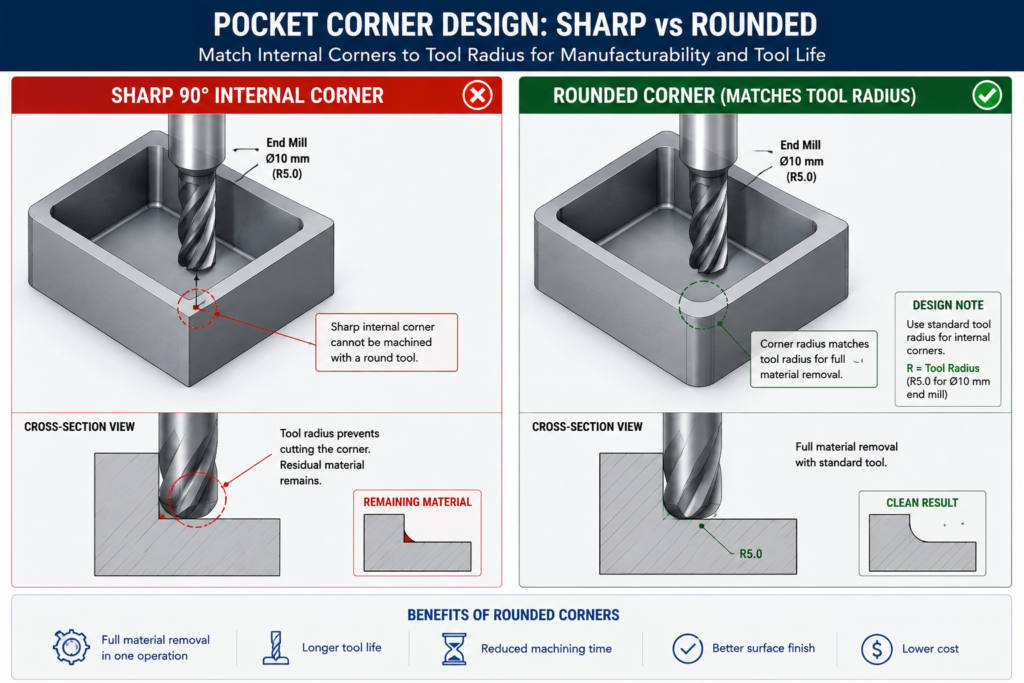
    The idea behind Design for Manufacturability is straightforward. Every manufacturing process has constraints. CNC milling cutters are round, so they cannot cut perfectly sharp internal corners. Injection moulds open and close in a single direction, so walls must have draft to release cleanly. Sheet metal presses bend material in a way that deforms nearby holes if they are too close to the bend line.

    DFM is the practice of knowing these constraints and designing around them from the start, rather than discovering them when the quote comes back with a problem list or when the first batch fails inspection. It is not a single review step at the end of the design process. It is a continuous mindset applied to every feature as the model is built.

    The core disciplines within the broader DFM umbrella include:

    • DFM (Design for Manufacturability): individual part geometry designed to be made efficiently by the target process
    • DFA (Design for Assembly): assemblies designed to be assembled with minimum parts, minimum operations, and mistake-proof orientations
    • DFMA (Design for Manufacture and Assembly): both combined, which is how most mature organisations approach the methodology
    • DFQ (Design for Quality): geometry and tolerances designed so that inspection and quality control are practical and reliable
    • DFS (Design for Sustainability): material selection and geometry designed for minimum material waste, energy use, and end-of-life disassembly

    This guide focuses on DFM in its most direct engineering application: how the manufacturing process a part will go through should determine the geometry, tolerances, and documentation of the CAD drawing that produces it.

    Why DFM Has Been Around Since 1981 and Still Gets Ignored

    The first DFM software was released in 1981 on an Apple II Plus. Boothroyd Dewhurst, Inc. was founded in 1983 to commercialise DFM and DFA methodology. The principles have been taught in mechanical engineering degrees for four decades. And yet, the most common feedback from manufacturing engineers reviewing designs from product engineers is still that basic DFM rules have not been applied.

    The reason is structural, not individual. In most product development workflows, the design engineer and the manufacturing engineer are separated by process, timeline, and sometimes by geography. The design engineer’s incentive is to get the design right functionally. The manufacturing engineer’s knowledge enters the process only at review gates that happen after significant design investment has been made. By the time a DFM problem is formally identified, it is expensive to fix.

    AI DFM tools in 2026 are beginning to solve this by giving the design engineer manufacturing feedback at the moment they are making the decisions that create the problem, not after those decisions are locked into a finished drawing.

    The Cost of Getting DFM Wrong: Why Early Matters So Much

    The relationship between when a manufacturing problem is discovered and what it costs to fix it is not linear. It is exponential. Published data from the manufacturing industry consistently shows a ten times cost multiplier at each stage of the development process.

    StageWho catches the issueTypical correction costTime impact
    Concept / sketchDesign engineerNear zero: edit the sketchHours
    CAD model completeDFM review or tool$1,000 – $5,000Days to 1 week
    Drawing issuedManufacturer or DFM check$5,000 – $20,0001-3 weeks
    Prototype builtTesting team$20,000 – $100,000Weeks to months
    Tooling cut or orderedProduction engineer$50,000 – $500,000+Months
    Volume productionQuality / customer return$500,000 – millionsProgramme delay

    These are not theoretical figures. They reflect the actual economics of product development: engineering time to redesign, management overhead to approve the change, supplier communication to revise the order, scrapped tooling or scrapped parts, extended lead times, and in volume production, the cost of customer returns and warranty claims.

    The table makes the business case for DFM review at the concept stage self-evident. The cost of an engineering hour at concept is the same as at prototype. But an engineering hour at concept prevents a problem that would cost a hundred times more to fix at the same stage one step later in the process.

    The most common DFM timing mistake:  Treating DFM as a drawing release gate rather than a design activity. When DFM review only happens after the CAD model is complete and the drawing is drafted, every finding requires changes to finished work. The model must be reopened and edited. The drawing must be revised and re-checked. If DFM is instead applied feature by feature as the model is being built, the cost of each correction is essentially zero because the geometry does not yet exist in final form.
    Cost of Design Change by Development Stage Bar Chart
    DFM is not about adding cost to the design process. It is about avoiding the far larger costs that come when manufacturing problems are discovered late

    How DFM Directly Affects Your CAD Drawings: Element by Element

    The clearest way to understand how DFM in CAD works in practice is to look at specific drawing elements and compare how they appear with and without DFM applied. The differences are not cosmetic. They are the difference between a drawing that a manufacturer can confidently execute and one that generates a query list before production starts.

    Drawing ElementWithout DFM thinkingWith DFM applied
    Internal corner radiusSharp 90-degree corners on pocketed featuresMinimum radius callout matching available tool size
    Draft anglesVertical walls on moulded or cast parts1-3 degree draft on every wall with draw direction arrow
    TolerancesUniform tight tolerance on all featuresSelective: tight on functional interfaces, ISO 2768 elsewhere
    Wall thicknessVariable wall, thicker for stiffness, thinner for weightUniform wall, stiffness achieved through ribs and form
    Hole placementHoles positioned by assembly need aloneHoles checked against DFM rules for process before finalising
    Surface finishSingle Ra value across all surfacesSurface finish specified by zone: mating, sealing, general
    Material calloutNominal material grade, no processing specFull material spec with temper, condition, and standard reference
    Weld symbolsGeneric weld calloutProcess-specific: groove type, joint prep, inspection class
    GD&TAll dimensions in plus/minusGD&T applied at functional interfaces, datum structure defined
    NotesGeneric manufacturing notesProcess-specific notes: tool access, assembly sequence, inspection

    The Tolerance Conversation: What Most Engineers Get Wrong

    Tolerance over-specification is one of the most consistently expensive DFM failures, and one of the most consistently overlooked. When a drawing applies the same tight tolerance to every dimension regardless of whether that dimension affects function, the fabricator must either meet every tolerance at premium cost or query the drawing. Most of the time, tight tolerances are applied by default because the engineer did not consciously decide what each feature’s tolerance should be.

    The correct approach is selective tolerancing: apply tight tolerances only to features that genuinely require them for assembly or function, and let everything else default to a general tolerance standard like ISO 2768 medium (m). This approach communicates clearly to the fabricator what is critical and what is not, allowing them to prioritise process control where it matters and use their judgment elsewhere.

    Feature typeStandard tolerancePrecision toleranceWhen to specify precision
    Non-functional dimensionsISO 2768-mNot neededNever. Leave to process default.
    Mating clearance fitsISO 2768-mH7/g6 or similarWhen assembly requires controlled clearance
    Press fits / interferenceISO 2768-fH7/p6 or tighterWhen retention force is load-bearing
    Bearing seatsIT6-IT7 typicalIT5 for precisionAll rotating or oscillating bearing interfaces
    Sealing surfacesRa 1.6 surface finishRa 0.8 or 0.4All elastomeric or metal-to-metal seals
    Bolt clearance holesH12 or H13Not neededOnly for precise pin/dowel location
    General machined facesISO 2768-mAvoidGeneral form only, not functional mating
    Welded joint gapsPlus/minus 1.0mmPlus/minus 0.5mmOnly for precision structural weld joints
    The tolerance audit habit:  Before releasing any drawing, go through every toleranced dimension and ask one question: does the function of this part or assembly change measurably if this dimension is at the opposite end of its tolerance? If the answer is no, the tolerance is over-specified. Remove it or replace it with a general note reference. This single habit reduces manufacturing cost on most parts by 10 to 30 percent without changing function.

    DFM Rules by Manufacturing Process: What the Drawing Must Communicate

    The most important DFM knowledge for a design engineer is process-specific. The rules for CNC machining DFM are different from the rules for injection moulding, which are different from sheet metal, which are different from casting. The manufacturing process determines what the drawing must say, and a drawing that does not communicate the right things for its intended process is not a complete engineering document.

    Manufacturing ProcessKey DFM Rules for CADCommon CAD drawing violations
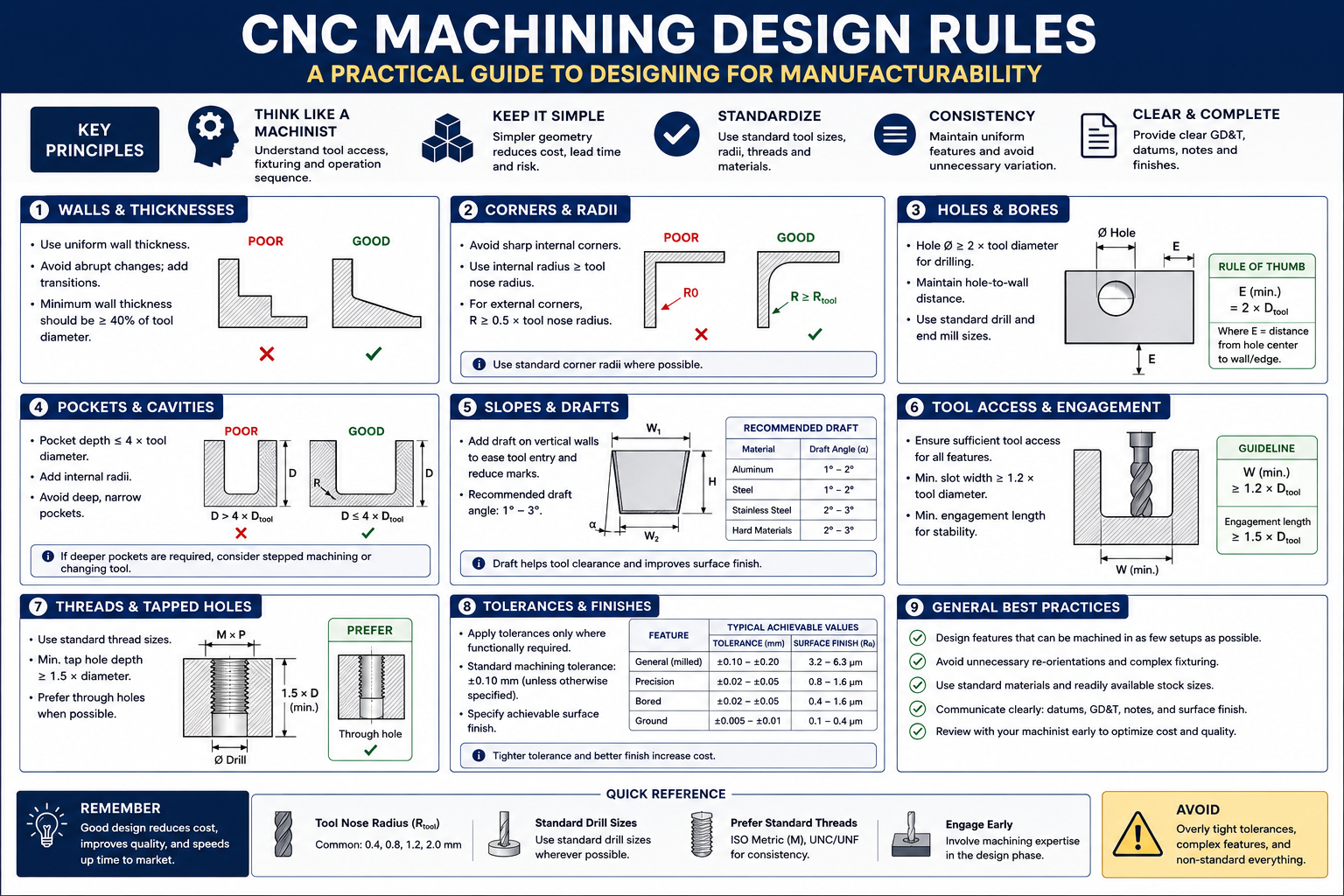
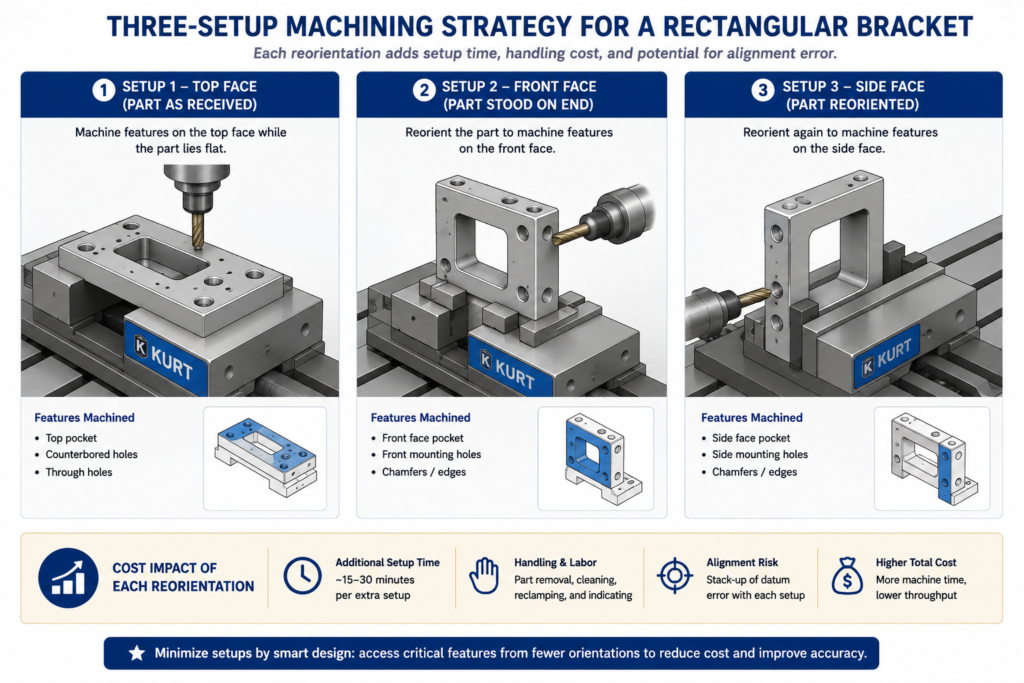
    CNC MachiningMin internal corner radius = tool radius + 10%. Max depth-to-width = 4:1 for slots. Uniform wall thickness. Limit setups to one or two sides.Sharp internal corners, pockets deeper than tool reach, features requiring 5-axis where 3-axis is spec
    Injection MouldingDraft angle 1-2 degrees on all walls. Min wall 1.2mm, uniform thickness. Rib height max 3x wall thickness. Gate location away from mating faces.No draft on tall walls, variable wall thickness causing sink marks, undercuts needing side actions
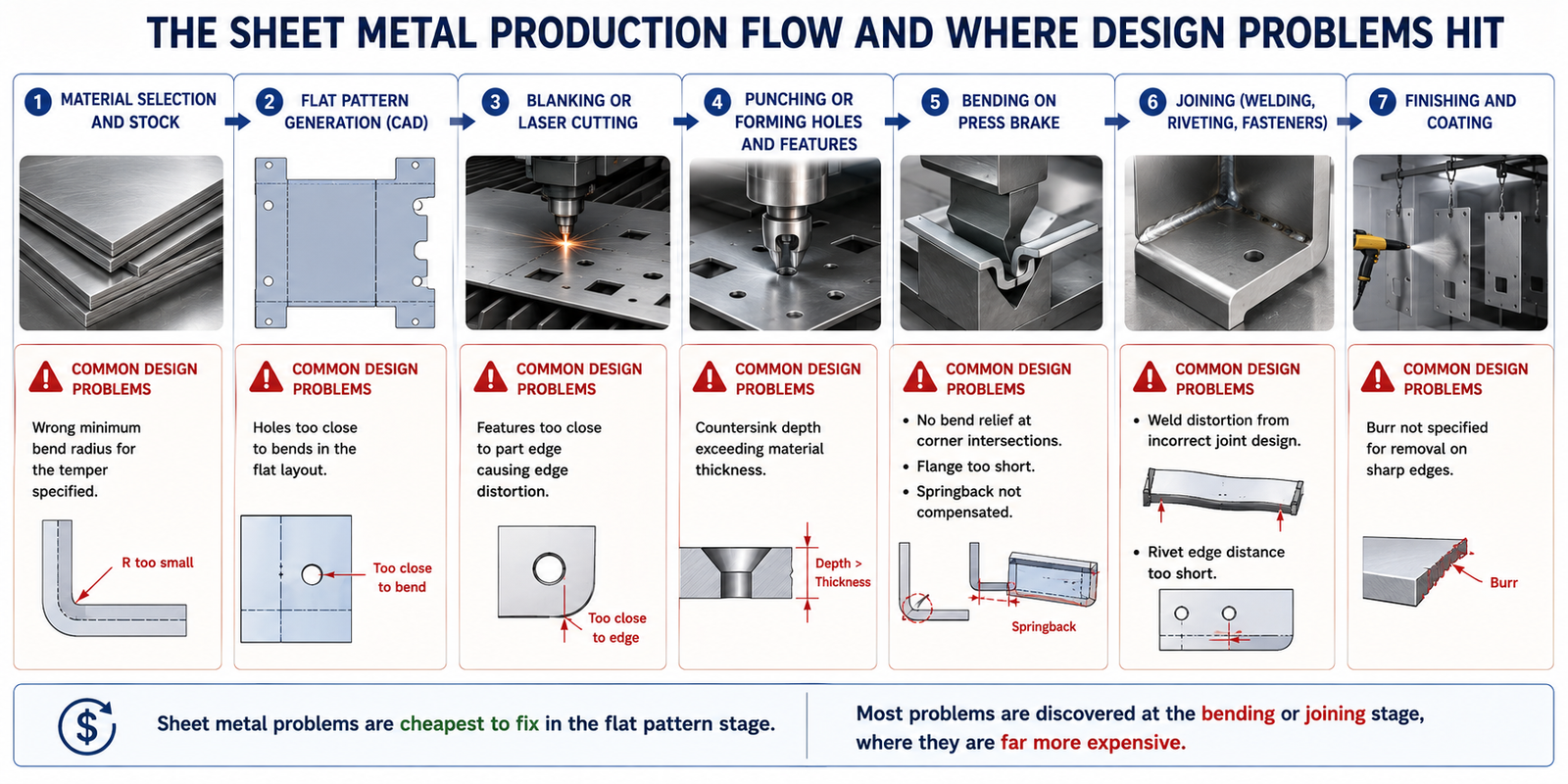
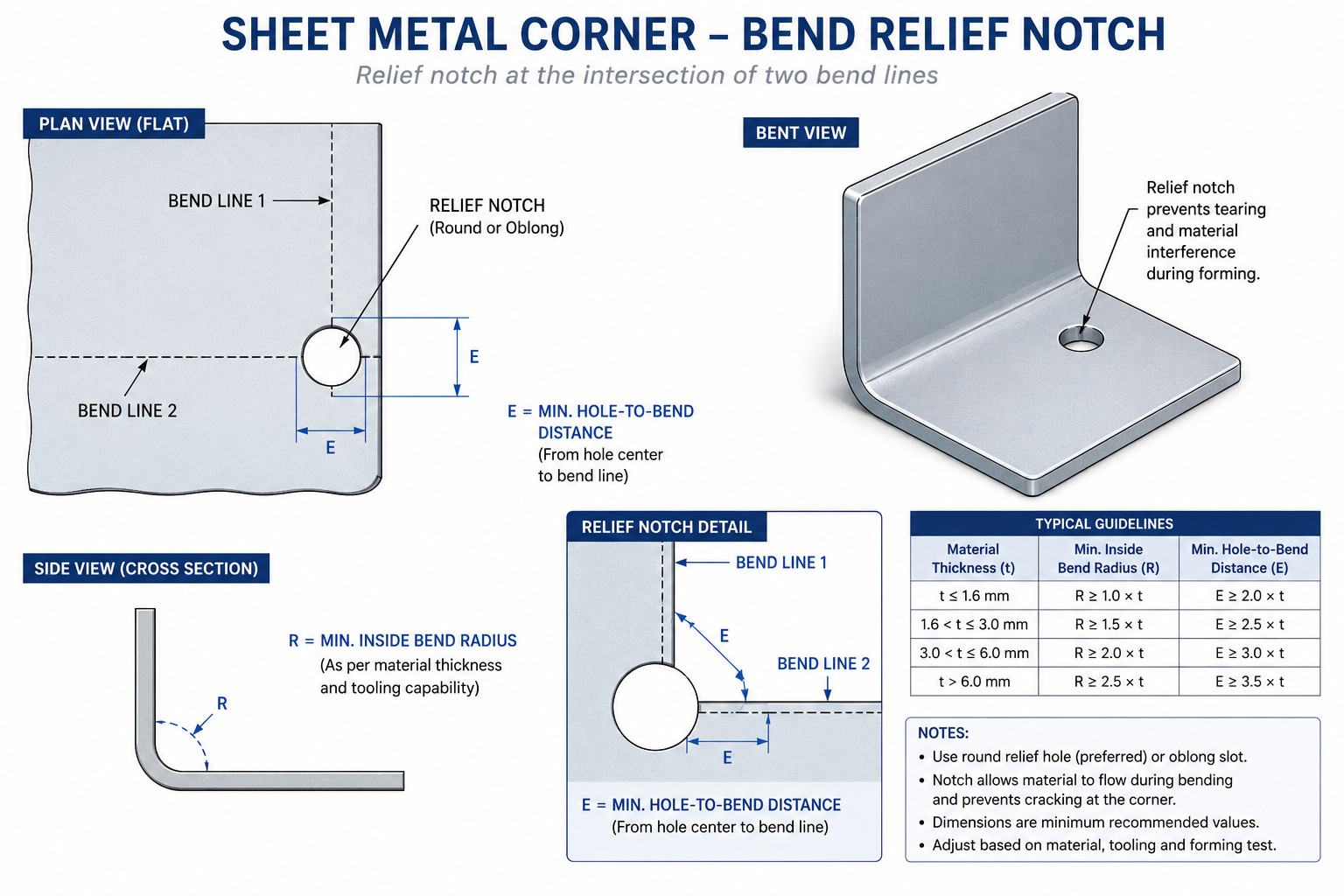
    Sheet MetalMin hole diameter = material thickness. Hole-to-bend distance = 2.5x thickness. Flange height = 4x thickness. Bend relief at intersecting bends.Holes too close to bends, flanges too short for press brake, no bend relief at corners
    Die CastingDraft 1-3 degrees. Wall uniformity critical. Parting line position chosen to minimise surface marks. Draft on cores and inserts.Non-uniform walls causing porosity, draft violations, undercuts on parting plane
    3D Printing (FDM)Orient to minimise supports. Min feature 2x nozzle diameter. Avoid horizontal overhangs beyond 45 degrees. Bridge length under 50mm without support.Features requiring excessive support, thin horizontal bridges, tolerance expectations beyond FDM capability
    Casting (sand/invest.)Min wall 3-5mm depending on alloy. Generous draft 2-5 degrees. Avoid sharp transitions, use fillets everywhere. Core placement feasibility.Thin sections that cannot fill, missing draft, sharp corners causing stress concentration in casting
    Welded fabricationAccess for welding torch and visual inspection. Joint gap specification. Weld sequence to minimise distortion. Avoid welds in high-stress zones.No access for torch, joints requiring simultaneous multi-position welding, tolerance on welded geometry too tight
    Turning / lathe workConsistent diameters to minimise tool changes. Undercuts need relief groove. Chamfers on all transitions. Length-to-diameter max 4:1 without steady.Long slender parts with no steady provision, multiple non-standard diameters, undercuts without relief

    CNC Machining DFM: The Internal Corner Is Where It Always Breaks

    The single most common CNC machining DFM violation is the sharp internal corner in a pocketed feature. A milling cutter is round. It cannot cut a 90-degree internal corner. It leaves a radius equal to its own radius. If the design requires a sharp corner, either a different operation is needed (EDM wire cutting, broaching, or grinding), or the part cannot be made as drawn.

    The solution is not complicated: specify a minimum internal corner radius in every pocketed feature, equal to the cutter radius plus ten percent clearance. For a 10mm end mill, specify R6mm internal corners. For a 6mm end mill, R4mm. If the mating part that fits into the pocket has a sharp corner, chamfer or relieve that part’s corner rather than requiring the pocket to be square.

    The second most common issue is feature depth relative to available tooling. Standard end mills have a flute length to diameter ratio of around 3:1 to 4:1. A pocket 60mm deep requiring a 10mm end mill cannot be machined with standard tooling because the flute length is only 30 to 40mm. The feature requires special extended-reach tooling, which adds cost, delivery time, and vibration risk to the operation. If the pocket depth is driven by function, acknowledge in the notes that extended tooling is required and confirm with the machinist before releasing.

    Injection Moulding DFM: Draft and Wall Thickness Are Not Optional

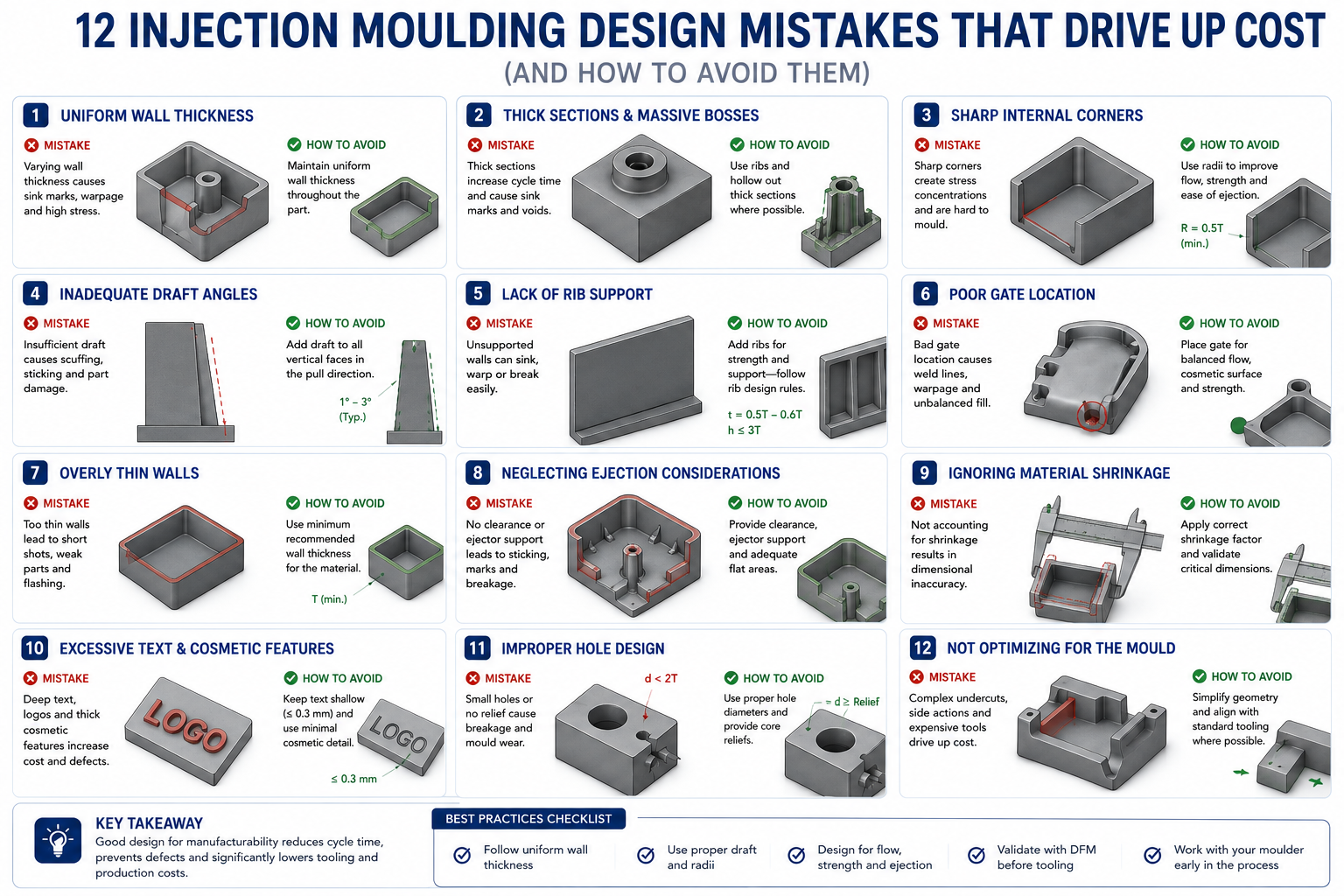
    Draft angle is the first and most critical injection moulding DFM rule. When a part is injected into a mould, it must be ejected cleanly as the mould opens. Without draft on the walls, the part grips the mould and either damages the surface, requires excessive ejection force that marks the part, or sticks entirely. The minimum draft angle depends on the surface finish: polished surfaces require at least 0.5 degrees, textured surfaces require 3 to 5 degrees in addition to the texture depth.

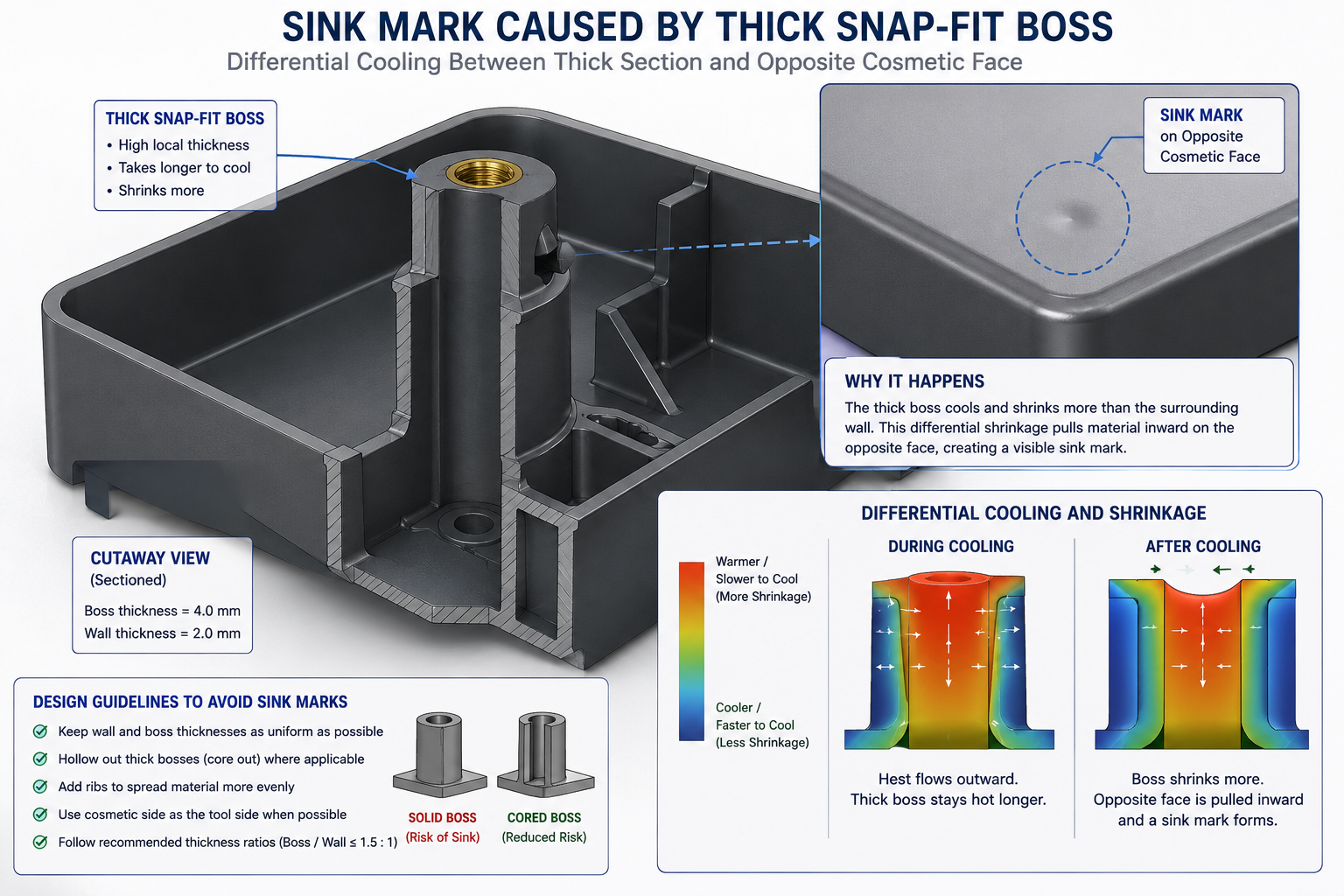
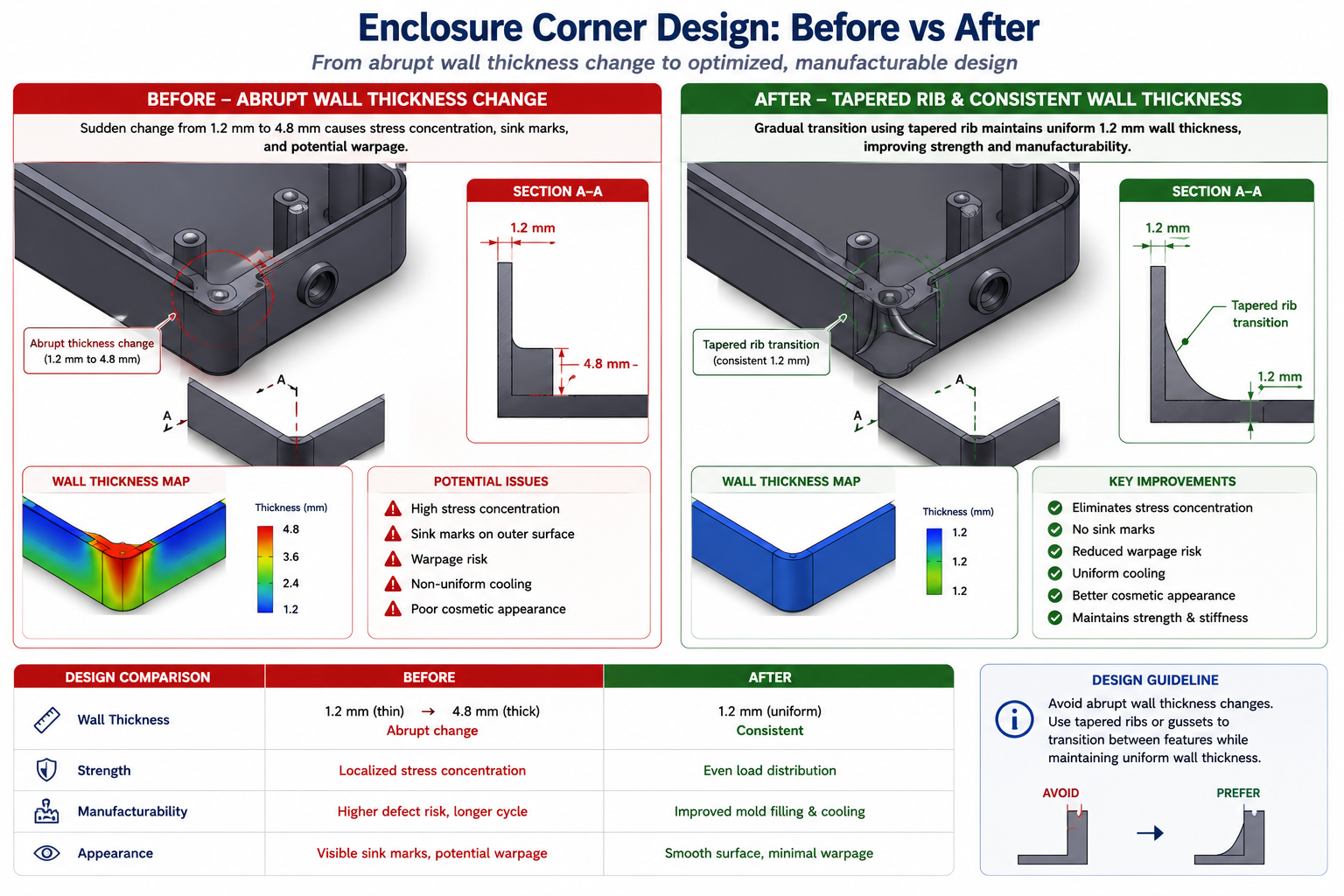
    Wall thickness uniformity is the second critical rule. Injection-moulded parts cool from the outside in. Thick walls cool slowly, thin walls cool quickly. Where thick and thin sections meet, the differential cooling creates internal stress, sink marks on the surface opposite the thick section, and warping as the part cools unevenly. The DFM-compliant approach is to design uniform wall thickness throughout and use ribs and gussets to add stiffness, not increased wall thickness.

    Rib design follows specific proportions from the wall: rib height maximum 3 times the wall thickness, rib thickness 50 to 60 percent of the wall thickness, and a draft of 0.5 to 1 degree on each rib face. These proportions prevent the rib from causing sink marks on the visible face while providing the stiffness that the design requires.

    Sheet Metal DFM: The Rules That Are Invisible Until You Break Them

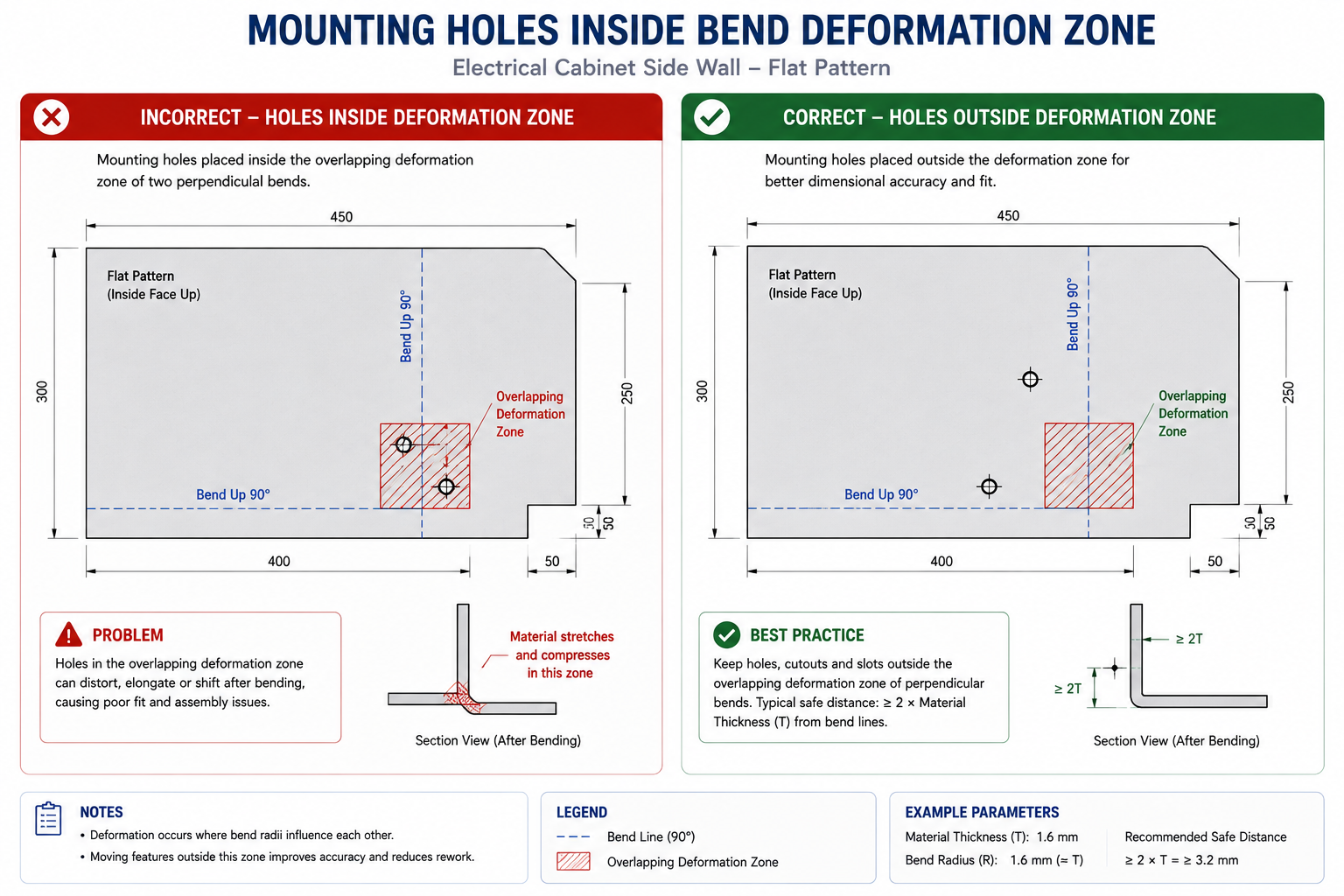
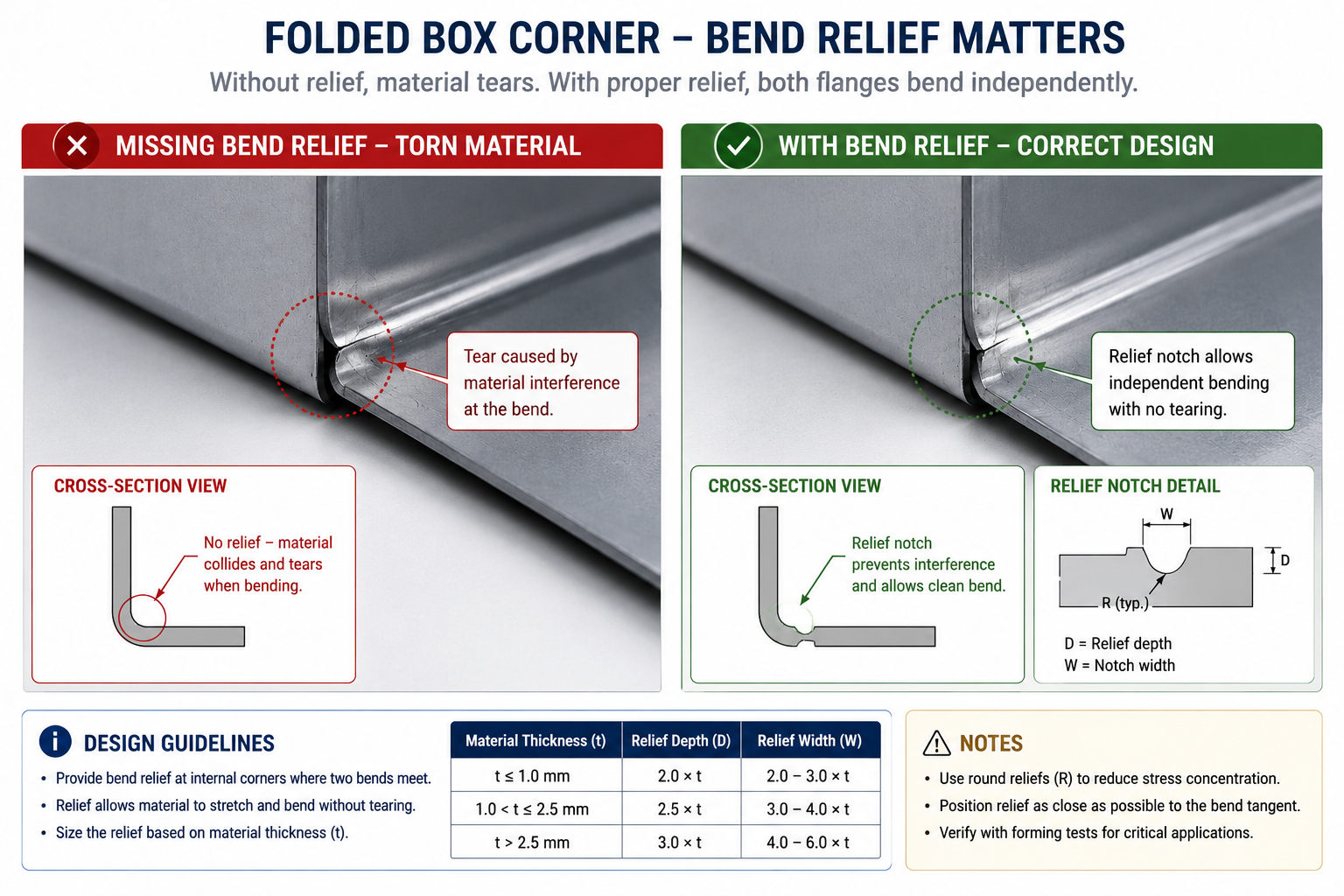
    Sheet metal DFM rules are covered in depth in our guide on sheet metal design for manufacturing. The most consequential rules that affect CAD drawings specifically are the hole-to-bend distance (minimum 2.5 times material thickness from the hole edge to the nearest bend tangent line), the flange height minimum (4 times material thickness for press brake grip), and the requirement for bend relief cuts at all intersecting bends.

    These rules are invisible on the finished drawing to anyone who does not know them. A hole positioned 3mm from a bend in 2mm steel looks like a standard hole. The drawing does not announce that it will deform oval during bending. The experienced fabricator will query it. The inexperienced one will cut it and discover the problem at forming.

    AI DFM Tools in 2026: From Rule Checkers to Active Design Optimisers

    The AI DFM tool landscape in 2026 has split into two distinct categories: tools that check designs against rules and flag problems, and tools that actively optimise designs against manufacturing constraints without requiring the engineer to make every correction manually. Understanding the difference helps set realistic expectations about what each tool can deliver.

    AI DFM Analysis Interface Real-Time Feedback on CAD Model
    I DFM tools in 2026 flag issues as you model, not after the drawing is released. The fix takes seconds. The same fix after tooling takes months.
    ToolTypeWhat it checksCAD integration
    Xometry DFMCloud / uploadCNC, 3D printing, injection mouldingSTEP upload, instant feedback online
    CoLab AutoReviewCollaboration AIBest practices, company-specific standardsComment on 3D models in browser, no CAD needed
    InfinitFormIn-CAD AIActively optimises geometry, not just flagsDirect Fusion 360 and SolidWorks integration
    Autodesk DFM (Fusion)In-CAD integratedMachining, additive, sheet metalNative in Fusion 360 Manufacture workspace
    DFMXpressIn-CAD integratedMachining and injection moulding rulesNative in SolidWorks, runs on active model
    Dashnode AI DFMCloud / uploadCNC, turning, sheet metal, additiveSTEP/IGES upload, detailed feature-level report
    Protolabs DFMCloud / uploadInjection moulding, machining, 3D printingPart upload on quoting platform
    Fictiv DFM feedbackCloud / uploadAll common processes with manufacturabilityIntegrated in quoting and ordering workflow

    Static Rule Checkers vs AI-Driven Optimisers

    Traditional DFM tools, including the built-in DFMXpress in SolidWorks and early versions of cloud upload tools, apply static geometric rule sets. The rules are hard-coded: minimum corner radius, minimum draft, minimum hole diameter. When a feature violates a rule, the tool flags it. The engineer decides what to do.

    The limitation identified in a March 2026 CoLab analysis is that static rule checkers often generate high volumes of false positive alerts on designs that are technically acceptable for the specific tooling and process setup being used, even if they violate a generic rule. Engineers begin ignoring the alerts because too many are irrelevant. The signal-to-noise ratio degrades the value of the tool.

    AI-trained tools like InfinitForm and the newer generation of analysis engines trained on real manufacturing outcomes are beginning to address this. Rather than applying static geometric rules, they are trained on historical manufacturing data: which designs were quoted at a premium, which resulted in scrap, which required tool changes or process deviations. The feedback is contextual rather than generic, which reduces false positives and increases engineer trust in the outputs.

    InfinitForm: The Active Optimiser Approach

    InfinitForm represents a conceptually different approach from flagging tools. Rather than producing a list of problems for the engineer to solve, it applies automated geometry corrections directly to the CAD model: rounding corners, adding draft, adjusting wall thickness, all within the CAD environment without requiring the engineer to identify and manually fix each issue.

    For engineering teams processing high volumes of similar part geometries, this approach delivers significant throughput gains. For complex or novel designs where the engineering judgment behind each feature is important, the active optimiser approach needs careful supervision: automated corrections can change the design intent if the optimiser does not understand why a specific geometry exists. The engineer remains responsible for reviewing what the tool has changed.

    Cloud Upload Tools: Xometry, Protolabs, and Fictiv

    The cloud quoting platforms operated by Xometry, Protolabs, and Fictiv have built DFM analysis directly into their quoting workflow. When an engineer uploads a STEP file for a quote, the platform analyses the geometry against the selected process rules and returns both a price and a DFM report in the same response.

    This is probably the most consequentially positioned DFM feedback in any workflow: the engineer receives manufacturing feedback at the exact moment they are deciding whether to proceed with the design. A DFM issue flagged at the quoting stage costs an email and a model revision. The same issue discovered during production at that same supplier costs a production hold and an emergency re-design.

    Design for Assembly: The DFM Dimension That Affects the Whole Product

    If DFM focuses on how individual parts are made, Design for Assembly (DFA) focuses on how those parts come together. The principles are related but distinct, and both have direct effects on what appears on CAD drawings and assembly documentation.

    The Boothroyd-Dewhurst Principles That Still Apply in 2026

    Geoffrey Boothroyd and Peter Dewhurst codified the foundational DFA principles in the 1970s and 1980s. Four decades later, they remain the most consistently useful framework for assembly design decisions in CAD:

    1. Minimise the part count. Every part is a cost: material, manufacturing, inspection, inventory, and assembly time. Ask whether each part can be combined with an adjacent part without losing function. The part count is the single highest-lever driver of assembly cost.
    2. Design parts with unambiguous assembly orientation. If a part can be inserted in the wrong orientation, it will be, eventually, and the consequence will be a field failure or an assembly line stoppage. Use asymmetric geometry or assembly features to make the wrong orientation physically impossible.
    3. Design for top-down assembly. Where possible, design assemblies so each part is added from above and drops into place under gravity. This enables robotic assembly and reduces the number of repositioning steps required during manual assembly.
    4. Minimise fastener count and types. Each different fastener type requires a different tool, a different bin, and a different training requirement. Standardise on a minimum number of fastener types and sizes across a product family.

    How DFA Appears in CAD Drawings

    • Poka-yoke features (asymmetric tabs, locating pins, orientation notches) that make wrong assembly physically impossible
    • Assembly sequence notes specifying the order of sub-assembly and final assembly operations
    • Fastener callouts using the minimum number of standardised types across the assembly
    • Clearance specifications for assembly tool access (screwdriver, spanner, rivet gun)
    • Datum references that are accessible and measurable during assembly, not just during inspection

    Integrating DFM Into Your CAD Modeling Workflow

    DFM is most effective when it is not a separate activity from CAD modeling but a habit embedded in how the model is built. The following approach integrates DFM thinking at each stage of the modeling process without adding a separate review gate that is often compressed or skipped under schedule pressure.

    Before Opening the CAD Software

    The most important DFM decision is often the first one: selecting the manufacturing process. The process determines every subsequent DFM rule that applies. A design engineer who does not know whether a part will be machined, moulded, or fabricated cannot make any sensible geometry decisions because the constraints are completely different for each.

    If the process is not yet fixed, the concept design should use geometry that is agnostic enough to work for at least two candidate processes. Do not design sharp internal corners as a default if the part might be injection moulded, because adding draft later is more disruptive than designing with draft from the start. Use the concept stage to test which process is most appropriate before committing to the geometry that locks the choice.

    During Feature Creation

    Apply the most critical DFM rule for the chosen process to each feature as it is created. For machined parts: never create an internal pocket without specifying the corner radius in the feature. For moulded parts: apply draft before finalising any extruded wall. For sheet metal: check hole-to-bend clearance before placing any hole near a fold line.

    This is not additional work. It is the same modeling time applied with process awareness rather than pure geometry focus. The feature takes the same time to create. The only difference is whether the geometry that is created will need to be reopened and corrected when the DFM check is run after drawing completion.

    At Drawing Creation

    The drawing is where DFM is either confirmed or undermined by tolerances and notes. Three things matter most at the drawing stage.

    First, tolerance allocation: apply the tolerance table approach from earlier in this guide. Tight only where function requires it. General reference everywhere else. Add a general tolerance block in the title block referencing ISO 2768-m so the fabricator knows the default.

    Second, drawing notes: add process-specific notes that the drawing geometry alone cannot communicate. Tool access direction for inspection. Acceptable substitution materials if the primary specification is unavailable. Required testing before acceptance. Any feature that is critical to assembly or safety, marked as such.

    Third, run the AI DFM check before releasing. With tools like DFMXpress in SolidWorks or the Fusion 360 DFM workspace, this takes minutes and catches the geometric violations that might have slipped through modeling. Treat any critical finding as a mandatory fix, not an optional consideration.

    10 DFM Mistakes That Make Parts Expensive, Slow, or Wrong

    These are the DFM failures that come up most consistently across machined, moulded, and fabricated part reviews. Each one has a specific, measurable cost consequence and a straightforward prevention strategy.

    MistakeCost consequencePrevention
    Sharp internal corners in CNC pockets100% rejection or EDM rework: $500-$5,000/partSpecify minimum internal radius = tool radius + 10% in all pocketed features. Put it in the drawing notes.
    No draft on injection-moulded wallsMould tools reworked or part sticks on ejectionApply 1-2 degree draft to all walls in draw direction. Check mould flow simulation before tooling.
    Over-toleranced non-critical featuresQuote 30-50% higher than necessaryApply ISO 2768-m as default. Tighten only mating and functional interfaces. Mark critical dimensions clearly.
    Variable wall thickness in mouldingSink marks, warping, weld lines in productionDesign uniform wall thickness. Add ribs for stiffness. Transition thickness changes with tapered sections.
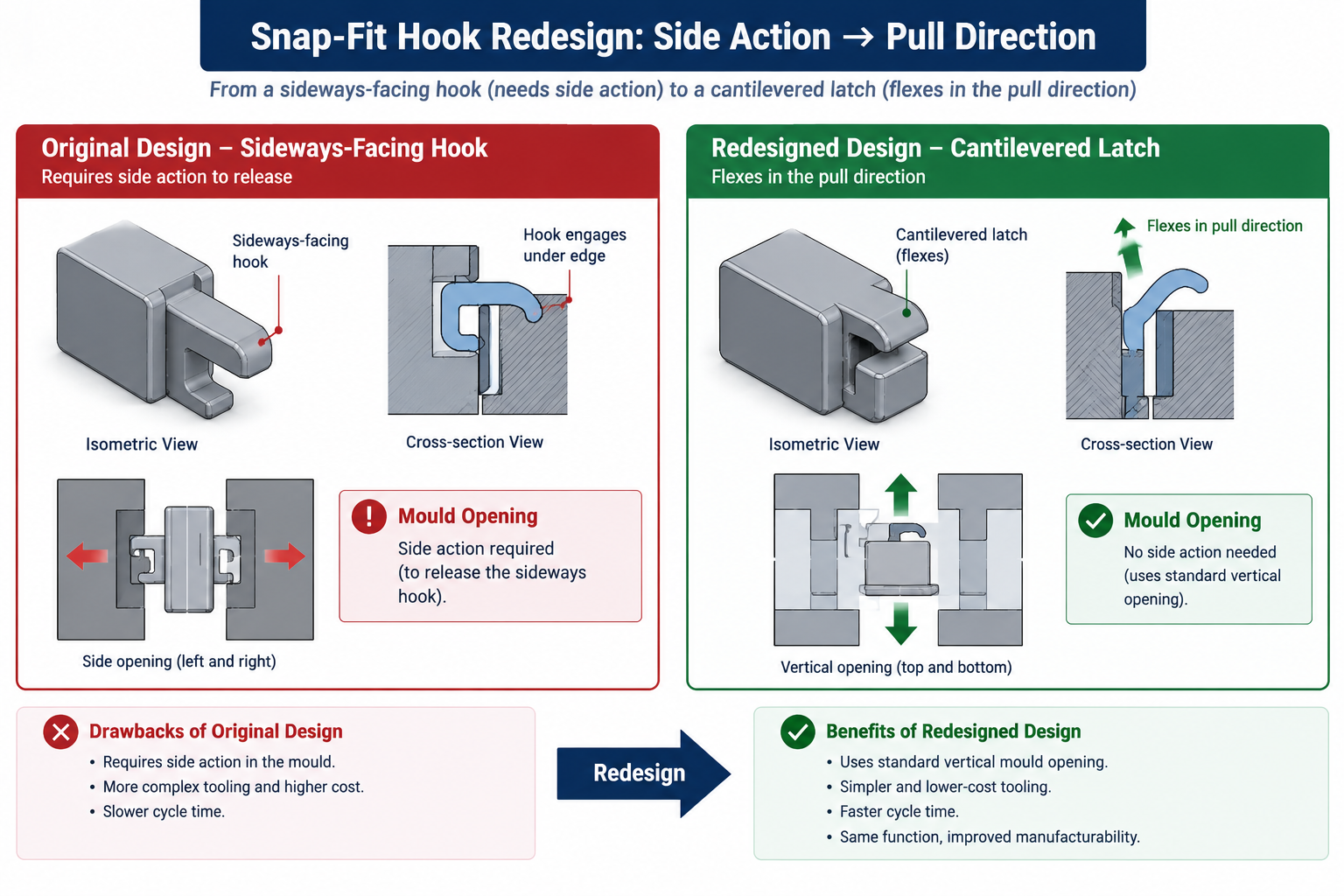
    Undercuts without side actions budgetedTooling cost overrun by 20-40%Identify all undercuts during DFM review and confirm whether side actions are in tooling budget and lead time.
    Material specified without temperWrong material properties, wrong machinabilityAlways specify full material standard: alloy, grade, temper, condition. Not ‘aluminium’ but ‘6061-T6 per AMS 2770’.
    Feature depth exceeding tool reachSpecial tooling ordered, programme delayedCheck all pocket depths against standard end mill reach ratios (max 4:1 depth:diameter for standard tooling).
    No tool access for inspectionIn-process inspection impossible, defects missedDesign inspection access for all critical features. Confirm measurement method with quality team before drawing release.
    Assembly sequence not consideredParts cannot be assembled in the designed orderBuild assembly sequence into notes. Check that every fastener has access and every sub-assembly can reach its position.
    Ignoring DFM until drawing is completeRework of finalised model is expensive and slowIntegrate DFM checks at the concept and mid-model stage, not as a gate after the drawing is finished.
    The DFM checklist for every drawing release:  Before releasing any CAD drawing: (1) Internal corner radii specified for all machined pockets. (2) Draft angles on all moulded or cast walls. (3) Wall thickness uniform or tapered for injection moulding. (4) Hole positions checked against bend distances for sheet metal. (5) Tolerance callouts reviewed, non-critical features set to ISO 2768-m. (6) Full material specification including temper and standard. (7) AI DFM check run and all critical findings resolved. (8) Assembly sequence and tool access confirmed where relevant. Two minutes of checking here prevents two weeks of rework later.

    DFM and Sustainability: The 2026 Dimension

    Sustainability-focused DFM is the fastest-growing component of the discipline in 2026. Regulatory pressure, customer expectations, and genuine cost savings from material efficiency are driving its adoption in sectors from consumer electronics to industrial equipment.

    Sustainability-focused design for manufacturability applies the same logic as cost-focused DFM: the design decision made at the CAD stage determines the material waste, energy consumption, and end-of-life recyclability of every part produced. Those outcomes cannot be improved significantly once the geometry is fixed and tooling is committed.

    • Material efficiency: topology-optimised geometry removes material from low-stress regions, reducing both part weight and the energy required to produce the raw material
    • Process selection for carbon footprint: machining from solid generates significant swarf waste; near-net-shape forming processes such as forging and casting use materially less input stock for the same output part
    • Fastener-free joining: snap-fit, press-fit, and adhesive-bonded joints reduce the number of dissimilar materials in an assembly, improving recyclability at end of life
    • Recycled material specification: calling out recycled aluminium alloys or post-consumer recycled polymer grades in the material specification is now a viable and often cost-neutral choice on many standard part types
    • Design for disassembly: ensuring that assembled parts can be separated at end of life without destroying either component, by avoiding permanent bonding of dissimilar materials and designing accessible fastener access

    Conclusion:

    The engineers who produce drawings that go directly to manufacture without a problem list are not the ones with the most experience. They are the ones who have internalised the constraints of the processes they are designing for, and who apply those constraints feature by feature as the model is built rather than as a checklist after it is finished.

    Design for Manufacturability is not complicated. The rules for each process are learnable in an afternoon. The tolerance strategy is a decision framework, not a table to memorise. The DFM habits, checking corner radii in machined pockets, adding draft to moulded walls, keeping holes away from bends, take no additional time once they are reflexive.

    What makes DFM expensive to ignore is the compounding cost of discovering problems late. What makes it worth prioritising is the compounding benefit of designs that work the first time: faster first article acceptance, fewer supplier queries, lower quoted prices, and manufacturing teams that trust the drawings they receive.

    In 2026, AI DFM tools from InfinitForm, Xometry, CoLab, and others are making it easier to catch the remaining violations that slip through even experienced design reviews. But the tools only work well on designs that were already being thought about correctly. The AI catches what the engineer missed. It does not replace the engineer thinking about manufacturability while the model is being built.

    Design the process into the part. The process cannot be designed in after the drawing is released.

    Frequently Asked Questions

    What is design for manufacturability (DFM)?

    Design for manufacturability (DFM) is an engineering methodology that ensures products are designed to be manufactured efficiently, reliably, and at minimum cost. It involves applying process-specific design rules during CAD modeling, reviewing geometry against manufacturing constraints before drawings are released, and selecting materials and tolerances that match what the production process can actually achieve. DFM reduces rework, scrap, and tooling corrections by catching problems at the design stage rather than on the shop floor.

    How does DFM affect CAD drawings specifically?

    DFM changes what a CAD drawing must communicate. A DFM-compliant drawing includes minimum internal corner radii that match available tooling, draft angles on moulded and cast walls, hole-to-bend distances for sheet metal, and selective tolerances that are tight only on functional interfaces while leaving the rest to ISO 2768 defaults. The manufacturing process determines what the drawing must say. Without DFM applied, drawings routinely specify features that are impossible for the intended process, tolerances that add cost without functional benefit, and geometry that a fabricator must query or reject.

    When in the design process should DFM be applied?

    DFM should be applied at the concept stage, before detailed CAD modeling begins. The cost of fixing a manufacturing issue increases by roughly a factor of 10 at each development stage. Fixing a DFM issue at concept costs engineering time only. The same problem found after tooling is cut costs tens of thousands to hundreds of thousands of dollars and delays the programme by months. The most effective DFM is not a gate review at drawing completion but a continuous habit of checking each feature against the target process as the model is built.

    What are the most important DFM rules for CNC machining?

    The most critical DFM rules for CNC machining in CAD are: minimum internal corner radius equal to the cutter radius plus ten percent, maximum pocket depth to width ratio of 4:1 for standard tooling, uniform wall thickness to avoid chatter and deflection, feature access from two setups maximum, chamfers rather than sharp edges on all transitions, and thread relief grooves on all threaded sections. Each of these rules is directly reflected in how the part is dimensioned and annotated on the drawing.

    What is the difference between DFM and DFA?

    DFM (Design for Manufacturability) focuses on how individual parts are made. DFA (Design for Assembly) focuses on how parts are assembled together. DFM asks whether a single part can be manufactured efficiently by the intended process. DFA asks whether the number of parts can be reduced, whether fasteners are accessible, whether parts can be assembled in only one orientation, and whether the assembly sequence is practical. Both disciplines are related and both affect CAD drawings, but they address different failure modes in product development.

    How does AI DFM analysis work in 2026?

    AI DFM tools in 2026 analyse CAD geometry automatically when a model is uploaded or as it is being built inside the CAD environment. They check features against process-specific rule libraries, flag violations with location, severity, and suggested fix, and in the most advanced tools such as InfinitForm, they automatically optimise the geometry rather than simply flagging the problem. Tools like Xometry and Protolabs integrate DFM feedback directly into the quoting workflow, so engineers receive manufacturability feedback at the same time as they receive a price. The shift from static geometric rules to AI trained on manufacturing outcomes is making DFM analysis faster, more accurate, and more accessible to engineering teams without dedicated DFM specialists.


    Boothroyd Dewhurst: the founding research organisation for DFMA methodology

  • Reverse Engineering Using 3D Scanning: How Physical Parts Become CAD Models

    Reverse Engineering Using 3D Scanning: How Physical Parts Become CAD Models

    $7.51 billion  projected global 3D scanning market size by 2030, growing at 10.1% CAGR from $4.28B in 2024 (Grand View Research)
    0.01mm  best-in-class accuracy achievable with structured light scanning for small precision components in a controlled lab environment
    1/10th the time  Geomagic Design X and Artec claim scan-to-CAD reverse engineering takes one-tenth the time of building the same model from physical measurement alone
    20 seconds  CT segmentation time per scan achieved by AnatomikModeling using VGTRAINER + VGSTUDIO MAX AI, down from 1 hour manually (Hexagon, 2026)

    Introduction:

    A manufacturing plant is called to replace a critical pump impeller. The original manufacturer no longer exists. The engineering drawings were lost in a flood thirty years ago. The only thing available is the worn impeller sitting on the workshop bench.

    Before 3D scanning reverse engineering was available, the options were: manual measurement with calipers and a coordinate measuring machine, which for a complex curved impeller profile could take weeks and still miss detail in the vane geometry; or fabrication by trial and error, which is expensive and slow. Today, an engineer with a structured light scanner and a laptop running Geomagic Design X can have a fully parametric CAD model of that impeller, accurate to 0.02mm, in under a day.

    This is the practical reality of reverse engineering with 3D scanning in 2026. The technology has matured to the point where it is no longer a specialist capability restricted to large aerospace and automotive programs. It is accessible to any engineering team dealing with legacy equipment, worn parts, no-drawing components, or geometry that is simply too complex to measure manually.

    This guide walks through the complete scan to CAD workflow from first capture to exported parametric model, covering what each stage involves, which tools are used, where the process commonly fails, and what AI is beginning to change about a workflow that has traditionally been dominated by skilled human judgment.

    Quick definition:  Reverse engineering using 3D scanning is the process of digitising a physical part into a point cloud with a scanner, converting that data into a clean mesh, and extracting a parametric or surface-based CAD model that can be used for manufacturing, analysis, or modification. The result is a digital model derived from the physical reality of the part, not from original design drawings.
    The Four Stages of Scan to CAD Reverse Engineering
    One physical part. Four processing stages. One parametric CAD model.

    What Is Reverse Engineering with 3D Scanning and Why It Matters

    Traditional engineering goes from design to manufacture: a drawing is created, then a part is made to match it. Reverse engineering inverts that sequence. You start with an existing physical object and work backward to create the design documentation that could have produced it.

    3D scanning makes this process practical for complex geometry. The alternative, manual measurement using calipers, micrometers, templates, and coordinate measuring machines, works adequately for simple prismatic parts with flat faces, cylindrical bores, and standard features. It breaks down for freeform surfaces, complex contours, organic shapes, and any geometry where the critical dimensions are difficult to access with a physical probe.

    When Reverse Engineering Is Actually Needed

    • No surviving drawings: Legacy plant equipment, inherited tooling, or parts from suppliers no longer in business. If the drawings never existed or have been lost, scanning is the only practical route to a CAD model.
    • As-built capture: Where the physical plant or structure has been built and modified over decades in ways that diverge from the original drawings. Oil and gas facilities, ships, and heritage buildings commonly require as-built scanning to support retrofit and maintenance engineering.
    • Worn or damaged part analysis: Understanding how a part has changed from its nominal condition through wear, deformation, or damage. The scan is compared against the nominal CAD model to map deviation.
    • Fitting design to existing geometry: When a new component must fit precisely around or into an existing physical assembly that has no accurate CAD model. Customised prosthetics, ergonomic product design, and retrofit equipment design all rely on this use case.
    • Competitive benchmarking: Understanding how a competitor’s product is constructed by digitising and analysing it. Common in automotive, consumer products, and industrial equipment.
    • Complex freeform geometry: Turbine blades, propeller profiles, automotive exterior panels, injection mould cavities. These surfaces cannot be described accurately by a few measurements. They require full-field 3D capture.

    How 3D Scanners Work: The Physics Behind the Data

    Different scanner technologies use different physics to capture geometry. Understanding the underlying method explains why each type has specific accuracy limits and specific material constraints.

    Structured Light Scanning

    A structured light scanner projects a series of striped or fringe patterns onto the surface of the part. Two cameras observe how those patterns deform as they follow the contours of the surface. The system uses the principle of triangulation: knowing the angle between the projector and each camera, and knowing the expected undistorted pattern, the software calculates the 3D position of every visible point where the pattern deforms.

    The result is a dense, accurate point cloud captured in a single shot or a rapid sequence of shots. High-end systems like the GOM ATOS series achieve accuracies of 0.01mm on small components. This makes structured light scanning the benchmark method for precision part digitisation in metrology and quality control workflows.

    The limitation is field of view: a single setup captures only what the cameras can see. Multiple setups are needed to cover the full part, and all setups must be registered into a single coordinate system. Reference targets, small adhesive dots applied to the part or the fixture, give the registration software fixed points to align the scans against.

    Laser Line Scanning

    A laser line scanner projects a single laser stripe across the surface and records how that line deforms using a camera sensor. The scanner moves relative to the part, sweeping the laser line across the surface to build up a full point cloud. Handheld versions like the Creaform HandySCAN and the Artec Leo use inertial measurement units and surface texture tracking to maintain position without external targets.

    Handheld laser scanning offers significantly more flexibility than structured light for large parts and parts with complex access requirements. Accuracy of 0.05 to 0.1mm is achievable for most mechanical parts with a skilled operator. The penalty relative to structured light is that real-time motion tracking introduces positional noise that the software must manage, and the accuracy degrades slightly as the scanned area grows.

    Photogrammetry

    Photogrammetry uses photographs from multiple positions around an object and computes the 3D positions of identifiable features in those images using the known geometry of the camera. Scale is introduced through coded reference targets of known dimensions. The method is scale-independent: the same technique works for scanning a small artefact on a turntable or a full aircraft fuselage in a hangar.

    Accuracy scales with measurement volume. For a one-metre part, photogrammetry achieves 0.02 to 0.05mm. For a ten-metre structure, accuracy is 0.2 to 0.5mm. The method is particularly strong for capturing overall shape and position with high accuracy across large volumes, and it is often combined with local structured light scanning for features requiring higher local detail.

    CT Scanning: The Internal Geometry Solution

    Industrial CT scanning (computed tomography) is the only widely available non-destructive method that captures internal geometry from a 3D scan. X-rays are passed through the part from multiple angles, and the attenuation of those X-rays through the material is measured by a detector. Software reconstructs the internal and external geometry of the part as a voxel model (a three-dimensional pixel grid) from which a surface mesh can be extracted.

    The method captures everything: external surfaces, internal bores and passages, wall thickness variations, inclusions, voids, and porosity. For cast or moulded parts with critical internal geometry, CT scanning is the only practical option. Published results demonstrate CT scanning reducing CT segmentation from one hour to 20 seconds per scan using AI-accelerated processing in 2026 workflows.

    The limitation is size and cost. CT scanning requires the entire part to fit within the X-ray beam envelope, limiting practical part size to roughly one metre for most industrial systems. Larger parts must be scanned in sections. Cost per scan is significantly higher than optical methods, making CT scanning appropriate for high-value or critical parts where internal geometry is essential, not for routine reverse engineering projects.

    Scanner TypeHow It WorksTypical AccuracyBest ForPrice Range (2026)
    Structured lightProjects fringe patterns, captures deformation0.01-0.05mmSmall-medium precision parts$5k – $80k
    Laser line scannerLaser stripe swept across surface0.02-0.1mmGeneral mechanical parts, panels$8k – $60k
    Handheld laserPortable, marker or markerless track0.05-0.1mmLarge parts, on-site scanning$15k – $80k
    PhotogrammetryMultiple camera angles, targets0.02-0.05mm / metreLarge structures, vehicles, aircraft$5k – $50k
    CT scanning (X-ray)X-ray slices through solid part0.005-0.05mmInternal geometry, complex castings$100k+
    Arm-mounted CMM probeContact probe on articulating arm0.005-0.025mmHigh-precision machined parts$20k – $150k
    LiDAR (long range)Pulsed laser time-of-flight1-5mm at rangeLarge facilities, ships, plant$30k – $200k+

    The Complete Scan to CAD Workflow: Every Stage Explained

    The scan to CAD process for reverse engineering is not a single step. It is a pipeline with nine distinct stages, each requiring specific tools and specific judgment. Understanding each stage prevents the most common failure: assuming a clean part scan automatically produces a usable CAD model.

    Structured Light vs Handheld Laser Scanner Accuracy Comparison
    Scanner selection is an engineering decision. Match the accuracy specification to the tolerance requirement of the part.
    StageWhat HappensKey Software / ToolsCommon Failures at This Stage
    1. PlanIdentify scan coverage, fixturing, targetsPart inspection, scanner spec sheetNot scanning all surfaces, missing undercuts
    2. ScanCapture point cloud from multiple positionsArtec Leo, FARO Arm, Creaform HandySCANNoise from reflective surfaces, gaps in coverage
    3. AlignRegister multiple scan positions to one modelArtec Studio, FARO Scene, VXelementsPoor alignment from insufficient overlap between scans
    4. MeshConvert aligned point cloud to polygon meshArtec Studio, Geomagic Wrap, MeshmixerMesh holes, inverted normals, duplicate faces
    5. CleanRemove noise, fill holes, smooth artefactsGeomagic Wrap, Artec Studio, MeshLabOver-smoothing removes real geometry detail
    6. SegmentIdentify surfaces, features, reference planesGeomagic Design X, PolyWorks, RapidformFeature boundaries misidentified, wrong primitives
    7. ModelFit primitives, extract features, build CADGeomagic Design X, Siemens NX, Creo RENominal model drift from best-fit alignment errors
    8. ValidateCompare model to scan, check deviationsGeomagic Control X, PolyWorks InspectorAccepting deviation above tolerance for critical features
    9. ExportOutput to native CAD formatLiveTransfer to SolidWorks, NX, CATIALosing parametric history during format conversion

    Stage 1 to 4: From Physical Part to Clean Mesh

    The first four stages are about capture and data quality. The planning stage defines the scanning strategy: how many positions are needed, where targets go if required, whether the surface needs preparation, and which scanner is appropriate for the part geometry and required accuracy.

    Surface preparation is frequently underestimated. Reflective metallic surfaces scatter laser and structured light, producing sparse data or complete gaps in the scan. Applying a temporary matte scanning spray, a chalk-based aerosol that wipes clean with a damp cloth, resolves this for almost all metallic surfaces. Dark or black surfaces absorb laser energy with the same result. The spray solution works equally well there. For parts where any surface contamination is unacceptable, switching to CT scanning avoids the problem entirely.

    Mesh cleaning fills the inevitable holes at occluded surfaces, removes noise spikes from scanner artefacts, and repairs duplicate or inverted faces that would cause downstream errors. The principle here is to repair, not to sculpt. The cleaned mesh should represent the real part geometry, not a smoothed approximation of it. Aggressive smoothing removes real geometric detail that the CAD model needs to capture accurately.

    Stage 5 to 7: From Mesh to CAD Model

    This is where the most engineering judgment is applied and where the most time is spent. The cleaned mesh contains the captured geometry but no structural understanding. The software does not know which regions are cylindrical, which are planar, which are filleted transitions. Segmentation divides the mesh into regions that correspond to individual geometric features.

    In Geomagic Design X, this segmentation is increasingly automated: the Feature Wizard identifies prismatic features such as cylinders, planes, cones, and spheres directly from the mesh. For a machined mechanical part, 70 to 80 percent of the features may be identified automatically. The remaining freeform or unusual surfaces require manual region definition.

    Feature extraction fits the best mathematical primitive to each segmented region. A cylindrical region becomes a parametric cylinder with a defined diameter and axis. A planar region becomes a plane with defined orientation. A filleted transition becomes a radius with a defined value. The result is a collection of parametric features that the CAD system can use to build a history-based model, equivalent to what a designer would have built from scratch.

    Stage 8 to 9: Deviation Analysis and Export

    Deviation analysis is the quality gate of the reverse engineering process. The completed CAD model is projected back onto the original scan data and a colour map is generated showing the deviation between the model surface and the scanned surface at every point. Areas of green indicate good agreement within tolerance. Areas of red or blue indicate regions where the model diverges from the scan.

    This analysis identifies whether the model is an accurate representation of the part. For a reverse engineering project, the target deviation depends on the application. A heritage part being reproduced for historical accuracy might accept 0.5mm. A precision aerospace component might require every critical surface to be within 0.02mm. The deviation analysis makes the agreement quantifiable rather than subjective.

    Export uses LiveTransfer technology in Geomagic Design X to send the parametric model directly to SolidWorks, Siemens NX, PTC Creo, Autodesk Inventor, or CATIA with the feature history intact. The receiving engineer can modify dimensions, suppress features, add new geometry, and use the model exactly as they would use a model built originally in that CAD system.

    The one step most engineers skip:  Running the deviation colour map before sign-off. A model that looks right visually may deviate by several tenths of a millimetre from the scan at compound curves and blended transitions. The colour map catches this. Always check the deviation analysis before releasing the model for manufacturing or analysis.
    3D CAD deviation analysis overlay
    The deviation map is the quality proof. Without it, you cannot verify the model matches the part.

    Reverse Engineering Software in 2026: What Is Used and Why

    The reverse engineering software landscape in 2026 is more varied than it has ever been, with traditional established platforms being joined by AI-native tools that automate steps previously requiring significant expert skill. Understanding which tool belongs where prevents expensive mismatches between software capability and project requirement.

    SoftwareDeveloperPrimary FunctionBest For2026 Status
    Geomagic Design XHexagon/3D Sys.Scan to parametric CADMech parts, all industriesIndustry benchmark, Go/Plus/Pro tiers
    Artec Studio 18Artec 3DScan processing and mesh outputArtec scanner ecosystemAI auto-align in Studio 18, 2025
    PolyWorks ModelerInnovMetricPoint cloud to surface and CADLarge industrial partsWidely used in automotive and aero
    Siemens NX RESiemensScan-integrated parametric designAerospace, automotive OEMsDeep NX CAD integration
    CATIA V5/3DE REDassaultScan to Class-A surfaceAutomotive exterior surfacesKey in automotive styling RE
    PTC Creo REPTCScan-aware parametric modelingAerospace, defenceDirect Model tech, no regen needed
    Agisoft MetashapeAgisoftPhotogrammetry to mesh/modelCultural heritage, large objectsLeading photogrammetry pipeline tool
    Recap ProAutodeskReality capture, point cloud mgmtArchitecture, plant as-builtAutodesk cloud-connected, BIM ready
    Backflip AIBackflipAI mesh to parametric CADLegacy part digitisation2025 launch, AI-native, cloud-based
    MeshLab / CloudComp.Open sourcePoint cloud and mesh processingResearch, budget workflowsFree, widely used in academia

    Geomagic Design X: The Benchmark Standard

    Geomagic Design X from Hexagon is the most widely referenced tool for professional scan-to-CAD reverse engineering. Its combination of history-based CAD modeling directly integrated with point cloud and mesh processing sets it apart from tools that either process scans or build CAD models but not both in the same environment.

    The three-tier model introduced in 2026, Go for beginners, Plus for intermediate users, and Pro for full-capability expert workflows, has made the tool more accessible to smaller engineering teams who previously could not justify the full Pro license cost. The LiveTransfer technology, which sends parametric model history directly to the target CAD system without conversion, is the feature that most directly reduces the gap between scan data and a model that can be used productively in the downstream engineering workflow.

    Hexagon also used Geomagic Design X with their HYPERSCAN and MARVELSCAN hardware to create the digital twins of the 2026 Mustang and Camaro, demonstrating that the platform operates at the scale of complete vehicle programs, not just isolated part reverse engineering.

    Backflip AI: The 2026 Disruptor

    Backflip AI, which emerged from stealth in early 2025, represents the most significant new entrant in the reverse engineering software market in years. It uses deep learning to convert raw mesh geometry directly into fully parametric CAD models without the manual feature extraction step that has historically been the most time-consuming part of complex reverse engineering projects.

    For legacy parts with conventional mechanical geometry, cylinders, flanges, bolt patterns, and fillets, Backflip AI can produce a parametric model from a clean mesh in a fraction of the time Geomagic Design X requires with manual guidance. The limitation is complex freeform surfaces where the neural network has less training data and the automatic parametrisation produces less reliable results. For those cases, Geomagic Design X and human expertise remain the stronger choice.

    Scan to CAD Challenges: The Surfaces and Geometries That Make It Hard

    The surfaces and geometries that make 3D scanning reverse engineering difficult are predictable. Knowing them in advance allows the right scanner and preparation strategy to be selected before the project starts, rather than discovering the problem mid-scan.

    ChallengeWhy It HappensPractical Solution
    Reflective surfacesLaser and structured light scatter off mirror finishesApply temporary matte scanning spray. Remove after scanning. Never permanent.
    Black/dark surfacesNear-zero reflectance means no data returnScanning spray again, or switch to CT scanning for fully black parts.
    Thin walls and edgesEdge artefacts and mesh dropout at thin sectionsUse higher-resolution scanner, scan from more angles, reduce scan speed.
    Undercuts and re-entrant geometryLine-of-sight limitation of optical scannersUse CT scanning, or combine multiple scanner positions with rotation fixture.
    Large part with tight local toleranceAccumulated error across full part volumeUse photogrammetry for overall shape, arm-mounted CMM for precise local features.
    Moving or vibrating partsScan data from different positions misalignsRigid fixturing required. Scan in a controlled environment away from vibration sources.
    Internal geometryNo optical access to internal featuresCT scanning is the only non-destructive solution for internal cavities and passages.
    Soft or deformable partsPart shape changes under scanner fixture or gravityUse contact-free scanning with part in service orientation. Minimal fixturing.

    The Reflective Surface Problem in Detail

    Laser and structured light scanners rely on diffuse reflection from the surface to capture point data. A polished or mirror-finish surface reflects the laser at a specular angle that the scanner camera cannot see, producing no data. The practical solution, temporarily applied scanning spray, is so effective and so reversible that it should be the first consideration for any metallic part. The spray dries in seconds, is applied by aerosol, and wipes off completely with a damp cloth.

    The only surfaces where spray cannot be used are those with functional surface properties that must not be contaminated: bearing surfaces, sealing faces, optical components, and parts in clean-room environments. For these, the choice is between CT scanning (which does not rely on surface reflectance) and contact probing with a CMM arm (which bypasses the reflectance problem entirely by touching the surface).

    Where Reverse Engineering 3D Scanning Is Used: Industry Applications

    The applications of reverse engineering with 3D scanning extend across virtually every manufacturing and engineering industry. The common thread is always the same: a physical object exists whose geometry is not fully documented, and that geometry needs to be captured digitally.

    IndustryWhy Reverse Engineering Is UsedTypical Scan Accuracy Required
    AerospaceLegacy part reproduction, maintenance of aged fleet, tooling verification, as-built documentation of complex assemblies0.02-0.05mm for structural, 0.1mm for large structure
    AutomotiveCompetitive benchmarking, clay model digitisation, Class-A surface reconstruction, tooling and die capture0.05mm for body panels, 0.01mm for drivetrain parts
    Oil and gasOffshore plant as-built capture, piping retrofit design, corrosion assessment on aged pipework1-5mm for layout, 0.1mm for flange interfaces
    Medical devicesImplant customisation to patient anatomy, surgical guide design, anatomical model creation0.05-0.1mm for orthopaedic, finer for dental
    Consumer productsCompetitive analysis, heritage product replication, mould and tooling digitisation0.1mm typical, tighter for mating surfaces
    Industrial machineryDiscontinued part reproduction, retro-fit design, OEM drawing recovery from worn parts0.05-0.1mm general, tighter for wear surfaces
    Cultural heritageMuseum artefact digitisation, restoration reference models, virtual exhibition assets0.1-1mm depending on artefact size and detail
    MarineVessel hull capture for as-built documentation, propeller and shaft RE, ballast water retrofit design1-5mm for hull, 0.1mm for mechanical components

    The Aerospace Legacy Parts Case

    The commercial aviation industry maintains fleets of aircraft that can be 30 to 50 years old. Many of the parts in these aircraft were designed in an era of paper drawings and manual manufacturing. When drawings are missing, damaged, or have never been converted to digital format, and a worn part needs replacement, reverse engineering is the path to reproduction.

    A documented case from the mining industry demonstrates the approach at scale: adopting SHINING 3D scanners, including EinScan HX and FreeScan UE Series, reduced measurement times by threefold, increased accuracy to 0.02mm, and enabled rapid design and manufacturing of complex mining parts previously unmanageable with manual methods. The same pattern applies in aviation MRO, where 3D scanning of aged components has compressed part reproduction timelines from months to weeks.

    Automotive Competitive Benchmarking

    Hyundai employs Artec Spider II and Leo scanners to deliver custom vehicle part scans that enable rapid prototyping, design refinement, and quality control. The same approach is used by virtually every automotive OEM for competitive analysis: purchasing a competitor vehicle, scanning components of interest, and comparing the resulting CAD data against internal design targets for dimensions, weight, and manufacturing approach.

    This is entirely legal and constitutes standard engineering intelligence gathering in the automotive industry. The P&IDs or design drawings of a competitor’s powertrain component are proprietary. The physical dimensions of a part available through normal market channels are not. Scanning establishes facts about what exists, not what was intended.

    Key Concepts: Point Cloud, Mesh, NURBS, and Parametric Model

    These four terms describe the successive states of the data as it transforms from raw scan output to a usable engineering model. Understanding what each one is, and what it can and cannot do, prevents unrealistic expectations about what can be delivered at each stage.

    Point Cloud

    A point cloud is the direct output of a 3D scanner: a set of XYZ coordinate points, sometimes with colour information, representing the scanned surface. A typical scan of a medium-sized mechanical part produces 10 to 100 million points. The point cloud has no connectivity: each point is an independent measurement. It cannot be used directly for manufacturing, simulation, or most CAD operations. It is the raw material that all subsequent processing uses as input.

    Mesh

    A mesh is created from the point cloud by triangulating adjacent points into a network of connected polygonal faces, typically triangles. The mesh is a surface representation: it has area, it has volume if closed, and it can be imported into most software environments. An STL file is a mesh. An OBJ file is a mesh. But a mesh is still not a CAD model. It carries no design intent, no feature history, no dimensional parameters. Editing a mesh means moving triangles, not changing dimensions. For reverse engineering, the mesh is an intermediate state, not a deliverable.

    NURBS Surface

    NURBS (Non-Uniform Rational B-Spline) surfaces are the mathematical representations used in professional CAD and Class-A surface modeling. A NURBS surface is smooth, mathematically precise, and scaleable: it can be displayed at any resolution without losing quality. Fitting NURBS patches to the mesh is how freeform organic surfaces, automotive body panels, turbine blade profiles, and ergonomic product forms are converted from scan data into CAD-usable geometry. NURBS models are editable through control point manipulation, but they do not have a parametric history in the same way a feature-based model does.

    Parametric Feature-Based Model

    A parametric feature-based model is the ideal output for most mechanical reverse engineering projects. It has the same structure as a model built from scratch in SolidWorks or NX: named dimensions, a feature tree, relationships between features, and the ability to change a value and have the geometry update throughout. Geomagic Design X produces this type of model through its feature extraction workflow, and LiveTransfer delivers it directly into the target CAD environment with the history intact.

    For parts with significant freeform geometry, a hybrid approach is common: parametric for the prismatic features, NURBS for the organic surfaces, assembled into a single model that gives the downstream engineer access to the editable dimensions where they exist and the surface definition where they do not.

    AI in Reverse Engineering 3D Scanning: What Is Genuinely Changing in 2026

    Artificial intelligence is having a measurable impact on the reverse engineering workflow in 2026, and it is important to be specific about where the impact is real versus where it remains a vendor aspiration.

    AI-Powered Scan Alignment

    Artec Studio 18, released in 2025, uses AI algorithms to automatically align multiple scan positions without requiring manual target placement or point-by-point reference selection. The AI analyses geometric features in overlapping scan regions and finds the best alignment automatically. For parts with sufficient surface variation to provide geometric anchors, this reduces post-scan alignment time from hours to minutes. For very uniform surfaces, manual alignment guidance is still needed.

    AI Feature Recognition in Geomagic Design X

    The Feature Wizard in Geomagic Design X uses pattern recognition to identify prismatic geometric features from mesh data automatically. For machined parts with conventional geometry, the wizard correctly identifies the majority of cylindrical, planar, and conical surfaces without user guidance. This reduces one of the most time-consuming manual steps in the parametric reconstruction workflow.

    The limitation is well-understood: the recognition works on geometry that matches known primitive types. Complex freeform surfaces, unusual compound shapes, and non-standard feature intersections still require expert manual segmentation. The AI reduces the time spent on standard geometry so the expert can focus on the non-standard parts.

    Mesh to Parametric CAD: The Backflip AI Approach

    Backflip AI represents the most aggressive application of AI to the scan-to-CAD conversion problem. Its deep learning approach attempts to infer parametric feature structure from mesh geometry without the intermediate step of manual or guided segmentation. Research from ETH Zurich (Point2CAD, 2024) demonstrated that hybrid analytic-neural reconstruction pipelines can set new performance benchmarks on the ABC dataset of CAD models, reconstructing complex CAD topology from point clouds with significantly better results than previous automated methods.

    The practical result in 2026 is that for a reasonably well-defined mechanical part with conventional geometry, AI-native tools can produce a parametric model from a clean mesh in a fraction of the time a skilled Geomagic Design X operator would take using guided feature extraction. The output quality on complex or freeform geometry is still inferior to expert manual work, but the gap is closing with each model training update.

    AI for Documentation and Reporting

    Beyond the scan data itself, AI tools are being used in reverse engineering projects to accelerate the documentation layer. Scan project reports, deviation analysis summaries, as-built documentation for plant engineering, and manufacturing specifications derived from reverse-engineered models all require significant structured writing that draws on the technical outputs of the scanning and modeling process.

    Tools like Claude can take the structured outputs from deviation analysis, feature extraction logs, and measurement data, and generate formatted reverse engineering reports, inspection records, and procurement specifications in a fraction of the time required for manual preparation. The technical content comes from the scanning workflow. The communication and documentation layer is where AI tools save measurable time without compromising technical accuracy.

    10 Reverse Engineering Mistakes That Produce Unusable Models

    These are the errors that consistently produce deliverables that cannot be used for their intended purpose, whether that is manufacturing, simulation, or documentation. Most of them reflect misaligned expectations about what each stage of the process delivers.

    MistakeConsequencePrevention
    Scanning only visible surfacesModel has holes where geometry is missingPlan coverage before scanning. Use a fixture to rotate part and scan all faces systematically.
    Accepting the raw scan as the CAD modelNoisy mesh cannot be machined or 3D printed cleanlyAlways process through cleaning, hole filling, and feature extraction before using for manufacturing.
    Using wrong alignment methodModel is misaligned to true datum, all dims wrongDefine datums and reference planes from nominal geometry. Align to part datums, not scan noise.
    Skipping deviation analysisYou cannot prove the model matches the partAlways run colour map deviation check between final CAD model and original scan before sign-off.
    Treating every surface as organicCylindrical holes modelled as freeform shapesUse feature recognition to identify prismatic geometry first. Apply organic surfacing only where necessary.
    Wrong K-factor in mesh to CAD conversionFlat patterns wrong if used for sheet metal REFor sheet metal parts, always verify material thickness and K-factor independently from scan data.
    Not accounting for wear in worn partsRE model captures worn condition, not nominalDocument part wear condition before scanning. Separate nominal RE from wear analysis in reporting.
    Exporting dumb geometry onlyDownstream CAD users cannot modify the modelUse LiveTransfer or equivalent to preserve parametric history in the target CAD system.
    Using photogrammetry for precision partsInsufficient accuracy for mechanical tolerancesUse structured light or CMM probe for parts requiring better than 0.1mm accuracy.
    Not documenting scan parametersScan cannot be reproduced or validated laterRecord scanner model, settings, target placement, ambient conditions, and operator name for every project.
    The mistake that invalidates entire reverse engineering projects:  Aligning the CAD model to the scan using a global best-fit with no reference to the part’s actual datum structure. A best-fit alignment minimises the overall deviation between model and scan, but it does not place the model in the correct coordinate system relative to the part’s functional datums. If the part has a reference flat face and two reference bores, the model must be aligned to those datums, not floated to the mathematical minimum deviation. A model aligned by best-fit will have every feature in the wrong position relative to the datum, which makes every derived dimension wrong.

    Conclusion:

    The combination of accessible, accurate scanning hardware and powerful scan-to-CAD software has moved reverse engineering with 3D scanning from a specialist capability to a standard engineering tool. The 3D scanning market growing at 10.1 percent annually to a projected $7.5 billion by 2030 reflects an industry that has found widespread, recurring utility in digitising physical geometry.

    The process is not magic. A scanner produces raw data. A mesh is an intermediate surface. A parametric CAD model requires either expert manual work or AI assistance to extract from that surface. And a deviation analysis is the only way to confirm that the model accurately represents the part rather than a plausible approximation of it.

    In 2026, AI is compressing the timeline of the feature extraction and parametrisation steps that have historically been the bottleneck. Backflip AI, Geomagic Design X’s Feature Wizard, and Artec Studio 18’s auto-alignment collectively reduce the expert-hours required for a complete scan-to-CAD project. The engineering judgment at each stage, choosing the right scanner, planning coverage correctly, validating against datums, and checking deviation, remains the engineer’s responsibility.

    For any engineering team dealing with legacy parts, as-built documentation gaps, or geometry too complex for manual measurement, the investment in scan-to-CAD capability, whether in-house or through a specialist service provider, pays back in engineering hours, manufacturing accuracy, and the ability to work confidently from digital geometry rather than worn physical reference.

    Scan it. Clean it. Extract it. Validate it. Then manufacture from it.

    Frequently Asked Questions

    What is reverse engineering using 3D scanning?

    Reverse engineering using 3D scanning is the process of capturing the geometry of an existing physical part with a scanner, processing the resulting point cloud data into a clean mesh, and converting that mesh into a usable CAD model. It is used to create digital records of parts with no surviving drawings, reproduce discontinued components, analyse competitor products, design parts that must fit existing physical geometry, and document as-built plant or equipment for retrofit and maintenance engineering.

    How accurate is 3D scanning for reverse engineering?

    Accuracy depends entirely on the scanner type chosen. Structured light scanners achieve 0.01 to 0.05mm for small to medium parts. Handheld laser scanners achieve 0.05 to 0.1mm. Photogrammetry achieves 0.02 to 0.05mm per metre of measurement scale. CT scanning achieves 0.005 to 0.05mm including full internal geometry. Arm-mounted CMM probes achieve 0.005 to 0.025mm for the highest-precision machined parts. The accuracy requirement should be established from the design tolerance of the part before selecting the scanner, not after.

    What is the difference between a point cloud and a mesh in 3D scanning?

    A point cloud is the raw output of a 3D scanner: millions of individual XYZ coordinate points representing the surface of the scanned object, with no connection between them. A mesh is a polygonal surface created from those points by triangulating adjacent points into a connected network of faces. The mesh is what most software can work with for surfacing, feature extraction, and CAD model creation. Converting a point cloud to a mesh is one of the first processing steps in any reverse engineering workflow.

    What software is used for scan to CAD reverse engineering in 2026?

    The most widely used scan-to-CAD software in 2026 is Geomagic Design X from Hexagon, which converts scan data into feature-based parametric CAD models with native export to SolidWorks, NX, CATIA, Creo, and Inventor. Artec Studio processes data from Artec scanners. PolyWorks Modeler is common in large industrial and automotive projects. Siemens NX and CATIA have integrated reverse engineering environments. Backflip AI is an emerging AI-native platform converting meshes to parametric models automatically. For large facility scanning, Autodesk Recap Pro handles point cloud management and BIM integration.

    Can you reverse engineer a part with internal geometry using 3D scanning?

    Optical 3D scanners, whether laser, structured light, or photogrammetry, cannot capture internal geometry because they rely on line-of-sight to the surface. CT scanning (X-ray computed tomography) is the only non-destructive method that captures internal features such as internal passages, blind holes, wall thickness variations, and embedded features. For parts where internal geometry is critical, CT scanning is required. For parts where only the external form is needed, optical scanning is faster and significantly less expensive.

    How does AI improve the reverse engineering scan to CAD process in 2026?

    AI is improving the scan to CAD workflow in 2026 in three practical ways. First, AI-powered scan alignment in tools like Artec Studio 18 automatically aligns multiple scan positions without manual target placement, reducing post-scan processing time significantly. Second, AI feature recognition in Geomagic Design X and competing tools automatically identifies prismatic features such as holes, cylinders, planes, and fillets in mesh data, reducing the manual feature extraction time that has historically been the most labour-intensive step. Third, tools like Backflip AI use deep learning to convert raw mesh geometry directly into fully parametric CAD models, a process that previously required expert manual modeling that could take days for a complex part.


    Artec 3D: an independent guide to the best reverse engineering software for 3D scanning

  • How CAD Drafting Is Used in Structural Steel Detailing | SimuTecra

    How CAD Drafting Is Used in Structural Steel Detailing | SimuTecra

    A structural engineer’s design drawings tell you what to build. A steel detailer’s shop drawings tell you exactly how to build it. Without that second set of documents, fabricators are left guessing, and guessing in structural steel is a problem that shows up on-site as misaligned connections, wrong-length members, and weeks of expensive rework.

    Structural steel detailing is the discipline that bridges the gap between engineering design and fabrication. It takes the structural engineer’s intent, member sizes, load paths, connection zones, and translates it into manufacturing-ready drawings that a steel fabricator can actually work from. This guide explains what steel detailing is, what a complete shop drawing package includes, how the process works, and what happens when any part of it is done poorly.

    Structural steel shop drawing showing beam and column layout with member marks, dimensions, and connection references
    A typical structural steel shop drawing package, the fabrication document that turns engineering design into build-ready instructions.

    What Is Structural Steel Detailing?

    Structural steel detailing is the process of producing detailed technical drawings for every component of a steel-framed structure, every column, beam, brace, connection plate, and anchor bolt, with enough precision that a fabricator can manufacture each piece in a workshop without ever visiting the construction site.

    The structural engineer defines the design: which member sizes carry which loads, where the columns go, what the connection zones look like. The steel detailer translates that design into fabrication instructions: exact cut lengths, hole patterns, weld specifications, bolt grades, member mark numbers, and surface treatment requirements. These are two fundamentally different documents serving two different audiences.

    Structural engineers define the ‘what’ and ‘why’ of a steel structure. Steel detailers define the ‘how’, in enough detail that fabrication can begin without further interpretation.

    In practice, structural engineers do not typically produce shop drawings, and fabricators cannot manufacture complex steelwork from structural design drawings alone. The detailer occupies the critical middle ground, and their work directly determines whether steel arrives on site fitting correctly or requiring costly modification.

    Who Uses Steel Shop Drawings?

    • Steel fabricators: Use shop drawings as the primary manufacturing document. Every cut, drill, bend, and weld is made to the shop drawing specification.
    • Site erectors: Use erection drawings (a subset of the shop drawing package) to locate, orient, and assemble steel members in the correct sequence.
    • Structural engineers: Review and approve shop drawings before fabrication begins, confirming they accurately represent the design intent.
    • Contractors and project managers: Use the drawing package for programme planning, procurement, and site coordination with other trades.
    • Inspectors and certifiers: Reference shop drawings during quality assurance inspections to verify that fabricated members match the approved specification.

    What a Complete Steel Shop Drawing Package Includes

    A shop drawing package is not a single sheet, it is a coordinated set of documents covering every aspect of the steel structure from overall layout down to individual component fabrication. Here are the five core drawing types that make up a complete package:

    Drawing TypeWhat It ShowsWho Uses It
    General Arrangement (GA) DrawingThe overall steel framework, column grid, beam layout, levels, key dimensions, and member mark references. The big-picture roadmap of the structure.All stakeholders: engineers, fabricators, erectors, contractors. Always the first document reviewed.
    Fabrication Shop DrawingIndividual member details, exact lengths, cross-section sizes, hole locations, end cuts, weld preparation, surface treatment, and member mark numbers.Steel fabricator in the workshop. This is the primary manufacturing document.
    Connection Detail DrawingHow members are joined, end plate dimensions, bolt specifications (grade, size, spacing), weld types (fillet, groove), stiffener plates, cleats, and gussets.Fabricator and structural engineer. Connection details are the most safety-critical drawings in the package.
    Erection DrawingSite assembly instructions, member marks matched to positions on the structure, erection sequence, temporary bracing requirements, and orientation notes.Site erectors and crane operators. Governs how and in what order steel goes up.
    Anchor Bolt / Baseplate DrawingThe interface between the steel structure and its foundations, anchor bolt patterns, projection heights, baseplate dimensions, grout details.Civil/structural engineer and site team. Must be issued before concrete is poured.

    What a Fabrication Shop Drawing Contains in Detail

    The fabrication drawing is the most detail-intensive document in the package. For every individual steel member, whether it is a 200 mm universal column or a 12 m long crane beam, the fabrication drawing includes:

    • Member mark number (a unique identifier used to track the piece from workshop to site)
    • Cross-section size and steel grade (e.g. 310UC97 Grade 350, or W12x96 A992)
    • Overall length and end-to-end dimensions
    • Hole pattern: diameter, spacing, edge distance, and bolt gauge lines for every connection
    • End preparation: square cut, coped, notched, or shaped to suit the connection
    • Weld callouts: weld type, size, length, and location using standard weld symbols
    • Stiffener plates, web plates, flange plates, and any additional fabricated elements
    • Surface finish: bare steel, primed, hot-dip galvanised, or intumescent coated
    • Weight of the finished member (for crane planning and logistics)
    A typical structural steel shop drawing package, the fabrication document that turns engineering design into build-ready instructions.
    Connection detail drawings specify every bolt, weld, and plate dimension, leaving no interpretation to the fabricator.
    Common problem: Connection details are the most frequently incomplete element of a structural engineer’s drawing package. When connection geometry is not specified by the engineer, the steel detailer is responsible for designing and calculating the connections, adding scope, time, and coordination requirements to the detailing process. Clarify this responsibility before starting any steel detailing engagement.

    The Steel Detailing Process: From Design Intent to Fabrication-Ready Drawings

    Steel detailing follows a structured sequence. Compressing or skipping any stage increases the risk of errors that compound through fabrication and into site installation. Here is how a properly managed steel detailing process works:

    Stage 1: Design Review and Input Gathering

    The detailer starts by reviewing the structural engineer’s drawings in full, checking member sizes, connection zones, load transfer paths, and any special requirements. Before any drawing is started, every piece of missing information is identified and resolved. Structural drawings that leave connection design to the detailer require additional coordination before work can begin.

    Best practice: Issue a formal Request for Information (RFI) log at the start of every steel detailing project. Capturing all ambiguities before detailing starts prevents revision cycles later, each revision to a fabrication drawing after approval costs far more than the time spent resolving the RFI upfront.

    Stage 2: 3D Modelling

    Most professional steel detailing today begins with a 3D model built in Tekla Structures, Advance Steel (AutoCAD), or Revit. The structural framework is modelled in full, every column, beam, brace, connection plate, and bolt, before any 2D drawings are produced. The 3D model serves as the single source of truth for all geometry.

    The 3D modelling stage is where clash detection happens: two members occupying the same space, a beam centreline that misses the column by 20 mm, a stiffener plate that conflicts with a bolt head. Catching these in the model costs minutes. Catching them during fabrication costs days.

    Stage 3: Drawing Generation and Annotation

    With the 3D model complete and clash-free, 2D fabrication drawings are generated directly from the model geometry. Each drawing is then annotated with member marks, dimensions, hole callouts, weld symbols, material grades, surface treatment, and any special notes. The drawings are checked against the structural engineer’s specifications and reviewed internally before submission.

    Stage 4: Engineer Review and Approval

    The complete drawing package is submitted to the structural engineer of record for review. The engineer checks that every drawing accurately reflects the design intent, member sizes, connection types, load paths, and any project-specific requirements. Comments are returned, revisions are made, and the cycle continues until the drawings receive an approved-for-fabrication stamp.

    Drawings issued for fabrication without engineer approval are a liability risk for every party in the supply chain. Approved-for-fabrication status is a non-negotiable gate before any steel is cut.

    Stage 5: Issue and Fabrication

    Approved drawings are issued to the fabricator, along with any associated NC (numerical control) data files for automated cutting and drilling equipment. The fabricator manufactures each member to the drawing specification, marks it with its member number, and stages it for delivery to site in erection sequence.

    Structural steel building frame being erected on a construction site, with columns and beams assembled from shop-fabricated and marked steel members
    Every member arriving on site has been cut, drilled, and marked in the fabrication shop to the approved shop drawing, making erection a process of assembly, not guesswork.

    What Happens When Steel Detailing Is Done Poorly

    The consequences of poor steel detailing are not abstract, they appear as concrete, measurable problems on the fabrication floor and construction site. Here are the most common failure modes and what they cost:

    ProblemHow It Manifests on SiteTypical Cost Impact
    Incorrect hole patternsBolts do not align when members are brought together on site. Holes must be reamed, slotted, or in severe cases the member returned for refabrication.High. Reaming is labour-intensive; refabrication requires remobilising the fabricator and delays the erection programme.
    Wrong member lengthsBeams arrive too long or too short for their connections. Short members may require extension plates; long members cannot be forced into position.High. Extension plating requires engineer approval and adds welding work on site, where quality control is harder than in the workshop.
    Missing connection detailsFabricator encounters a connection type not shown on the drawings and makes an assumption. The assumption is wrong. Connection is built incorrectly.Very high. Structural integrity is compromised. Engineer review, remediation work, and potential programme shutdown may follow.
    Outdated revision used for fabricationSteel is manufactured to a superseded revision of the drawing. Members arrive on site that do not match the current design intent.High to very high depending on scope. Worst case is a full batch of steel scrapped and refabricated.
    Clashes not resolved before fabricationTwo members designed to share the same space conflict during erection. Field modifications are made on site without engineering review.Medium to high. Field modifications are expensive, slow, and often structurally suboptimal. Liability exposure increases significantly.

    Standards That Govern Structural Steel Detailing

    Steel detailing does not operate in a standards vacuum. The drawings must comply with the applicable structural design code and the industry standards governing fabrication quality and drawing presentation. The most commonly referenced are:

    • AISC (American Institute of Steel Construction): Governs structural steel design and fabrication in the United States. The AISC Code of Standard Practice defines the division of responsibility between engineers, detailers, and fabricators, including who is responsible for connection design when not specified by the engineer.
    • AWS D1.1 (American Welding Society): The structural welding code referenced on US shop drawings for all weld specifications. Weld symbols, procedures, and inspection requirements are governed by this standard.
    • ASTM material standards: Define the steel grade (e.g. ASTM A992 for wide flange sections, ASTM A36 for plates). Material callouts on shop drawings reference these standards directly.
    • Eurocode 3 / BS EN 1993: The structural steel design standard used across Europe and increasingly in international projects. Detailing conventions differ from AISC in member designation, weld symbols, and bolt standards.

    For international projects: Always confirm which standard set applies before beginning detailing. A drawing package produced to AISC standards and submitted to a European fabricator may use member designation systems, weld symbols, and bolt standards that the fabricator interprets differently. Agreeing the applicable standards at the start of the project is a 30-minute conversation that prevents a multi-week misunderstanding.

    Frequently Asked Questions

    What is the difference between structural engineer’s drawings and shop drawings?

    Structural engineer’s drawings define the design, member sizes, load paths, connection zones, and overall layout. They communicate design intent but typically do not contain enough fabrication detail to manufacture from directly. Shop drawings, produced by the steel detailer, translate that design into exact manufacturing instructions: cut lengths, hole patterns, weld callouts, and surface treatments. Both sets of drawings are required on any significant steel project.

    What software is used for structural steel detailing?

    Tekla Structures (by Trimble) is the most widely used dedicated steel detailing platform, particularly for complex projects. Advance Steel (Autodesk, built on AutoCAD) is common in North America and Australia. Revit with structural extensions is used where BIM coordination is the primary requirement. Traditional 2D detailing is still done in AutoCAD for simpler projects or where the client requires 2D-only deliverables.

    Who is responsible for connection design, the engineer or the detailer?

    This depends on what the structural engineer’s drawings specify. Where connection geometry is fully specified by the engineer, the detailer documents it. Where connections are left unspecified or noted as ‘connection by detailer’, the steel detailer is responsible for designing and calculating the connection, a responsibility that requires structural knowledge, not just drafting skill. The AISC Code of Standard Practice governs this split of responsibility in the US.

    How long does a steel detailing package take to produce?

    It depends entirely on the scope and complexity of the structure. A simple single-storey industrial shed might be detailed in one to two weeks. A multi-storey commercial building with complex connections and BIM coordination requirements could take two to four months. The critical path items are always the completeness of the input drawings, the speed of engineer review and approval, and the management of RFIs. Incomplete inputs are the most common cause of detailing delays.

    What file formats are delivered as part of a steel detailing package?

    Typically: PDF (for drawing review and site use), DWG or DXF (for 2D CAD files), and IFC or native Tekla/Revit files (for 3D BIM model delivery). NC files (CNC cutting and drilling data) are often included for modern fabrication facilities with automated equipment. The required formats should be agreed with the fabricator and engineer before detailing begins.

    The Bottom Line

    Structural steel detailing is not a back-office function, it is the document control system that determines whether a steel structure gets built correctly, on time, and without costly surprises. Every bolt, weld, and cut on the fabrication floor is made to a shop drawing. When those drawings are complete, coordinated, and approved, fabrication runs smoothly and steel arrives on site fitting where it should.

    When they are incomplete, ambiguous, or produced from inadequate inputs, the problems that follow, misaligned connections, wrong-length members, clashing geometry, rejected inspections, are expensive, time-consuming, and entirely avoidable with a properly managed detailing process.

    Whether you are a fabricator needing a complete shop drawing package, a contractor managing a steel structure project, or an engineer looking for a detailing partner who will coordinate closely through the approval cycle, that is the work SimuTecra’s structural team does.


    You can download the full Steel building DWG file here

    Need Steel Detailing Drawings Done Right?
    SimuTecra produces complete structural steel detailing packages, GA drawings, fabrication shop drawings, connection details, and erection drawings, for fabricators, contractors, and engineering firms. Delivered to AISC, AWS, or client-specified standards.
    Send us your structural drawings and we will come back with a clear scope, timeline, and quote.
  • What is Parametric CAD Design? Benefits, Examples and Manufacturing Applications

    What is Parametric CAD Design? Benefits, Examples and Manufacturing Applications

    60%  faster design cycles reported by organisations adopting modern parametric CAD workflows (Shalin Designs, 2026)
    70%  of engineering firms with under 50 engineers excluded from enterprise CAD pricing, driving open-source parametric adoption
    2026  AI-assisted parametric generation now available in ANSYS, Fusion 360, CATIA, and Creo as a standard workflow feature

    Introduction:

    Picture this. A product engineer needs to increase a shaft diameter by 3mm across an entire product family. In a non-parametric CAD environment, that means opening each file, finding every feature that references that diameter, editing it manually, checking that nothing else broke in the process, regenerating the drawing views, and repeating the whole sequence for every variant in the family.

    In a well-built parametric CAD model, the engineer changes one value in a design table. The entire part family updates. Every drawing view regenerates. The BOM reflects the new dimensions. The process takes two minutes instead of two days.

    That gap, between a design environment that fights your changes and one that anticipates them, is the core reason parametric design in CAD has become the standard approach in manufacturing-focused product development. This guide explains what parametric design actually is, how it works technically, why it matters deeply for manufacturing, and how AI is beginning to extend its capabilities further in 2026.

    Quick answer:  Parametric design in CAD is a modeling method where geometry is controlled by parameters and relationships rather than fixed dimensions. Change a parameter and the entire model, its drawings, and its configurations update automatically. It matters for manufacturing because it encodes design intent and manufacturing constraints directly into the model, making design changes fast, controlled, and consistent.

    Image 1: Parametric Feature Tree with Design Table Driving Part Family

    what is parametric design in cad?
    One master model. One design table. Five manufacturing configurations.

    What Is Parametric Design in CAD? The Clear Explanation

    The word parametric comes from parameter, meaning a variable that controls something else. In parametric CAD modeling, those variables are dimensions, angles, radii, counts, and relationships between features. They do not just define the size of the model. They control it.

    The Three Pillars of Parametric Design

    • Parameters: Named variables that drive dimensions. ShaftDiameter = 50mm. BoltPCD = 120mm. WallThickness = 3mm. These can reference each other: FlangeOD = ShaftDiameter x 2.4. Change ShaftDiameter and FlangeOD updates automatically.
    • Constraints: Rules that govern geometric relationships. A hole is always concentric with the boss around it. A fillet is always tangent to the two faces it connects. A pattern always maintains equal spacing. Constraints preserve design intent when dimensions change.
    • Feature history: The model is built from a sequence of features, each depending on what came before it. An extrude references a sketch. A fillet references the edge created by the extrude. A hole references the face created by the fillet. This parent-child chain is the feature tree, and it is what makes the model intelligent.

    When you change a parameter, the solver walks the feature tree from the point of change forward, recalculating every dependent feature in sequence. The result is a model that updates fully and correctly rather than one where you chase broken references through fifty features for the rest of the afternoon.

    Design Intent: The Concept That Separates Parametric from Everything Else

    Design intent is the engineering reasoning behind the geometry. A flange diameter that is always twice the shaft diameter because that ratio satisfies the stress requirement. A mounting hole pattern that is always symmetric about the part centreline because the assembly requires it. A wall thickness that is never less than 2.5mm because the injection moulding process demands it.

    In a traditional 2D drawing or a direct-modeled 3D file, design intent lives in the engineer’s head. When that engineer leaves, the intent goes with them. In a well-built parametric design, the intent is encoded in the model. The relationships and constraints are readable, auditable, and editable by the next engineer who works on the file.

    Why this matters:  A parametric design model is not just a shape. It is a specification. It contains not only what the part looks like but the engineering reasoning that produced it. That is what makes it a reliable manufacturing asset rather than a snapshot that becomes obsolete the moment the design changes.

    Parametric vs Direct Modeling: Which One and When

    One of the most common questions engineers ask when exploring CAD approaches is how parametric modeling compares to direct or explicit modeling. The honest answer is that they serve genuinely different purposes, and knowing when to use each is a judgment call that experienced CAD engineers develop over time.

    FactorParametric CAD ModelingDirect (Explicit) Modeling
    How geometry is definedDriven by parameters and relationshipsPushed and pulled directly by hand
    Design intent storageCaptured in feature tree and constraintsNot stored, only geometry exists
    Handling design changesEdit a parameter, model updates itselfManually redraw affected geometry
    Part familiesOne master model, many configurationsSeparate file for each variant
    Downstream drawing updatesViews regenerate automaticallyViews must be redrawn or manually fixed
    CollaborationParameters are readable and auditableNo history, hard to understand intent
    Best forProducts with design iterationsQuick concept models, scan data
    Learning curveSteeper, requires planning upfrontFaster to start, harder to manage later
    Manufacturing outputConsistent, revision-controlledCan drift without strict file management

    When Direct Modeling Makes More Sense

    Direct modeling is genuinely better in specific situations. When you receive a STEP file from a supplier with no feature history and need to modify geometry quickly, pushing and pulling faces directly is faster than trying to import a feature tree that does not exist. When you are working on a pure concept model that will be thrown away and rebuilt, the time investment in building a parametric model is wasted. When you are working with geometry generated by topology optimisation or a 3D scan, direct tools handle organic shapes better than a feature tree.

    Most professional manufacturing-focused CAD tools now offer both approaches in the same environment. Autodesk Fusion 360 and Siemens NX allow you to switch between parametric design history and direct editing depending on what the task requires. This hybrid approach is one of the CAD design trends gaining the most traction in 2026.

    Image 2: Side-by-Side: Design Change in Parametric vs Non-Parametric CAD

    Design Change in Parametric vs Non-Parametric CAD
    The same design change. The difference is in how the model was built.’

    Why Parametric Design Matters for Manufacturing: The Real Reasons

    Engineers who have only worked in parametric CAD sometimes underestimate how much the modeling approach matters downstream. Parametric modeling for manufacturing is not just about design convenience. It has direct, measurable consequences for what happens at the machine, at the inspection table, and during engineering change management.

    Manufacturing BenefitWhat Parametric Design DoesReal Impact
    Design for ManufacturabilityParameters encode manufacturing constraintsUndercuts, tool access, wall thickness enforced at the model level
    Part family managementOne master model drives all variantsA family of 20 bracket sizes from one parametric file, not 20 separate models
    Rapid design iterationChange a dimension, everything updatesEngineering teams at Autodesk report up to 60% faster design cycles
    Tolerance managementDriven dimensions propagate to drawingsTolerances remain consistent across all drawing views automatically
    CAM toolpath reliabilityGeometry is clean and feature-basedCAM software reads parametric geometry more reliably than direct-modeled meshes
    Supplier collaborationConfigurations exported as separate derived filesSupplier gets the correct variant without access to the full design intent
    Engineering change managementChange is traced through the feature treeAuditors can see exactly what changed and why between revisions
    Revision controlParameters log what drove each design versionFull traceability from concept through production release

    Design for Manufacturability Built Into the Model

    The most powerful manufacturing application of parametric design is encoding Design for Manufacturability rules directly as driven constraints. A minimum wall thickness of 2.5mm for injection moulding is not a note on a drawing that a designer might miss. It is a driven dimension that the model cannot violate. A minimum internal corner radius for a machined pocket is not a guideline in a manufacturing specification document. It is a constraint that prevents the feature from being created without it.

    This approach fundamentally changes when DFM violations are caught. Instead of discovering at tooling review that a pocket cannot be machined with available cutters, the parametric design constraint flags the issue the moment the engineer tries to create a feature that violates it. The cost of catching a DFM issue in the CAD model is essentially zero. The cost of catching it after tool steel has been cut is measured in thousands.

    Managing Part Families Without Chaos

    Most manufactured product lines are not single parts. They are families. A pump impeller in five sizes. A fastener in twelve diameter and length combinations. An enclosure in three form factors. Without parametric design, each variant is a separate file with its own maintenance burden. Change a shared feature and you have changed it in one file out of twelve.

    With a parametric design master model and a design table, all variants live in one file. The design table drives every variant from a single spreadsheet. When a change is needed, it is made once and propagates everywhere. This approach reduces file management overhead, eliminates version drift between variants, and makes engineering change management tractable at scale.

    Reliable CAM Integration

    Computer-Aided Manufacturing software reads geometry to generate toolpaths. The quality of that geometry directly affects toolpath reliability. Parametric design models built on clean feature history produce well-defined, mathematically precise geometry with clear face relationships. Direct-modeled or imported geometry often contains small gaps, overlapping surfaces, or undefined edge conditions that cause CAM software to fail or produce incorrect toolpaths.

    Manufacturers who have moved their design process to parametric CAD consistently report fewer toolpath errors and faster setup time in their CAM workflows. The geometry the machinist receives is trustworthy because it was built with manufacturing intent, not just visual appearance.

    How Parametric CAD Modeling Works: Step by Step

    Understanding the process of building a proper parametric model makes the difference between a model that is a joy to modify and one that explodes the moment someone changes a dimension. Here is the sequence that experienced CAD engineers follow.

    Step 1: Plan the Model Before Opening the Software

    The single highest-leverage habit in parametric CAD is spending time before modeling to understand the design intent. Which dimensions are independent drivers? Which are derived from others? What relationships must always hold true regardless of size? What manufacturing constraints need to be encoded?

    Sketch this out on paper. Define the parent-child relationships between features. Identify which sketch elements will be constrained and which will be driven. Engineers who skip this step build parametric design models that work for the first design configuration and break immediately when the second change request arrives.

    Step 2: Create Fully Constrained Sketches

    Every sketch in a parametric model should be fully defined before extruding. A sketch with open degrees of freedom is a model that can drift unpredictably when a parent feature changes. Fully constrain every sketch with dimensions, geometric constraints (vertical, horizontal, tangent, coincident, equal), and relationships to part geometry or reference planes.

    Named dimensions in sketches become accessible as design parameters. Name them meaningfully from the start: BoltHoleDiameter, FlangeRadius, WebThickness. A model where every dimension is called Dim1@Sketch3 is a model that no engineer other than the original author can work with efficiently.

    Step 3: Build Features in Logical Dependency Order

    The feature tree is a directed dependency graph. Every feature that references geometry from another feature is a child of that feature. If the parent changes, the child recalculates. If the parent is deleted, the child fails.

    Build features in the order that reflects their physical and logical dependency. Base geometry first. Material-adding features next. Material-removing features after that. Finishing features such as fillets and chamfers last. This order means that changes to early features cascade naturally through later ones rather than creating broken reference chains.

    Step 4: Use Global Variables and Equations

    Global variables are parameters that live above the feature tree and can be referenced by any sketch or feature in the model. FlangeOD = ShaftDiameter x 2.4. BoltPCD = FlangeOD – 20mm. WallThickness = MAX(2.5mm, HoleDepth / 10).

    Using equations and global variables rather than entering raw numbers into every dimension is what makes a parametric model genuinely intelligent. Change ShaftDiameter and every dimension that references it, directly or through a chain of equations, updates correctly. Enter 50mm into every dimension separately and you have a brittle model that requires manual attention every time any dimension changes.

    Step 5: Create Configurations and Design Tables

    Once the master model is built and fully parametric, configurations allow you to create named variants without duplicating files. A design table drives configurations from a spreadsheet, specifying the parameter values for each variant. SolidWorks, Creo, and NX all support design tables natively.

    A well-built design table is the manufacturing team’s best friend. It clearly documents every variant, the parameters that define it, and the relationships between them. It is also the input that AI tools are beginning to use for automated variant generation in 2026, where functional performance criteria drive parameter selection rather than the engineer specifying every value manually.

    Parametric Design in Manufacturing: Industry Applications

    The applications of parametric design in CAD vary significantly by industry, but the underlying principle is the same across all of them: encode the engineering intent that drives the geometry, and the model becomes a manufacturing asset rather than a frozen snapshot.

    IndustryHow Parametric Design Is UsedManufacturing Benefit
    AutomotiveBody panels, powertrain components, chassis variantsSingle parameter drives roof height across all trim levels
    AerospaceAirfoil profiles, structural ribs, fastener patternsTolerance chains managed parametrically across hundreds of parts
    Consumer productsEnclosure families, injection-moulded housings, ergonomicsOne master enclosure model generates XS, S, M, L, XL variants
    Medical devicesImplant sizing series, surgical instrument familiesRegulatory compliance parameters locked, size driven by design table
    Industrial machineryConveyor frames, pump housings, gearbox variantsCustomer specification drives model directly, reduces custom quoting time
    Architecture / AECStructural member sizing, parametric design facade panelsEngineering changes propagate to fabrication drawings automatically
    Additive manufacturingLattice structures, topology-optimised geometryAI-generated parametric design lattice adapts density to local stress field

    Real Example: A Pump Impeller Family

    A pump manufacturer designs a centrifugal impeller in one nominal size using fully constrained parametric CAD. The key design drivers are: impeller OD, number of vanes, vane angle, inlet diameter, and outlet width. All other dimensions are derived from these five through equations that capture the hydraulic design rules.

    From this single master model, a design table generates the full product range: eight impeller diameters from 200mm to 500mm, all hydraulically scaled, all with correct vane geometry, all with manufacturing-ready tolerances applied parametrically. The drawing package for all eight sizes is produced automatically from one drawing template referenced to the master model and design table.

    A customer specifies a non-standard impeller diameter for a specialist application. The engineer opens the design table, adds a new row, enters the target diameter, and derives the other parameters from the hydraulic equations. A new compliant geometry is generated in minutes. The same process without parametric CAD would take days of manual drafting and checking.

     AI-Assisted Parametric Generation Workflow Diagram
    I generates the options. Parametric CAD makes them editable and manufacturable.

    Parametric CAD Software for Manufacturing: Honest Comparison

    Choosing the right parametric CAD software for a manufacturing context depends on your industry, team size, budget, and the complexity of the design families you need to manage. Here is a clear breakdown of the main options in 2026.

    SoftwareDeveloperParametric ApproachBest Industry FitAI / Future Features
    SolidWorksDassaultFeature-based, history treeMfg, consumer, medicalAI design suggestions, topology opt
    Creo ParametricPTCFully parametric, relationsAerospace, defenceGenerative design, model-based def
    Fusion 360AutodeskParametric + direct hybridSME, product designAI mesh-to-parametric, cloud collab
    CATIADassaultKnowledge-based parametricsAutomotive, aerospaceAI-driven rules, 3DEXPERIENCE
    InventorAutodeskFeature-based, iLogic rulesIndustrial, machineryInterop with Fusion, cloud PDM
    NX (Siemens)SiemensSynchronous + history-basedAutomotive, heavy industryAI geometry healing, digital twin
    FreeCADOpen sourceConstraint-based parametricSME, indie engineersActive community, Python scripting

    The Open-Source Option: FreeCAD

    FreeCAD has matured significantly and is a genuine option for independent engineers and small manufacturers who cannot justify commercial licensing costs. Its constraint-based parametric design modeling is conceptually identical to commercial packages. The learning curve is real, the community documentation is extensive, and the Python scripting interface is powerful for automation.

    The honest limitation is stability on complex models and the absence of the integrated CAM, simulation, and PDM ecosystems that commercial tools provide. For standalone part design with export to a separate CAM or analysis tool, FreeCAD handles the job. For full integrated product development workflows, commercial options remain significantly more mature.

    How AI Is Changing Parametric Design in 2026

    Artificial intelligence is not replacing parametric CAD modeling in 2026. It is extending it. The parametric model is the structure that gives AI-generated geometry meaning, editability, and manufacturing relevance. Without parametric design architecture, AI-generated shapes are meshes: visually interesting but impossible to modify or manufacture reliably.

    AI-Assisted Parametric Generation

    Tools in ANSYS, CATIA, and Fusion 360 now offer assisted parametric generation where engineers define functional criteria: maximum load, target mass, material cost envelope, and manufacturing process. The AI generates multiple parametric design geometry variants, each meeting the constraints, each fully editable in the feature tree.

    Backflip AI, which emerged from stealth in early 2025, converts 3D scan data directly into fully parametric CAD models. A scanned legacy part, previously locked as a mesh with no design intent, becomes a feature-based parametric model that can be modified for manufacturing without rebuilding from scratch. This solves one of the most persistent pain points in reverse engineering workflows.

    Real-Time DFM Analysis Driven by Parametric Data

    Digital manufacturing platforms like Autodesk Fusion and Fictiv now analyse parametric CAD geometry in real time and return DFM feedback before the model is even released for review. Wall thickness violations, unmachineable features, insufficient draft angles for injection moulding, and tolerance combinations that cannot be achieved at the specified process are all flagged at the design stage rather than the production stage.

    This capability works significantly better with parametric models than with imported dumb geometry because the solver can read the design parameters, not just the resulting shape. A parametric wall thickness that reads 2.1mm triggers a DFM alert. A wall that appears 2.1mm thick in an imported mesh without parameter metadata may not.

    Digital Twins Built on Parametric Foundations

    The digital twin concept, where a live computational model mirrors a physical asset and updates as conditions change, relies on parametric architecture. A digital twin of a pump impeller that tracks wear requires a parametric model where wear-related dimensions are driven values that can be updated from sensor data.

    Without the parametric foundation, a digital twin is a static 3D representation that cannot be meaningfully updated as the physical asset changes. With it, the digital model reflects the real asset in real time and supports predictive maintenance, performance modelling, and end-of-life assessment.

    8 Parametric Design CAD Mistakes That Break Models at the Worst Moment

    A parametric model that is built without discipline creates a specific kind of problem: it appears to work perfectly until someone needs to change it, at which point it fails in ways that are difficult to debug and expensive to fix. These are the mistakes that experienced CAD engineers see most consistently in models passed to them from others.

    MistakeWhat Goes WrongHow to Fix It
    No sketch constraints appliedModel drifts when dimensions changeFully constrain every sketch before extruding. Use relations, not just dimensions.
    Feature tree built without order logicChanging an early feature breaks later onesThink through the build sequence before modeling. Parent-child dependencies matter.
    Hard-coded numbers everywhereChanging one value requires editing every featureUse global variables or design tables for all key dimensions from the start.
    No design table for part familiesTwenty variants become twenty separate filesBuild one master model. Drive all variants from a single spreadsheet design table.
    Over-constrained sketchesModel throws errors on minor editsCheck for redundant constraints. One fully defined sketch is better than two conflicting ones.
    Suppressed features not documentedNext engineer unsuppresses wrong featuresAdd descriptions to every suppressed feature explaining why it exists and when to activate.
    Parameters not named logicallyDim1@Sketch3 tells nobody anythingRename every parameter: ShaftDiameter, FlangeThickness, BoltPCD. The model becomes self-documenting.
    Manufacturing constraints not encodedTooling violations discovered at productionBuild minimum wall thickness, draft angle, and tool access as driven dimensions from the start.

    The Rebuild Test

    A reliable parametric model should survive the rebuild test. Make a significant change to a fundamental parameter, one that affects a large portion of the geometry, and verify that the model rebuilds cleanly without errors, that the drawing views regenerate correctly, and that all configurations update to valid geometry. If the model fails this test, the parametric architecture is fragile and will fail in production use when change requests arrive.

    The hidden cost of bad parametric design models:  A parametric model that breaks when modified often gets abandoned in favour of starting again from scratch or, worse, making changes directly in the drawing and bypassing the model entirely. When the model and the drawing diverge, manufacturing gets the wrong information. The cost of a poorly built parametric model is not paid when it is created. It is paid every time someone tries to change it.

    Parametric Design and Design for Manufacturability: The Natural Connection

    The relationship between parametric CAD and Design for Manufacturability is not just compatible. It is synergistic. DFM principles translate directly into parametric constraints, and parametric models are the natural environment for encoding and enforcing those principles automatically.

    Injection Moulding

    Draft angle is mandatory on injection-moulded parts. In a non-parametric environment, the designer applies draft as a finishing step and might miss features. In a parametric model, draft angle is a parameter: DraftAngle = 1.5 degrees. Every extruded feature that requires draft references this parameter. Change the moulding material to one requiring 2 degrees and the model updates every feature simultaneously.

    Minimum wall thickness, gate location constraints, parting line geometry, and undercut avoidance can all be parametric constraints. The result is a model that physically cannot be built in a way that violates the moulding process requirements. DFM compliance moves from a review step to a model property.

    CNC Machining

    Internal corner radii must accommodate the tool radius. Minimum pocket depth-to-width ratios limit tool deflection. Surface finish requirements drive feature sequence and toolpath strategy. These are all parametric constraints that can be encoded as equations: InternalRadius >= CutterRadius + 0.5mm. PocketDepth <= PocketWidth x 4.

    When a machinist receives a parametrically constrained model, the geometry has already been validated against machining feasibility. There are no internal sharp corners that require wire EDM when a milling cutter was specified. There are no pockets that are too deep for available tooling. The shop floor operates on geometry that was designed for how it will be made, not just for how it should look.

    Conclusion:

    Every major manufacturing industry, from aerospace to consumer products, from medical devices to industrial machinery, has converged on parametric CAD modeling as the standard approach for a reason that has nothing to do with software preference. It is the only modeling approach that encodes manufacturing intent in a form that survives design changes.

    A direct-modeled part looks exactly the same as a parametric part when both are sitting on a shelf. The difference appears the moment someone makes a change request. The parametric model handles it in minutes. The non-parametric model creates hours of rework, broken drawings, and the real risk that manufacturing gets inconsistent geometry.

    In 2026, that difference is being amplified by AI tools that use parametric architecture as the input to generative design, real-time DFM analysis, and digital twin applications. Parametric design in CAD is not becoming more important because of AI. It is becoming more important because every AI workflow that adds value to manufacturing requires a parametric model as its foundation.

    Build your models parametrically from the first sketch. Name your parameters clearly. Encode your manufacturing constraints as driven dimensions. Build your part families from design tables. And write your feature trees in an order that any engineer who comes after you can follow.

    The best parametric model is one that an engineer who has never seen it before can change confidently on the first day.

    Frequently Asked Questions

    What is parametric design in CAD?

    Parametric design in CAD is a modeling approach where geometry is controlled by parameters and relationships rather than fixed, hand-drawn dimensions. When you change a parameter, every feature, view, and drawing that depends on it updates automatically. The model stores design intent in a feature tree, making it an intelligent, editable record of how and why the part was built, not just what it looks like.

    Why does parametric CAD modeling matter for manufacturing?

    Parametric CAD modeling matters for manufacturing because it allows you to encode manufacturing constraints directly into the model. Minimum wall thickness, draft angles for injection moulding, tool access clearances, and tolerance relationships can all be driven parameters. When any dimension changes, those constraints still apply automatically. This means fewer DFM violations reaching the shop floor and fewer expensive tooling corrections.

    What is the difference between parametric design and direct modeling?

    Parametric modeling stores design intent in a history tree with driven dimensions and constraints. Changes propagate automatically. Direct modeling allows geometry to be pushed and pulled freely without a history, which is faster for one-off concepts and imported geometry. Parametric is better for products with multiple design iterations and manufacturing variants. Direct is better for quick concept work or modifying geometry from a scan or external source.

    Which CAD software is best for parametric design in manufacturing?

    SolidWorks and Creo Parametric are the most widely used for manufacturing-focused parametric design. SolidWorks leads in general manufacturing, consumer products, and medical devices. Creo leads in aerospace and defence where design intent management and model-based definition are critical. Fusion 360 is the strongest option for smaller teams and startups due to its cloud collaboration and accessible pricing.

    What is a design table in parametric CAD?

    A design table is a spreadsheet embedded in or linked to a parametric CAD model that drives multiple configurations from a single master model. Each row in the spreadsheet defines one configuration by specifying values for the key parameters. A single shaft model can generate 20 size variants from one design table without creating 20 separate files. Design tables are the most efficient tool for managing part families in parametric CAD.

    How does parametric design connect to AI and generative design in 2026?

    Parametric design is the foundation that makes generative design and AI-assisted CAD possible in 2026. AI tools use parametric relationships to explore thousands of geometry variants that all meet the functional constraints. Tools like Backflip AI convert scanned meshes into fully parametric models. Assisted parametric generation, where an AI creates multiple parametric variants based on functional criteria such as load, weight, and cost, is already available in ANSYS, Fusion 360, and CATIA. The parametric model is what gives AI-generated geometry meaning and editability.


    PTC on the principles of parametric modeling in professional CAD’

  • FEA Explained: How Finite Element Analysis Is Used in Structural Engineering Design

    $41.3 billion  FEA software market value in 2026, growing at 13.5% CAGR through 2031 (Mordor Intelligence)
    55.8%  of FEA software usage attributed to structural analysis as of 2025
    57%  of new FEA users now preferring cloud-based SaaS platforms for remote collaboration

    Introduction: Why Structural Engineers Cannot Afford to Ignore FEA

    In 2026, a structural engineer who relies entirely on hand calculations for complex geometry is working with one hand tied behind their back. Not because hand calculations are wrong, but because there are problems they simply cannot solve with the tools available to them without making assumptions that introduce unacceptable risk.

    Finite element analysis in structural engineering is the method that removes those restrictions. It handles irregular geometry, multiple simultaneous load types, material behaviour past yield, dynamic response, contact between surfaces, and hundreds of other conditions that closed-form equations cannot address without significant simplification.

    This guide explains what FEA is, how it actually works under the hood, what types of structural FEA analysis exist, how to approach meshing correctly, which software platforms are used in practice, and the specific mistakes that turn a technically impressive model into a result no engineer should trust.

    If you are a structural engineer who wants to understand FEA more deeply, a project engineer reviewing an FEA report, or a graduate trying to build a practical foundation in simulation, this guide is written directly for you.

    Quick answer:  Finite element analysis (FEA) is a numerical method that divides a structure into small elements, solves the governing equations for each element, and assembles the results to predict how the whole structure responds to loads. It gives engineers a detailed stress and deformation map of any geometry, under any loading, before physical construction begins.

    Image 1: FEA Stress Result on a Steel Connection with Mesh Visible

    FEA Stress Result on a Steel Connection with Mesh Visible

    A von Mises stress plot on a steel bracket or bolted connection, with the mesh visible as a wireframe overlay. The colour scale runs from blue (low stress) through green and yellow to red (peak stress at the stress concentration). Show the mesh refinement at the fillet and hole edges. Include a colour legend and key result annotations: peak stress value, location, and scale bar. Place directly after the introduction. This is the most searched FEA image type and immediately establishes visual credibility with a technical audience.

    What Is Finite Element Analysis? The Clear Explanation

    Start with the name itself. Finite element analysis has three words that each carry meaning.

    • Finite: the structure is divided into a large but countable number of pieces, not an infinite continuum.
    • Element: each piece is a simple geometric shape, typically a tetrahedron, hexahedron, or triangular shell, with known mathematical behaviour.
    • Analysis: the solver applies physics equations to each element, assembles the global system, and solves for displacements, stresses, strains, temperatures, or other quantities.

    The genius of the method is that equations which are unsolvable analytically for a complex shape become tractable when that shape is broken into thousands of simple pieces. Each simple element has a known stiffness relationship between its nodes. Assemble all of those relationships and you have a global stiffness matrix that, once inverted or iteratively solved, gives you the displacement at every node in the model.

    From displacements, the solver calculates strains. From strains, using the material’s constitutive law, it calculates stresses. The result is a full-field picture of how the structure behaves, not just a worst-case value at a pre-selected point.

    The Glass Box Analogy

    Imagine filling a complex structural shape with a dense mesh of tiny Lego bricks. Each brick connects to its neighbours at the corners. Apply a load to the top and the bricks transmit force through the network down to the supports. The more bricks you use, the more accurately the network represents the smooth behaviour of the real material. FEA analysis works exactly like that, except the bricks are mathematical elements whose force-displacement behaviour is precisely defined.

    FEA vs Traditional Structural Analysis

    The decision about when to use FEA in structural engineering versus hand calculation is not about capability, it is about appropriateness.

    FactorHand CalculationFinite Element Analysis
    Geometry complexityBest for simple shapesHandles any geometry
    Time to resultHours to days for complex casesMinutes once model is built
    Stress concentrationEstimated with stress factorsDirectly visualised at node level
    Design iterationsSlow, recalculate from scratchFast, change geometry and rerun
    Dynamic loadingSimplified assumptionsFull modal and transient analysis
    Material nonlinearityManual approximationBuilt into solver directly
    Confidence for sign-offStrong for standard casesRequired for complex structures
    Audit trailCalculation sheetsModel file plus report
    Who checks itPeer review of calcsPeer review of model and results
    Stage 1: Solid Modeling for the Structural Casing
    Practical rule:  If your structure is regular geometry with standard loading and standard boundary conditions, a well-executed hand calculation is faster and just as reliable. Use FEA when the geometry is complex, the loading is non-standard, the failure mode is not covered by your code’s simplified rules, or when the consequences of being wrong are high.

    How Finite Element Analysis Works: Step by Step

    Understanding the process from problem definition to signed-off result is what separates engineers who use FEA confidently from those who run the software and hope for the best. Here is the full workflow.

    Step 1: Define the Problem and the Objective

    Before opening any software, answer three questions. What loading does this structure carry? What failure modes are you checking? And what result do you need to make a design decision?

    This step is where most poorly executed FEA goes wrong. Engineers open the software, import geometry, apply loads, and run the solver without being explicit about what they are trying to learn. A stress check for a static load case is a fundamentally different model to a buckling check or a fatigue assessment. The objective defines everything that follows.

    Step 2: Prepare and Simplify the Geometry

    Real CAD geometry is almost never suitable for direct FEA meshing. It contains small features such as chamfers, fillets smaller than your mesh density, bolt threads, and cosmetic details that create a poor mesh without improving accuracy.

    Geometry preparation means removing features that do not affect the structural response in the region of interest, defeaturing areas away from the critical zone, and adding idealised representations of connections and supports. This step takes significant engineering judgment. Removing the wrong feature changes the answer. Leaving in unnecessary detail wastes computation time without improving accuracy.

    Step 3: Define Materials

    Every element in the model needs a constitutive model: the mathematical relationship between stress and strain for that material. For linear elastic analysis, this is simply Young’s modulus (E) and Poisson’s ratio (nu). For nonlinear work, you add yield strength, hardening behaviour, fracture properties, or time-dependent creep parameters.

    Common error:  Accepting default material properties from the software’s library without verifying they match your actual material grade and condition. The difference between a generic steel and a specific S355 J2 in the post-yield regime can produce structurally significant errors in a nonlinear analysis.

    Step 4: Apply Boundary Conditions and Loads

    Boundary conditions define how the structure is supported. A fixed support prevents all displacement and rotation at its nodes. A pinned support prevents displacement but allows rotation. A roller prevents displacement in one direction only. Getting boundary conditions wrong is the single most impactful error you can make in structural FEA because they fundamentally change the load path and stress distribution throughout the entire model.

    Loads are applied as forces, pressures, accelerations, or thermal conditions. The key principle is to represent how loads actually enter the structure in physical reality. Applying a large point force to a single node creates an artificial stress singularity at that node because a real concentrated force is always distributed over a finite contact area.

    Step 5: Generate the Mesh

    Meshing divides the geometry into the finite elements that the solver will calculate. The mesh density drives both the accuracy of the result and the computational cost. Too coarse and peak stresses are underestimated. Too fine everywhere and the model takes hours to solve for no practical gain in accuracy in the regions that matter.

    The engineering approach to meshing is to allocate element density based on the gradient of the stress field. Regions where stress changes rapidly, around holes, welds, fillets, and connections, need a fine mesh. Regions with uniform stress distribution, the middle of a long beam span for example, can use a coarser mesh with no loss of accuracy.

    Mesh Convergence Study Graph Stress vs Element Size in FEA Analysis by simutecra
    Without a convergence study, there is no evidence the mesh is fine enough to trust the result.’

    Step 6: Mesh Convergence Study

    This step is not optional if you want results that can be defended. A mesh convergence in FEA study involves running the same model at progressively finer mesh densities in the critical regions and checking whether the peak result changes.

    The standard protocol:

    1. Run the model with a baseline mesh. Record peak stress and critical displacement.
    2. Refine the mesh density in the critical region by approximately 50 percent. Rerun.
    3. Compare results. If they differ by more than 5 to 10 percent, the original mesh was too coarse.
    4. Continue refining until the results change by less than 5 percent between successive runs.
    5. That final stable result is your converged solution. Everything before it was a coarse approximation.

    A minimum of four to five mesh density iterations is recommended for rigorous convergence studies. Two or three data points are insufficient to establish whether a true plateau has been reached or whether the curve is still descending.

    Why this matters in practice:  A model that deflects realistically may still produce unsafe design forces. Displacement results converge with much coarser meshes than stress results do. An engineer who verifies only deflection and assumes stress is also converged is drawing the wrong conclusion from partial evidence.

    Step 7: Run the Solver and Post-Process Results

    The solver assembles the global stiffness matrix, applies the boundary conditions and loads, and solves the resulting system of equations for nodal displacements. From those displacements, element stresses and strains are calculated at integration points and extrapolated to the nodes for display.

    Post-processing is where engineering judgment returns. The solver produces numbers. The engineer decides what those numbers mean. Check reaction forces and verify they match the applied loads in equilibrium. Confirm the deformed shape makes physical sense. Look at the stress distribution and ask whether it follows the load path you would expect. If anything looks unexpected, investigate before accepting the result.

    Von Mises stress is the most commonly used output for ductile metals because it combines the three principal stresses into a single equivalent stress that can be compared directly against yield strength. For brittle materials, principal stress or maximum tensile stress criteria are more appropriate.

    Types of FEA Analysis Used in Structural Engineering

    Different structural problems require different types of analysis. Using linear static when nonlinearity is significant is as wrong as using a transient dynamic solver for a structure that only sees static loads. Here is the full range of FEA analysis types used in structural engineering practice.

    Analysis TypeWhat It ChecksTypical Use Case in Structural Engineering
    Linear staticStress and deformation under constant loadsBeams, columns, frames under dead and live loads
    Nonlinear staticBehaviour beyond elastic limitsConnections, rubber components, post-yield design
    Modal analysisNatural frequencies and mode shapesTowers, bridges, floors subject to vibration
    Transient dynamicTime-varying load responseBlast, impact, seismic time-history
    Buckling analysisCritical load for instabilitySlender columns, thin-shell structures, offshore legs
    Thermal analysisTemperature distributionFire performance, thermal bridge assessment
    Fatigue analysisCumulative damage under cyclesWelded joints, crane girders, dynamic machinery
    Contact analysisForce transfer between surfacesBolted connections, base plates, bearing pads

    When Linear Static Is Not Enough

    Linear static analysis assumes small deformations, linear elastic material behaviour, and loads that do not change over time. For the majority of routine structural checks, these assumptions are reasonable and linear static gives accurate results efficiently.

    The assumptions break down when: deformations are large enough to change the load path (geometric nonlinearity), material behaviour goes past the elastic limit (material nonlinearity), or the structure is subject to loads that vary in magnitude or direction over time. In these cases, a nonlinear or dynamic solver is required.

    The practical test: if your applied loads exceed approximately 30 percent of the material’s yield strength at the critical point, or if deflections are comparable to the cross-section depth, linear static alone is insufficient and nonlinear analysis should be considered.

    Image 3: FEA Workflow Diagram: Problem Definition Through to Design Decision

    FEA Workflow Diagram Problem Definition Through to Design Decision

    A vertical process flow diagram showing the seven steps of an FEA workflow. Steps: (1) Define objective, (2) Prepare geometry, (3) Define materials, (4) Apply boundary conditions and loads, (5) Generate mesh, (6) Run convergence study, (7) Post-process and validate. Use colour coding: steps 1 and 2 in blue (pre-processing), step 3 in teal (materials), steps 4 and 5 in blue, step 6 in amber (critical quality step), step 7 in green (output). Add a feedback arrow from step 7 back to step 5 labelled ‘refine if not converged’. Place this in the step-by-step section as the visual summary of the entire process.

    FEA Mesh and Element Types: What Every Structural Engineer Should Know

    The mesh is not just the visual representation of your model. It is the mathematical approximation of your structure’s geometry. The type of element you choose and the density of the mesh in critical regions are two of the most consequential technical decisions in any FEA in engineering project.

    Element TypeGeometryWhen to UseWatch Out For
    TET4 (linear tet)4-node tetrahedronQuick concept checks onlySlow convergence, shear locking
    TET10 (quad tet)10-node tetrahedronGeneral solid, complex geometryHigher compute cost than TET4
    HEX8 (brick)8-node hexahedronRegular geometry, high accuracyHard to mesh curved features
    SHELL (thin plate)2D element in 3DPlates, walls, flanges under bendingAvoid for thick sections
    BEAM element1D in 3D spaceFrames, trusses, rebar in concreteCannot capture local stress detail
    CONTACT elementInterface pairConnections, base plates, bearingsRequires careful stiffness setup

    The TET4 Problem

    Linear tetrahedral elements (TET4) are the default automatic mesh type in many FEA packages because they can be generated quickly on any geometry without user intervention. They are also among the least accurate element types available for structural stress analysis.

    TET4 elements are excessively stiff in bending-dominated problems due to shear locking, and they converge slowly, meaning you need very large numbers of them to approach the true solution. In practice, a model built entirely from TET4 elements should be treated with significant scepticism unless an explicit convergence study has confirmed the result is stable. The better default for solid geometry is TET10, which adds mid-side nodes to improve accuracy substantially without requiring geometric regularity.

    Shell Elements for Plates and Walls

    When a structural element’s thickness is significantly smaller than its other dimensions, a solid mesh wastes degrees of freedom representing the thickness direction. Shell elements replace the through-thickness behaviour with a mathematical formulation based on thin plate theory, allowing plates, walls, flanges, and pressure vessels to be modelled with a single layer of elements.

    The critical judgment is the thickness-to-span ratio. When thickness exceeds approximately one-tenth of the shortest in-plane span, thin-shell assumptions become increasingly inaccurate and a solid element mesh should be considered instead.

    How FEA Is Applied in Structural Engineering Practice

    Building Structures

    In building design, FEA supplements rather than replaces code-based design methods. It is used for irregular structures where simplified frame analysis does not capture the actual load distribution, for transfer structures where loads are redirected in complex ways, for connection design where standard code tables do not cover the geometry, and for assessment of existing structures where as-built conditions differ from the original design.

    Seismic design increasingly uses nonlinear FEA for performance-based earthquake engineering assessments. A linear response spectrum analysis gives maximum forces under code-prescribed spectra. A nonlinear time-history analysis shows the actual sequence of yielding, the distribution of plastic deformation, and the residual state of the structure after the earthquake passes. The second approach requires more time and expertise but gives a fundamentally more realistic picture of structural performance.

    Bridge Engineering

    Bridge structures use FEA for deck behaviour under moving vehicle loads, fatigue assessment at welded details in steel bridges, thermal analysis for bearing and expansion joint design, and global analysis of cable-stayed and suspension bridges where geometric nonlinearity dominates the structural response under dead load.

    The fracture-critical nature of bridge structures means that FEA models for bridge assessment are subject to particularly rigorous peer review and validation requirements. An FEA result for a bridge fracture-critical member is not accepted without explicit convergence documentation and hand calculation verification of the global response.

    Offshore and Industrial Structures

    Offshore platforms, wind turbine foundations, and industrial process plant use FEA extensively for fatigue life assessment, where the cumulative damage from millions of load cycles at welded connections must be evaluated across a detailed stress transfer function. The combination of complex geometry, corrosive environment, dynamic loading, and significant consequence of failure makes hand calculation alone inadequate.

    The FEA software market for this sector is valued at USD 7.82 billion in 2026 and growing at 13.49 percent annually, reflecting the expanding use of simulation across the full asset lifecycle from design through inspection planning and fitness-for-service assessment.

    AI and Digital Twins in FEA

    The integration of AI in structural simulation is moving from research into production workflows in 2026. Topology optimisation, which uses iterative FEA to remove material from low-stress regions while maintaining structural performance, is now a standard feature in ANSYS, Abaqus, and SolidWorks Simulation. What previously required a research specialist is now a menu option.

    Digital twin applications connect live sensor data from instrumented structures to calibrated FEA models, enabling real-time structural health monitoring. A bridge instrumented with strain gauges and accelerometers feeds data to a continuously updated FEA model that flags anomalous behaviour before it becomes visible as cracking or deflection. One published Middle East refinery case study reported an 18 percent reduction in turbine downtime by linking vibration sensor feeds to FEA modal signatures.

    FEA Software for Structural Engineers: Honest Comparison

    The FEA software landscape in 2026 is dominated by a handful of commercial platforms, with a growing ecosystem of open-source alternatives for engineers and organisations where enterprise licensing costs are prohibitive. The top five vendors control 61 percent of market sales, but the best tool for a given project depends on the analysis type, budget, and the engineer’s existing skills.

    SoftwareDeveloperBest ForSolver StrengthAccess Model
    ANSYS MechanicalANSYS Inc.All structural typesMultiphysics, nonlinearCommercial, enterprise
    AbaqusDassault/SimuliaNonlinear, geotechnicalContact, soil plasticityCommercial, high-end
    NASTRANMSC/SiemensAerospace, large assembliesLinear, aeroelasticCommercial, aerospace
    STAAD.ProBentleyCivil structural framesCode checking integrationCommercial, civil
    SAP2000CSIBuildings and bridgesDynamic, pushoverCommercial, civil
    CalculiXOpen sourceGeneral structural FEALinear and nonlinearFree, ABAQUS-compatible
    Code_AsterEDF/openNuclear, civil, mechanicalNonlinear, fatigueFree, French standard

    Why Open Source FEA Is Growing

    Enterprise FEA seats cost between USD 30,000 and USD 150,000 per seat with annual maintenance fees exceeding 18 percent of the license cost. That economics model excludes roughly 70 percent of engineering firms with fewer than 50 engineers. The move of Fusion 360 Simulation to subscription-only licensing prompted 38 percent of surveyed users to explore open-source alternatives according to market research published in 2026.

    CalculiX, which uses an ABAQUS-compatible input format, and Code_Aster, developed by EDF for nuclear and civil applications, are the two strongest open-source structural FEA solvers. Both produce results comparable to commercial codes for linear and nonlinear structural problems and are actively maintained. The learning curve is steeper than commercial software with GUI interfaces, but the technical capability is genuine.

    8 Common FEA Mistakes That Invalidate Structural Results

    FEA is capable of producing a beautifully rendered, professionally coloured stress plot that is completely wrong. The software will not tell you when the inputs are bad. It will solve whatever you give it and produce a result. The engineering judgment that determines whether that result is trustworthy lives entirely with the analyst. These are the mistakes that most frequently produce unreliable output.

    MistakeWhat Goes WrongHow to Avoid It
    Mesh too coarse at stress risersPeak stress underestimated by 30-50%Refine mesh at holes, fillets, welds. Run convergence study.
    Wrong boundary conditionsResults bear no relation to realitySketch the real support condition. Pin vs fixed changes everything.
    Ignoring nonlinearityLinear model misses yield and bucklingCheck if loads exceed 30% of yield. Add geometric or material NL.
    Single mesh density, no checkNo evidence the result is convergedRun at least three mesh densities. Plot stress vs element size.
    Skipping hand calculation checkErrors go undetectedAlways sanity-check reaction forces and peak stress against a simple calc.
    Over-constraining the modelModel is artificially stiffApply only the constraints that physically exist. Review reaction forces.
    Applying loads to single nodesArtificial stress singularityDistribute load over area. Use coupling or surface pressure instead.
    Using default material propertiesWrong stiffness and strengthAlways verify E, nu, yield strength, density from your actual material.

    The Validation Principle

    Every FEA analysis result used for a design decision should be validated against at least one independent check. This does not mean running the same model twice. It means comparing the FEA result against a hand calculation for a simplified version of the same problem, against published benchmark data, against strain gauge measurements from physical testing, or against established code-based methods for an equivalent standard case.

    If the FEA result and the independent check agree within a reasonable margin, you have evidence the model is working correctly. If they disagree, you have an obligation to understand why before using either result for design.

    The auditable standard:  Without documented convergence and validation checks, simulation results cannot be considered defensible in a regulatory audit, a failure investigation, or a professional liability context. The technical standard for structural FEA is not ‘the model ran without errors.’ It is ‘the model has been demonstrated to produce a converged, validated result for the stated loading condition.’

    NAFEMS publishes the industry benchmark cases used to validate FEA software and the professional guidelines for simulation quality.

    What a Good FEA Structural Analysis Report Contains

    An FEA result that cannot be understood, verified, or reproduced by a peer reviewer is not engineering evidence. It is a picture. A properly structured FEA structural analysis report gives the reviewer everything needed to audit the analysis independently.

    • Scope and objective: what was analysed, why, and what design decision it supports
    • Model description: geometry assumptions, simplifications made, coordinate system
    • Material properties: source and values used for E, nu, yield strength, density
    • Boundary conditions: how the structure is supported, with diagrams of constraint locations
    • Load cases: each load case defined with magnitude, direction, application method
    • Mesh description: element types, density, and rationale for refinement in critical regions
    • Convergence study: table or graph showing results at multiple mesh densities
    • Results: stress, displacement, and any other relevant quantity with full-field plots and critical values identified
    • Validation: comparison against hand calculation or benchmark for a simplified equivalent
    • Conclusions: whether the design passes, what the governing failure mode is, and what margin remains

    For engineers who use AI tools to assist with FEA report writing, tools like Claude can take structured result data from your solver and generate a well-formatted technical report document. The engineering judgment, the validation, and the conclusions remain the engineer’s responsibility. The documentation layer, which is time-consuming and does not require further analysis, is where AI tools add legitimate value.

    Conclusion:

    There is a version of finite element analysis in structural engineering that gives engineers tremendous confidence in their designs. It is the version where the model has been built with clear objectives, appropriate geometry, verified material properties, realistic boundary conditions, a converged mesh, and validated results.

    And there is a version that produces beautiful colour plots attached to a design that later fails, because the mesh was not converged, the boundary conditions were wrong, or the result was never checked against anything independent. The software is identical in both cases. The difference is the engineering process around it.

    The engineers who use structural FEA most effectively are not the ones who know the most software features. They are the ones who ask the right questions before running the analysis, validate their results rigorously, and document their work in a way that a peer reviewer can audit without needing to rebuild the model from scratch.

    FEA does not replace engineering judgment. It amplifies whatever judgment you bring to it.

    Frequently Asked Questions

    What is finite element analysis (FEA)?

    Finite element analysis (FEA) is a numerical method that breaks a structure into thousands of small elements, calculates how each element behaves under applied loads, and assembles the results to show how the whole structure responds. It tells engineers where stress concentrations form, how much a structure deflects, and whether the design is safe, all before anything is physically built or tested.

    What is FEA used for in structural engineering?

    FEA in structural engineering is used to verify designs against code requirements, identify failure modes, analyse vibration and seismic response, check buckling in slender members, assess fatigue life at weld details and connections, and optimise material use. It applies to buildings, bridges, offshore platforms, towers, retaining walls, and any structure where hand calculation cannot adequately capture the geometry or loading complexity.

    How is FEA different from traditional structural analysis?

    Traditional structural analysis uses simplified closed-form equations that assume regular geometry and standard boundary conditions. FEA removes those geometric restrictions. It models any shape, any load combination, material nonlinearity, large deformations, and contact between surfaces. Hand calculation gives a single worst-case value. FEA gives the full stress distribution across the entire structure, showing exactly where critical regions are.

    What is mesh convergence and why does it matter?

    Mesh convergence is the process of checking that your FEA results do not change significantly when you refine the mesh. If results shift by more than 5 to 10 percent between mesh refinements, the mesh is too coarse and the answer is not reliable. Always run at least three mesh densities in critical regions and confirm the result has stabilised before using the output for design decisions.

    Which FEA software is best for structural engineering?

    For general structural engineering, SAP2000 and STAAD.Pro are the most widely used because they combine FEA solvers with built-in code checking for steel, concrete, and timber. For advanced nonlinear or multiphysics problems, ANSYS Mechanical and Abaqus are the industry benchmarks. CalculiX and Code_Aster are strong open-source alternatives for engineers with programming confidence.

    Can AI be used in FEA workflows?

    Yes. AI tools are being adopted in FEA workflows for automated mesh optimisation, AI-driven topology optimisation that generates material-efficient geometries, and natural language documentation of analysis reports. Tools like Claude can assist with writing FEA technical reports, structuring simulation briefs, interpreting result summaries, and converting raw solver output into formal engineering documentation, which significantly reduces the time spent on the communication layer of an analysis project.

  • What Is BIM (Building Information Modeling)and How Does It Work with CAD? 2026 Guide

    What Is BIM (Building Information Modeling)and How Does It Work with CAD? 2026 Guide

    Introduction: The Question Every Engineer and Architect Faces

    At some point in your career in construction, architecture, or civil engineering, someone has asked you about BIM. Maybe your firm just mandated it. Maybe a client put it in the project specification. Maybe you have been using AutoCAD for a decade and you are trying to understand what all the noise is about.

    The short version: Building Information Modeling is not just a software upgrade. It is a fundamentally different way of thinking about what a design file is supposed to do. A CAD drawing shows what a building looks like. A BIM model knows what a building is made of, how much it costs, when each piece gets installed, and how it should be maintained for the next 50 years.

    That distinction has enormous practical consequences for how projects are designed, coordinated, built, and operated. This guide walks through exactly how BIM works, where it overlaps with CAD software, where the two serve different purposes, and what this means for engineers and architects working on real projects today.

    Quick definition:  BIM (Building Information Modeling) is a digital process that creates an intelligent, data-rich model of a building or infrastructure project. Unlike CAD which stores geometry, BIM stores information about materials, costs, schedules, and specifications linked directly to every element in the model.
    What Is BIM (Building Information Modeling)and How Does It Work with CAD? 2026 Guide

    What Is BIM? A Clear, No-Jargon Explanation

    BIM stands for Building Information Modeling. Each word matters.

    • Building: It covers not just buildings but infrastructure, bridges, tunnels, roads, utilities, and any constructed asset.
    • Information: Every element in the model carries data. A wall knows its material, fire rating, acoustic performance, cost, and the date it is scheduled for installation.
    • Modeling: The representation is three-dimensional and parametric, meaning changes to the model propagate intelligently across all views and documentation.

    The result is a living, coordinated digital asset that serves the entire project team, from design and engineering through construction and facility management. That is what BIM is in practice.

    BIM Is a Process, Not Just Software

    This is the part most people miss when they first encounter BIM. Buying a Revit license does not mean you are doing BIM. BIM methodology is about how information flows between disciplines, who owns which part of the model, how changes are communicated, and how the model is used after the building is constructed.

    A project team that uses Revit but still coordinates via emailed PDFs and resolves clashes on site is using BIM software without a BIM workflow. The software is only the tool. The process is the point.

    What Information Does a BIM Model Actually Contain?

    This is what separates BIM from geometry-only CAD approaches:

    • Physical properties: dimensions, material, weight, volume
    • Performance data: thermal resistance, fire rating, acoustic value, structural capacity
    • Cost data: unit rates, estimated totals, procurement status
    • Schedule data: installation sequence linked to the construction programme
    • Supplier information: manufacturer, product code, lead time, warranty
    • Maintenance data: service intervals, replacement parts, expected lifespan
    • Regulatory information: compliance with building codes and environmental standards

    When all of this sits inside the model rather than in disconnected spreadsheets and specification documents, the information stays coordinated and current as the design evolves. That is the fundamental value proposition of BIM in construction.

    BIM Dimensions Explained: From 3D to 7D

    You will often see BIM described in terms of dimensions: 3D BIM, 4D BIM, 5D BIM, and so on. Each dimension adds a layer of information to the model. Here is what each one means in practice.

    BIM DimensionWhat It AddsPractical meaning for your project
    3DGeometry and spaceVisual model, clash detection, spatial coordination
    4DTime / scheduleConstruction sequencing linked to model elements
    5DCost / quantitiesQuantities auto-extracted, cost tracking per element
    6DSustainabilityEnergy analysis, carbon footprint, material lifecycle
    7DFacility managementOperations data, maintenance schedules, asset tracking

    Which Dimensions Matter Most on Real Projects?

    3D BIM is now standard on any serious construction project. 4D and 5D BIM are increasingly required on large public sector and infrastructure projects, particularly in the UK, Australia, and Scandinavia where government mandates have pushed adoption. 6D and 7D are growing fastest in the data center, healthcare, and commercial real estate sectors where whole-life cost and facility operations justify the upfront investment in richer data.

    BIM vs CAD: What Is the Actual Difference?

    This is the most commonly searched question in this space and it deserves a direct, honest answer. The difference between BIM and CAD is not about 2D versus 3D. It is about what the file contains.

    AspectTraditional CADBIM
    Core output2D drawings or 3D geometryIntelligent data-rich model
    Information storedLines, arcs, dimensionsMaterials, costs, schedules, specs
    CollaborationFile-sharing, version confusionShared model environment
    Design changesManual redraw across sheetsModel updates propagate everywhere
    Clash detectionManual review, often missedAutomated, real-time detection
    Lifecycle coverageDesign and drafting phase onlyDesign through demolition
    Stakeholder accessEngineers and architects onlyAll disciplines, owners, FM teams
    Data intelligenceNone embedded in geometryEach element carries rich metadata
    Primary toolsAutoCAD, MicroStationRevit, ArchiCAD, OpenBIM tools

    The Wall Analogy

    Here is the clearest way to understand the distinction. Draw a wall in AutoCAD. You have drawn two parallel lines with some hatching between them. The file knows nothing else. It does not know it is a wall. It does not know what it is made of, whether it meets fire rating requirements, or how much it costs.

    Model a wall in Revit. The model element knows it is a wall. It knows its type, its layers, the material of each layer, the thermal properties of each material, the cost per square meter, the fire rating, and the structural load it can carry. Change the wall type and every drawing that includes that wall updates automatically. The wall is not a drawing element. It is an intelligent object.

    That is not a small difference. That is a different category of tool serving a different purpose. Understanding this is the foundation of understanding how BIM and CAD work together rather than treating them as competitors.

    Key point:  BIM does not make CAD obsolete. It changes where CAD fits in the workflow. CAD handles precision detailing and fabrication documentation. BIM handles model coordination, information management, and lifecycle data.

    How BIM Works: The Workflow Step by Step

    Understanding how BIM works in practice requires looking at how a typical project progresses through the BIM process. This is not the theory. This is the actual workflow on a coordinated BIM project.

    How BIM Works step by step workflow

    Step 1: Setting Up the BIM Execution Plan

    Before any modeling begins, the project team establishes a BIM Execution Plan (BEP). This defines the BIM standards for the project: which software will be used, what level of detail is required at each stage, who owns which model, how files will be shared, and what the Common Data Environment (CDE) platform will be.

    Getting this right at the start is critical. Projects that skip the BEP and jump straight into modeling almost always create coordination problems later when different disciplines are using incompatible file formats, naming conventions, and coordinate systems.

    Step 2: Developing Discipline Models

    Each discipline builds its own model. The architect models walls, floors, roofs, doors, and windows in Revit Architecture. The structural engineer models the frame, columns, beams, and foundations in Revit Structure or a structural analysis tool. The MEP engineer models ductwork, pipework, cable trays, and equipment in Revit MEP.

    Each model is developed to the required Level of Development (LOD) for that project stage. LOD 100 is a conceptual massing model. LOD 400 is fabrication-ready with construction-level detail. The LOD framework gives the entire team a shared language for how much information each element should contain at each stage.

    Step 3: Model Coordination and Clash Detection

    The discipline models are federated (combined) in a coordination platform such as Navisworks or BIM Collaborate Pro. The coordination team runs clash detection in BIM to identify where elements from different models intersect or conflict.

    A duct from the mechanical model passing through a structural beam. A drainage pipe conflicting with a foundation element. A lighting fixture too close to a sprinkler head. These are the clashes that cost money to fix on site and pennies to resolve on screen. Clash detection is one of the highest-value outputs of a properly coordinated BIM process.

    Step 4: Drawing Production from the BIM Model

    Here is where CAD and BIM most directly intersect. Floor plans, sections, elevations, and details are generated directly from the BIM model as drawing views. Because the views are driven by the model, they update automatically when the model changes. No more updating the plan and forgetting to update the section.

    Complex fabrication details, specialist trade drawings, and certain annotation-heavy documents are still often completed in AutoCAD or exported to CAD format for specialist contractors. The BIM model produces the coordinated geometry. CAD tools add the fabrication-level detail.

    Step 5: Quantity Takeoffs and Cost Planning

    One of the most immediately valuable BIM benefits for construction is automated quantity extraction. Because every element in the model has material and dimensional properties, the software can generate a complete schedule of quantities directly from the model. Concrete volume, reinforcement weight, number of windows by type, area of external cladding by material: all of it extracted in minutes rather than days.

    Cost planners and quantity surveyors connect these schedules to cost databases to produce early-stage estimates that are directly tied to design decisions. Change the structural system and the cost updates. That feedback loop accelerates decision-making significantly.

    Step 6: Construction and Site Integration

    During construction, the BIM model is used for site coordination, progress tracking, and as-built recording. 4D BIM links model elements to the construction programme so the site team can visualize construction sequencing and identify logistical clashes before they happen on site.

    Mobile BIM viewers allow site engineers and foremen to access the model on tablets directly on site, comparing as-built conditions to the design model and recording issues for resolution.

    Step 7: Handover and Facility Management

    At project completion, the BIM model is handed over to the building owner or facilities management team as an as-built record. The BIM for facilities management use case is arguably the most valuable and the most underutilized. The model contains equipment schedules, maintenance intervals, warranty information, and spare parts data that FM teams need for the entire operational life of the building.

    When BIM handover is done properly, the FM team receives a digital twin of the building they can use to plan maintenance, simulate changes, and manage assets through the building’s entire life.

    How BIM and CAD Work Together on Real Projects

    The framing of BIM vs CAD as a competition misrepresents how most projects actually operate. In practice, the two coexist and complement each other throughout the project lifecycle.

    Where BIM Leads

    • Multidiscipline coordination and clash detection
    • Automated quantity takeoffs and schedule generation
    • Design change management and drawing coordination
    • Energy analysis and building performance simulation
    • Construction sequencing and programme integration
    • Asset data management and FM handover packages

    Where CAD Still Leads

    • Complex fabrication drawings for specialist subcontractors
    • Site engineering and setting-out drawings
    • Detailed civil and infrastructure drawings where BIM tools are less mature
    • 2D annotation-heavy documentation like drainage networks and road layouts
    • Disciplines and regions where BIM adoption has not yet reached standard
    • Export to DWG format for contractors and consultants outside the BIM environment

    The IFC Bridge Between BIM and CAD

    IFC (Industry Foundation Classes) is the open standard that allows different BIM software platforms and CAD tools to share data without being locked to one vendor. An architect working in ArchiCAD can share an IFC model with a structural engineer using Tekla Structures and an MEP consultant using Revit, without any of them needing to own the same software.

    IFC is the file format equivalent of DWG in the CAD world: the common language that makes cross-platform collaboration possible. Understanding OpenBIM and IFC is increasingly important for anyone working in a multidiscipline project environment.

    BIM Software: Key Platforms and What They Do

    The BIM software market is dominated by a few major platforms, each with particular strengths for different disciplines and project types.

    SoftwareTypeBest forBIM standardCAD output
    Autodesk RevitFull BIMArchitecture / MEPIndustry-wideDWG, IFC, NWC
    AutoCADCAD / 2DDrafting, documentationLimitedDWG universal
    ArchiCADFull BIMArchitectureOpenBIM / IFCDWG, IFC, BCF
    NavisworksBIM reviewClash detectionCoordinationNWD, NWF
    Civil 3DBIM + CivilInfrastructureGrowingDWG, LandXML
    Bentley AECOsimFull BIMLarge infrastructureISO standardsDGN, IFC
    OpenBIM / IFCStandardCross-platform shareISO 16739IFC (open)

    Autodesk Revit: The Market Standard

    Autodesk Revit is the most widely adopted BIM software for architects and MEP engineers globally. It handles architectural modeling, structural framing, and building services in a single environment with strong interoperability within the Autodesk ecosystem. Its dominance in the UK, US, Australia, and most of Europe makes Revit proficiency effectively mandatory for BIM practitioners in those markets.

    Navisworks: Coordination and Clash Detection

    Navisworks is not a modeling tool. It is a coordination and review platform that aggregates models from different software packages into a single federated model for clash detection, 4D construction simulation, and project review. Most major BIM projects use Navisworks at the coordination stage regardless of which modeling tools the disciplines use.

    ArchiCAD: The OpenBIM Alternative

    Graphisoft ArchiCAD has a strong following particularly in Europe and Australasia. Its commitment to OpenBIM and IFC export is more mature than Revit’s historically, making it a strong choice for projects involving international teams or public clients requiring vendor-neutral data exchange. The BCF (BIM Collaboration Format) standard for issue tracking also originated in the ArchiCAD ecosystem.

    BIM Dimensions Infographic 3D Through 7D

    BIM Maturity Levels: Where Your Project or Organisation Sits

    BIM adoption does not happen all at once. The BIM maturity levels framework describes the stages of adoption from paper-based working to fully integrated digital delivery.

    BIM Level 0

    No digital collaboration. Paper-based or 2D CAD only with no data sharing. Still found in smaller firms and specialist trades in some markets but increasingly rare on commercial projects.

    BIM Level 1

    CAD use in 2D or 3D but with no shared model environment. Files are shared by email or FTP. Each discipline works in isolation. The drawing set is the primary coordination mechanism. Most construction firms operated at Level 1 through most of the 2000s and 2010s.

    BIM Level 2

    The current UK government mandate and the target standard for major infrastructure and public sector construction globally. Disciplines produce their own BIM models and share them in a Common Data Environment (CDE). Models are federated for coordination. The client receives a data-rich handover package at project completion. BIM Level 2 is where most large commercial and public sector construction projects currently operate.

    BIM Level 3 (OpenBIM / iBIM)

    A single, integrated, cloud-based model shared across all disciplines in real time. Full lifecycle data integration from design through demolition. True digital twin capability where the model reflects the actual state of the built asset continuously. Level 3 is the direction the industry is moving but is not yet standard practice on most projects in 2026.

    AI in BIM Workflows: What Is Actually Changing in 2026

    Artificial intelligence is starting to have a measurable impact on how BIM workflows operate, and it is worth understanding where the real value is showing up rather than the hype.

    Automated Clash Detection and Resolution

    Traditional clash detection flags every geometric conflict and asks the coordination team to resolve them one by one. AI-assisted clash detection is beginning to prioritize clashes by severity and suggest standard resolutions for common conflict types, reducing the time coordination teams spend on routine issues.

    Generative Design in BIM

    Autodesk’s generative design tools within the 3DEXPERIENCE platform and integrated with Revit can explore thousands of design configurations against performance constraints such as structural efficiency, daylighting, energy consumption, and cost. The engineer or architect sets the constraints. The AI generates the options. The human selects and refines the most promising direction. This is a genuine workflow change, not a demonstration feature.

    AI for BIM Documentation

    This is where tools like Claude have a direct and practical application. BIM models produce enormous amounts of structured data: quantity schedules, room data sheets, equipment schedules, material specifications, inspection records. Turning that data into readable technical documents, reports, and handover packages has historically been a significant manual effort.

    Using AI for BIM documentation and AI workflow engineering principles, engineers and BIM managers can now prompt an AI tool with structured BIM data exports and receive formatted technical reports, FM handover documentation, specification clauses, and RFI responses in minutes rather than days. The BIM model supplies the data. AI handles the communication layer.

    Natural Language Queries on BIM Data

    Emerging tools are connecting natural language interfaces directly to BIM databases, allowing project team members to ask questions like ‘show me all the doors in the building that are not fire rated to the required standard’ or ‘what is the total volume of concrete in the ground floor slab’ without needing to build custom schedules or run database queries.

    For engineers and architects who want to understand how AI tools fit into technical workflows more broadly, the  is the authoritative reference for BIM standards including IFC, BCF, and the full OpenBIM specification suite.

    BIM Mandates and Industry Adoption: Where the World Stands in 2026

    Government and institutional mandates have been the most powerful driver of BIM adoption globally. Understanding where mandates exist helps engineers and firms prioritize their investment in BIM capability.

    • United Kingdom: BIM Level 2 has been mandatory on all UK government-funded construction projects since 2016. The UK is now moving toward ISO 19650 compliance as the new standard framework, which builds on Level 2 and provides an internationally aligned methodology.
    • Europe: The EU’s public procurement directive encourages BIM on public projects, and countries including Finland, Norway, the Netherlands, Denmark, and Germany have active BIM mandates or strong government-backed adoption programs.
    • United States: The GSA (General Services Administration) has required BIM on major federal projects since 2007. State-level and sector-specific mandates vary but adoption is high in commercial construction, healthcare, and education.
    • Australia: BIM is required on major federal infrastructure projects and is increasingly standard in state government construction programs. Australian standards largely follow the UK and ISO 19650 framework.
    • Middle East: The UAE, Saudi Arabia, and Qatar have driven significant BIM adoption through major infrastructure programs. Dubai’s BIM mandate for buildings above a certain scale has made Revit proficiency a standard requirement for firms working in the region.

    Common BIM Mistakes and How to Avoid Them

    • Treating BIM as a software purchase rather than a process change. Buying Revit licenses without changing coordination workflows produces expensive, poorly managed models. The process redesign is harder than the software training.
    • Skipping the BIM Execution Plan. Without an agreed BEP, each discipline makes different assumptions about coordinate systems, naming conventions, model ownership, and file sharing. The coordination model becomes unusable.
    • Over-modeling at early stages. Adding LOD 400 detail at a concept stage wastes time and creates a model that is too rigid to accommodate the design changes that inevitably come in early project phases.
    • Ignoring the handover requirement. Many project teams build excellent BIM models during design and construction and then hand over a PDF set at completion. The client receives none of the operational value that BIM makes possible.
    • Not training the full team. BIM coordination only works if all disciplines on a project are producing compatible models. A project where the architect uses Revit but the structural engineer sends DWG files is a coordination project, not a BIM project.

    Who Benefits Most from BIM and Who Still Needs CAD

    BIM Is the Right Tool If You Are:

    • An architect or designer on commercial, healthcare, education, or public sector buildings
    • An MEP engineer coordinating services across multiple disciplines on a large project
    • A structural engineer working on projects where digital coordination with architect and MEP is required
    • A main contractor managing subcontractor coordination and construction programming
    • A facilities manager responsible for a complex building asset over its operational life
    • A client or owner investing in infrastructure who wants digital asset data at handover

    CAD Remains the Right Tool If You Are:

    • A specialist subcontractor producing fabrication shop drawings in a trade-specific tool
    • A civil engineer working on roads, drainage, and utilities where BIM tool maturity is still developing
    • A small design practice on residential or small-scale commercial work where BIM overhead is not justified
    • An engineer in a sector or region where BIM is not yet the coordination standard
    • Producing detailed annotation-heavy drawings for regulatory submission where CAD workflow is faster

    Conclusion: BIM and CAD Are Better Together Than Either Is Alone

    The question ‘what is BIM‘ has a technical answer and a practical answer. Technically: it is a data-rich parametric modeling process where every element carries structured information about what it is, not just what it looks like. Practically: it is the infrastructure that allows complex building projects to be designed, coordinated, built, and operated without the information loss and rework that has characterized the construction industry for decades.

    BIM does not replace CAD. It changes where CAD belongs in the process. CAD tools handle precision detailing, specialist fabrication documentation, and disciplines where BIM tool maturity has not yet reached the same level. BIM handles coordination, information management, lifecycle data, and the intelligent model that the whole project team works from.

    The engineers and architects who understand how to operate effectively in both environments, who know when to use Revit for BIM coordination and when to use AutoCAD for detailed documentation, and who are beginning to incorporate AI tools to handle the documentation and data communication layer, are the ones who will do the most valuable work on the most complex projects in the years ahead.

    Learn the process first. The software follows from understanding the workflow.

    Frequently Asked Questions

    What is BIM in simple terms?

    BIM stands for Building Information Modeling. It is a process of creating and managing a digital representation of a building or infrastructure project that contains not just geometry but also data such as materials, costs, schedules, and specifications. Unlike a CAD drawing that shows what something looks like, a BIM model contains information about what it is and how it behaves throughout its entire lifecycle.

    What is the difference between BIM and CAD?

    CAD produces geometry: lines, arcs, and surfaces that represent a design visually. BIM produces intelligent models where every element carries embedded data. A wall in AutoCAD is a set of lines. The same wall in Revit knows its material, thermal resistance, cost, fire rating, and structural load. BIM enables automatic quantity takeoffs, clash detection, and lifecycle management that CAD cannot support.

    Does BIM replace CAD?

    BIM does not fully replace CAD. CAD tools like AutoCAD remain essential for 2D documentation, detailed fabrication drawings, and disciplines where BIM tools are not yet standard. In practice, most large construction projects use both: BIM platforms for coordination and model management, and CAD tools for detailed drawing production and specialist trade work.

    What software is used for BIM?

    The most widely used BIM software includes Autodesk Revit (dominant in architecture and MEP), Navisworks (clash detection and coordination), ArchiCAD, Bentley AECOsim, and Civil 3D for infrastructure. The IFC open standard allows different BIM tools to share data across platforms without being locked to one vendor.

    What are the levels of BIM?

    BIM maturity is described in levels: Level 0 is paper-based drawing with no collaboration. Level 1 is basic CAD in 2D or 3D without data sharing. Level 2 is collaborative BIM with data-rich models shared between disciplines, currently the UK government mandate standard. Level 3 is fully integrated, cloud-based BIM with a single shared model across the entire project lifecycle, often called OpenBIM or iBIM.

    Can AI be used in BIM workflows?

    Yes. AI tools are being used in BIM workflows for automated clash detection, generative design exploration, energy performance prediction, and natural language documentation. Tools like Claude can assist with BIM documentation, specification writing, quantity takeoff interpretation, and structuring the data outputs from BIM models into readable technical reports, making the information layer of BIM significantly faster to produce and communicate.


    buildingSMART International: BIM standards and OpenBIM specifications’

  • AutoCAD vs SolidWorks vs CATIA: which CAD software is right for your project in 2026?

    AutoCAD vs SolidWorks vs CATIA: which CAD software is right for your project in 2026?

    Introduction: Why This Comparison Actually Matters

    If you have ever searched ‘AutoCAD vs SolidWorks vs CATIA‘ you have probably landed on articles that list features without telling you anything useful. This is not that article.

    The truth is that picking the wrong CAD tool costs real money. Not just the license fee. The bigger cost is time spent learning a tool that is not standard in your industry, delivering drawings in a format your clients cannot open, or trying to manage an aerospace assembly in software built for 2D floor plans.

    This guide gives you a straight CAD software comparison with a clear verdict for each situation. We cover the technical differences, the industry fit, the learning curve, the cost reality, and where AI in CAD design is starting to change the picture for all three platforms.

    By the end you will know exactly which tool belongs in your workflow and why.

    AutoCAD vs SolidWorks vs CATIA
    Quick answer:  AutoCAD is best for 2D drafting and architecture. SolidWorks is best for 3D mechanical product design and manufacturing. CATIA is best for aerospace, automotive, and large complex assemblies. The right choice depends on your industry, project complexity, and team size.

    What Each CAD Tool Actually Does

    AutoCAD: The 2D Drafting Standard

    AutoCAD has been in engineering offices since 1982. It is the industry-standard CAD software for 2D technical drawings and has earned that reputation through decades of refinement and near-universal adoption across architecture, civil engineering, MEP, and construction.

    AutoCAD does have 3D capabilities, and those have improved significantly in recent years. But it is not a parametric solid modeler. If you change a dimension in AutoCAD, you are not driving geometry the way you would in SolidWorks. You are editing lines and arcs. That distinction matters enormously when you are doing iterative mechanical design.

    Where AutoCAD genuinely excels:

    • 2D technical drawings and construction documentation
    • DWG format compatibility across the entire industry
    • Discipline-specific toolsets: AutoCAD MEP, AutoCAD Electrical, AutoCAD Civil 3D
    • Annotation, title blocks, sheet sets, and drawing management
    • Scripting and automation with LISP, Python, and the newer AutoCAD API

    SolidWorks: Parametric 3D Modeling for Mechanical Engineers

    SolidWorks is the dominant 3D CAD software for mechanical engineers in general manufacturing, consumer products, industrial equipment, and medical devices. It uses a feature-based parametric approach: your model is driven by a sequence of features, each controlled by dimensions and relationships. Change a dimension and the entire model updates.

    That parametric approach is what makes SolidWorks so efficient for iterative design. You are not redrawing geometry when the spec changes. You are updating a value in the feature tree.

    SolidWorks core strengths:

    • Parametric part and assembly modeling with full design intent
    • Sheet metal design with bend tables, K-factors, and flat pattern output
    • Weldments, structural frames, and pipe routing
    • Built-in simulation with SolidWorks Simulation (FEA) and Flow Simulation (CFD)
    • PhotoView 360 rendering and SolidWorks Visualize for product presentations
    • BOMs, drawing views, and tight integration with manufacturing workflows

    CATIA: Engineering at Scale for Complex Programs

    CATIA is in a different category from the other two. It is not just a professional CAD software for individual engineers, it is a full product lifecycle platform used by engineering organizations running programs with hundreds of contributors, millions of parts, and tolerance requirements measured in fractions of a millimeter.

    Boeing, Airbus, Dassault Aviation, BMW, Ferrari, and most major automotive and aerospace OEMs run CATIA. Not because it is the easiest tool in the room, but because at the scale of an A380 or a new vehicle platform, nothing else handles the complexity with the same reliability.

    What sets CATIA apart:

    • Class-A surface modeling for automotive body design
    • Extremely large assembly management without performance collapse
    • Generative Shape Design for complex aerodynamic surfaces
    • Deep integration with ENOVIA for PLM, change management, and multi-site collaboration
    • Systems engineering capabilities that go beyond pure geometry
    • Kinematics, tolerancing, ergonomics, and manufacturing simulation in one environment
    Which CAD Tool Dominates Which Sector AutoCAD, SolidWorks, CATIA

    AutoCAD vs SolidWorks vs CATIA: Feature-by-Feature Breakdown

    Here is the honest breakdown across the criteria that matter most when choosing a CAD platform.

    FeatureAutoCADSolidWorksCATIABest For
    Primary use2D drafting / 3D3D mechanicalComplex assembliesDepends on project
    Learning curveModerateModerateSteepAutoCAD / SolidWorks
    Parametric modelingLimitedExcellentExcellentSolidWorks / CATIA
    Large assembliesNot idealGoodIndustry-leadingCATIA
    Sheet metalBasicVery strongStrongSolidWorks
    Simulation (FEA/CFD)MinimalBuilt-in (basic)AdvancedCATIA
    Industry standard inArchitecture / MEPMfg / ConsumerAerospace / AutoVaries by sector
    Licensing costSubscriptionMid-highHigh / enterpriseAutoCAD (entry)
    File collaborationDWG universalPDM / VaultENOVIA / PLMCATIA (enterprise)
    AI / automationBasic scriptingGrowingGrowingWatch this space

    Parametric Modeling: Where SolidWorks and CATIA Pull Ahead

    AutoCAD is not a parametric modeler in the mechanical engineering sense. If you need parametric CAD modeling where geometry is driven by fully constrained sketches, feature trees, and dimensional relationships, you are in SolidWorks and CATIA territory. Both handle this well. CATIA goes further with knowledge-based engineering where design rules and formulas can drive geometry automatically.

    Assembly Management: CATIA Wins at Scale

    For assemblies with hundreds of components, SolidWorks handles it well but can slow down on very large models even with lightweight mode enabled. CATIA’s architecture was specifically built for massive assemblies. It manages hundreds of thousands of parts with multi-site collaboration through ENOVIA without the performance degradation you would see in SolidWorks at that scale.

    For most mechanical engineering projects, SolidWorks assembly management is more than adequate. The CATIA advantage only becomes critical at aerospace or automotive program scale.

    Simulation Capabilities

    AutoCAD’s simulation story is minimal. SolidWorks includes a built-in FEA package (SolidWorks Simulation) that covers linear static, thermal, fatigue, frequency, and drop test analysis. It is solid for most manufacturing applications. For more advanced nonlinear or coupled physics problems, you would typically export to ANSYS or Abaqus regardless of which CAD tool you are using.

    CATIA includes more advanced simulation capabilities through its Simulia integration, but the real advantage is workflow: simulation is tightly linked to the geometry model and the PLM data, which matters in programs where design changes need to be tracked and re-simulated systematically.

    Learning Curve: Honest Assessment

    This is one of the most common questions in any SolidWorks vs CATIA vs AutoCAD discussion, and the honest answer is:

    • AutoCAD: Moderate. The interface is logical for 2D work. 3D adds complexity. Most people are productive in basic AutoCAD within 2 to 4 weeks of focused learning.
    • SolidWorks: Moderate to steep depending on depth. Basic part modeling: a few weeks. Assemblies, drawings, simulation, and advanced features: several months to use fluently. Very well documented with a large community.
    • CATIA: Steep. The interface is less intuitive than SolidWorks. The sheer number of workbenches and modules is overwhelming at first. Expect months before you are productive, and years before you are truly proficient.
    Key insight:  Learning curve should be weighed against industry fit. CATIA’s steep curve is worth it if your career target is aerospace or automotive. If you are designing consumer products or machine components, SolidWorks gives you more output per hour of learning time.

    Cost and Licensing

    AutoCAD runs on a subscription model starting at roughly $255/month or $2,031/year for a single license in 2025/2026. The industry-specific toolsets are included in the higher-tier subscriptions.

    SolidWorks pricing varies by reseller and region but a SolidWorks Standard license typically runs $3,000 to $4,000 per year for subscription. SolidWorks Professional and Premium add simulation, rendering, and PDM tools at higher cost tiers.

    CATIA is enterprise-priced and typically sold through Dassault Systemes resellers or directly to large organizations. Expect $10,000 to $40,000+ per seat annually depending on the configuration and modules. Individual licenses for independent engineers are not the typical model, though the 3DEXPERIENCE platform has introduced more flexible options.

    Budget reality:  For independent engineers, startups, and small teams: AutoCAD or SolidWorks. CATIA economics only make sense in an organizational context where the PLM and collaboration value justifies the per-seat cost.

    Which CAD Software Is Right for Your Industry

    Aerospace and Defense

    CATIA is the dominant platform and has been for decades. If you are targeting a career at Boeing, Airbus, Lockheed, Northrop Grumman, or any major aerospace tier-one supplier, learning CATIA is not optional. CATIA for aerospace engineering is effectively an industry requirement at the program level. SolidWorks appears at smaller aerospace firms and in prototyping contexts, but at the OEM level, CATIA and its ecosystem are the standard.

    Automotive

    CATIA again, particularly for body design, powertrain, and chassis systems. Class-A surfacing for exterior body panels requires CATIA’s Generative Shape Design capabilities. However, SolidWorks is used extensively at tier-two and tier-three automotive suppliers for component design where the complexity level does not require CATIA’s full capability.

    General Manufacturing and Industrial Equipment

    This is SolidWorks territory. Machine design, industrial automation equipment, pumps, valves, conveyors, presses, custom machinery: SolidWorks handles all of it with an efficiency that justifies the learning investment. The integration with manufacturing toolchains (CAM software like HSMWorks, GibbsCAM, and Mastercam) is strong and the DXF/DWG interoperability with AutoCAD for 2D drawings is good.

    Consumer Product Design

    SolidWorks is the most common choice for consumer product development because it handles the full workflow: concept modeling, detailed design, sheet metal enclosures, injection molding geometry with draft angles and parting surfaces, rendering for marketing, and BOM generation for procurement. SolidWorks for product design is a well-established workflow that most product development agencies have standardized on.

    Architecture, Construction, and MEP

    AutoCAD is the standard here, supplemented by Autodesk Revit for BIM workflows. An architect or construction professional asking whether to learn SolidWorks for building design is asking the wrong question. The AutoCAD ecosystem, particularly AutoCAD Architecture and AutoCAD MEP, has the discipline-specific tools, the DWG-based collaboration standard, and the contractor integration that the construction industry runs on.

    Medical Device Engineering

    SolidWorks is the most common choice in medical device development, particularly for Class I and Class II devices. The SolidWorks PDM system handles the design history and approval workflows that FDA submissions require. Some complex implant geometry and medical robotics programs use CATIA, but for most medical device companies, SolidWorks covers the need at a more accessible cost.

    cad software flowchart autocad, solidworks, catia

    Quick Project-to-Tool Reference

    Use this table to find your situation and get a direct recommendation.

    Your project typeBest CAD softwareWhy
    Architecture / constructionAutoCADDWG standard, 2D-first workflow
    Consumer product designSolidWorksParametric ease, sheet metal, rendering
    Aerospace componentsCATIAHandles complex surfaces, tight tolerances
    Automotive body designCATIAClass-A surfacing, OEM integration
    Small machine shop partsSolidWorksAffordable, fast CAM integration
    Construction MEPAutoCAD MEPDiscipline-specific toolsets
    Large multi-team programsCATIAPLM / ENOVIA data management
    Startup / solo engineerSolidWorksBest balance of power and cost

    AI in CAD Design: How It Changes the Picture in 2026

    All three platforms are incorporating AI capabilities, and understanding where those capabilities are heading matters when you are making a long-term tool investment. AI in CAD design is no longer theoretical: it is showing up in generative design, automated drawing creation, simulation setup, and natural language interfaces.

    AutoCAD and AI

    Autodesk has been rolling out AI features across its platform including intelligent block insertion, automated linework cleanup, and early natural language tools through Project Bernini and related research. The AutoCAD API also integrates well with external AI tools for scripting and workflow automation. For engineers interested in AI workflow engineering in a drafting context, AutoCAD’s scripting layer is accessible and well-documented.

    SolidWorks and AI

    Dassault Systemes has been building AI into the 3DEXPERIENCE platform. SolidWorks Topology Optimization is already an AI-adjacent tool that optimizes part geometry against load conditions and manufacturing constraints. The platform is moving toward more intelligent design suggestions, automated simulation setup, and natural language-driven design assistance. This is where prompt engineering for CAD starts to have a direct workflow application.

    CATIA and AI

    CATIA’s AI integration is primarily through the 3DEXPERIENCE platform at the program level: AI-assisted configuration management, automated rule-based design checks, and intelligent assembly guidance. The focus is less on individual productivity and more on managing program-level complexity. For large organizations, this is where AI delivers the most measurable return.

    SolidWorks official blog on CAD and AI design trends

    The bigger picture:  Regardless of which CAD tool you use, AI assistants like Claude can dramatically accelerate your specification writing, simulation setup documentation, technical reporting, and design review preparation. The CAD tool handles the geometry. AI handles the language layer around it. Learning to use both effectively is the 2026 engineering advantage.

    For engineers who want to go deeper on this topic, the  regularly covers how 3D CAD workflows are evolving alongside AI and simulation tools, with practical case studies from real engineering projects.

    Should You Learn More Than One CAD Tool?

    This question comes up a lot, especially from engineering students. The practical answer: go deep on one first, then build familiarity with others as your career demands it.

    The core skills of parametric modeling, assembly management, GD&T, and drawing interpretation transfer across platforms. An engineer who is genuinely proficient in SolidWorks will pick up CATIA fundamentals faster than someone starting from zero, because the underlying thinking is similar. The command names differ; the logic is the same.

    Where multiple tool knowledge becomes genuinely valuable: consulting roles where you work across different client environments, careers that span both concept design (often SolidWorks) and production program support (often CATIA), and roles at suppliers who serve multiple OEMs with different CAD standards.

    • Start with: the tool most used in your target industry or your current employer’s environment
    • Add later: whichever tool appears most in the job listings you want to be qualified for in three to five years
    • Do not spread thin: surface-level knowledge of five tools is less valuable than genuine proficiency in two

    Common Mistakes When Choosing CAD Software

    • Choosing by what your university taught. Universities teach what they have licenses for, not necessarily what industry uses. Always check the job listings in your target sector before defaulting to the tool you learned in school.
    • Picking based on YouTube tutorials rather than workflow fit. The most popular tutorials are for the most popular tools. That is not the same as the right tool for your project type.
    • Underestimating CATIA’s complexity. Engineers who have used SolidWorks extensively sometimes assume CATIA is a straightforward step up. It is not. Budget serious time for CATIA onboarding.
    • Overestimating AutoCAD’s 3D capability. AutoCAD 3D is not equivalent to parametric solid modeling. If your work involves mechanical assemblies with design intent and simulation, you need SolidWorks or CATIA.
    • Ignoring the ecosystem. The CAD tool is only part of the decision. The PDM/PLM system, the CAM integration, the simulation tool, and the collaboration workflow all connect to your CAD choice. Evaluate the full stack.

    Conclusion: Make the Decision Based on Your Actual Work

    The AutoCAD vs SolidWorks vs CATIA question does not have a universal winner. It has a right answer for each engineering context, and now you have the information to find yours.

    If you are in architecture, construction, or civil engineering: AutoCAD is your tool. If you are in mechanical product design, manufacturing, or medical devices: SolidWorks is your tool. If you are in aerospace, automotive, or large-scale multi-discipline programs: CATIA is the standard you need to meet.

    Whichever platform you choose, the skills around it matter as much as the tool itself. Knowing how to write a complete design specification, structure a simulation correctly, document a design decision clearly, and communicate technical intent accurately: these are the skills that AI tools like Claude can help you develop faster and execute more consistently.

    Choose the right tool for the work in front of you. Go deep. Then build outward.

    Frequently Asked Questions

    1. Which is better: AutoCAD, SolidWorks, or CATIA?

    There is no single best option. AutoCAD is best for 2D drafting and architecture. SolidWorks is best for mechanical product design and manufacturing. CATIA is best for aerospace, automotive, and large-scale complex assemblies. The right choice depends entirely on your industry, project type, team size, and budget.

    2. Is SolidWorks easier to learn than CATIA?

    Yes, SolidWorks has a significantly shorter learning curve than CATIA. Most mechanical engineers become productive in SolidWorks within weeks. CATIA is a deeper, more complex platform designed for large engineering organizations and typically requires months of structured training to use effectively.

    3. Can AutoCAD do 3D modeling like SolidWorks?

    AutoCAD has basic 3D modeling tools but it is not a parametric solid modeler. SolidWorks uses a feature-based parametric approach where dimensions drive geometry. For serious 3D mechanical design with design intent, simulation, and BOMs, SolidWorks is significantly more capable than AutoCAD.

    4. Which CAD software is used in aerospace?

    CATIA is the dominant CAD software in the aerospace industry. Boeing, Airbus, and most major aerospace OEMs use CATIA for design, assembly management, and systems engineering. Its ability to handle extremely large assemblies, surface complexity, and integration with PLM systems like ENOVIA makes it the aerospace industry standard.

    5. Is CATIA worth learning for mechanical engineers?

    CATIA is worth learning if you plan to work in aerospace, automotive, or large defense programs. If your career target is general mechanical product design, manufacturing, or consumer goods, SolidWorks is more practical and widely used. Check the job listings in your target sector and choose based on what employers are asking for.

    6. Can I use prompt engineering to improve my CAD workflow in any of these tools?

    Yes. Prompt engineering techniques, particularly with AI tools like Claude, can significantly improve how you document designs, generate specifications, set up simulation inputs, and write technical reports, regardless of whether you use AutoCAD, SolidWorks, or CATIA as your primary modeling tool.

  • CAD File Formats Explained: DWG vs DXF vs STEP vs IGES and When Each Matters

    CAD File Formats Explained: DWG vs DXF vs STEP vs IGES and When Each Matters

    A supplier sends back a file you cannot open. A manufacturer returns a model with geometry errors that were not in your original design. A client cannot view the drawing you emailed them. In each of these cases, there is a good chance the format was wrong, not the content. CAD file formats are one of the most misunderstood and most consequential decisions in any engineering workflow, and getting them wrong costs time at every stage of a project.

    This guide explains the most common CAD file formats, what each one actually is, what it carries, what it cannot carry, and when to use or request it. Whether you are an engineer managing a design handover, a project manager coordinating with suppliers, or a buyer receiving deliverables from a CAD partner, understanding file formats means fewer errors, fewer delays, and fewer frustrating email chains about why a file will not open.

    Quick Reference: CAD File Formats at a Glance

    FormatTypeBest ForWorks WithAvoid When
    DWGNative / Proprietary2D drafting, AutoCAD workflows, drawing exchange between AutoCAD usersAutoCAD, BricsCAD, NavisworksSharing with non-Autodesk tools, compatibility issues are common
    DXFOpen Exchange2D drawing exchange across different CAD platforms and older softwareAlmost any CAD or CNC toolTransferring 3D geometry, DXF 3D support is inconsistent
    STEPOpen Neutral3D model exchange between different CAD systems, supplier collaborationSolidWorks, CATIA, NX, Creo, Fusion 360When you need full parametric feature tree, STEP is non-parametric
    IGESOpen Neutral (legacy)Surface geometry transfer, legacy systems, aerospace/defence workflowsMost major CAD platformsNew projects, STEP is the modern replacement in most cases
    STLMesh / Output3D printing, additive manufacturing, rapid prototypingAll 3D printers and slicing softwarePrecision engineering or machining, no dimensions, no tolerances
    PDFVisual ReferenceClient approvals, drawing review, non-editable distributionAny PDF viewerActive design collaboration, cannot be edited back to CAD
    CAD File Formats DWG, DXF, STEP, IGES, STL, PDF

    Why CAD File Formats Matters More Than Most People Realise

    A CAD file is not just a container for geometry. Depending on the format, it may carry, or fail to carry, parametric feature history, assembly structure, tolerances and GD&T callouts, material properties, layer information, and metadata. When a file is converted from one format to another, some of that information is always lost. The question is which information, and whether that loss matters for the next stage of the workflow.

    This is why format is a workflow decision, not just a technical preference. The right format depends on who receives the file, what they intend to do with it, and what tools they are using. A STEP file that works perfectly for a supplier machining your part tells you nothing about whether it is the right format for a client doing a design review, a 3D printing bureau producing a prototype, or a structural analyst running an FEA simulation.

    There is no single best CAD file formats. There is only the right format for the specific recipient, tool, and purpose. The most common and costly mistake in CAD file exchange is sending whatever format is convenient rather than what the downstream workflow actually requires.

    2D Drawing Formats: DWG and DXF

    DWG and DXF are the two dominant formats for 2D engineering drawings. They share a common origin, both were created by Autodesk for AutoCAD, but they serve different purposes and have meaningfully different compatibility profiles.

    DWG (.dwg) is AutoCAD’s native binary file format. It is the working format for AutoCAD and the broader Autodesk ecosystem, including Inventor, Civil 3D, and Revit in some workflows. DWG files are compact and preserve all AutoCAD-specific features: layers, blocks, line types, dimension styles, layouts, and drawing scale settings. The limitation is compatibility: while many CAD tools claim to support DWG, the format is proprietary and Autodesk updates its specification with each AutoCAD release. Files created in a newer version of AutoCAD may not open correctly, or at all, in older versions or non-Autodesk tools.

    DXF (.dxf), Drawing Exchange Format, was also created by Autodesk but as an open format, specifically to allow other CAD tools to read AutoCAD geometry. Because DXF is ASCII-based (in its standard form), it is readable by an enormous range of software including most CNC controllers, laser cutters, plasma cutters, and virtually every CAD platform on the market. It is the most universally compatible 2D format in engineering.

    2D Drawing Formats DWG and DXF CAD file formats

    DWG vs DXF: Side-by-Side Comparison

    PropertyDWGDXF
    Format typeProprietary binary format owned by AutodeskOpen ASCII or binary exchange format
    Primary useNative working format for AutoCAD and Autodesk toolsCross-platform 2D drawing exchange
    CompatibilityBest with AutoCAD family; variable with other toolsNear-universal, works with almost any CAD or CNC software
    3D supportYes, solid and surface geometryLimited, 3D data transfer is inconsistent
    File sizeCompact binary formatLarger (ASCII version); binary DXF is more compact
    Parametric dataNoNo
    When to request itYour supplier or client uses AutoCAD as their primary toolYou need to share drawings with a different CAD platform or CNC machine

    For practical purposes: if both parties are using Autodesk tools, share DWG. If the recipient uses a different CAD platform, a CNC machine, or any tool outside the Autodesk ecosystem, DXF is the safer and more reliable choice. When in doubt, send both.

    3D Neutral Formats: STEP and IGES

    When you need to transfer a 3D model, a solid body, a surface model, or an assembly, between different CAD systems, you need a neutral format. Native CAD files (SolidWorks .sldprt, CATIA .CATPart, NX .prt, Creo .prt) are proprietary and require the originating software to open. STEP and IGES are the two dominant neutral formats that work across the industry.

    STEP (.stp or .step), Standard for the Exchange of Product model data, is the current international standard, governed by ISO 10303. It is the most widely used neutral format for 3D model exchange in manufacturing today. STEP carries solid geometry, surface geometry, and assembly structure accurately across different CAD environments. A STEP file generated in SolidWorks will open cleanly in CATIA, NX, Creo, Fusion 360, FreeCAD, or any other modern CAD platform. This is as close to a universal 3D format as the engineering industry has.

    IGES (.igs or .iges), Initial Graphics Exchange Specification, is STEP’s predecessor. Developed in the 1980s under ANSI, IGES was the dominant neutral format for decades and remains in active use in aerospace, defence, and some government procurement programmes that have not transitioned to STEP. IGES handles surface and wireframe geometry well but is less reliable for solid body transfer and often loses assembly structure on import.

    3D Neutral Formats STEP and IGES SImutecra

    STEP vs IGES: When to Use Each

    PropertySTEP (.stp / .step)IGES (.igs / .iges)
    StandardISO 10303, current international standardANSI Y14.26M, established 1980, still maintained
    Format typeNeutral open standardNeutral open standard (older)
    3D geometrySolid bodies, surfaces, assemblies, metadataSurfaces and wireframe geometry primarily
    Assembly supportYes, full assembly structure preservedLimited, assembly data often lost on import
    Parametric dataNo, geometry only, no feature historyNo, geometry only
    Industry adoptionCurrent standard, used across manufacturing globallyLegacy, still required in some aerospace and defence programmes
    Recommended forAll new 3D model exchange between different CAD systemsLegacy system compatibility or where STEP is explicitly not supported
    The most important limitation of both STEP and IGES is that neither carries parametric feature history. When a supplier or partner imports your STEP file, they receive geometry, not an editable feature tree. If future modification of the model is required, the native CAD file formats must be provided alongside the STEP. This is non-negotiable in any long-term design relationship.

    Other Formats You Will Encounter: STL, PDF, and Native Files

    Beyond the four main formats, three others appear regularly in engineering workflows and are worth understanding clearly.

    STL (.stl), stereolithography, is a mesh format that represents 3D geometry as a collection of triangular faces. It is the standard input format for 3D printers and additive manufacturing equipment. STL files carry no dimensional accuracy, no tolerances, no material data, and no parametric information, they are output files for fabrication, not engineering documents. Sending an STL to a CNC machine shop is not appropriate. Sending a STEP to a 3D printing bureau is also not appropriate unless they specifically ask for it. Each format belongs to its process.

    PDF (.pdf) is not a CAD format in the engineering sense, but it is the most widely used format for drawing distribution and approval. A 2D engineering drawing exported to PDF is universally readable, non-editable, and appropriate for client review, manufacturing reference, and project archiving. PDF should accompany every drawing deliverable, it is the human-readable record of what the CAD file formats contains. It is not a substitute for a proper CAD file formats in any active design workflow.

    Native CAD files (.sldprt, .CATPart, .prt, .ipt, etc.) are the working formats specific to each CAD platform. They contain the full parametric feature tree, design history, configurations, and all information that allows a model to be meaningfully edited. Native files should always be retained and should be requested as a deliverable alongside STEP and PDF in any outsourced CAD engagement. Receiving only a STEP from a CAD partner means any future modification requires rebuilding the model from scratch.

    Real-World Example: A Product Sent to Three Different Destinations

    A mechanical assembly is designed in SolidWorks, a housing, an internal shaft, four fasteners, and two seals. The design is complete and ready for fabrication and review. Three different destinations require the same data in three different formats.

    Destination 1: The Machine Shop
    The machinist needs to manufacture the housing and shaft. They use their own CAD tool to verify geometry and their CNC software to generate toolpaths. They request STEP for the 3D geometry and DXF for the 2D detail drawings. The STEP gives them an accurate solid body to check fit and clearances. The DXF feeds directly into their CNC controller. A PDF of the detail drawings is sent alongside as a manufacturing reference.
    Destination 2: The Client for Design Approval
    The client has no CAD software. They need to review the design, confirm dimensions, and sign off before manufacturing begins. A PDF of the general assembly drawing and a set of rendered views are sent. The client can mark up the PDF, review dimensions, and approve, without needing to install or understand any CAD tool.
    Destination 3: The 3D Printing Bureau for a Prototype
    Before committing to machined parts, a prototype of the housing is required. The 3D printing bureau requests an STL file. The SolidWorks model is exported to STL at high resolution. The bureau loads it into their slicing software, checks wall thickness and orientation, and prints. The STL carries no engineering dimensions, it is geometry only, which is all the printer needs.

    Three destinations, three CAD file formats, all from the same original SolidWorks model. The format decision was made based on the recipient’s tool and purpose, not based on what was easiest to export.

    Which CAD File Formats to Request From Your Engineering Partner

    One of the most practical questions in any outsourced CAD engagement is what file formats to specify in your brief. The answer depends on your downstream workflow. Use this as a reference when writing your CAD specification or RFQ:

    ScenarioRequest This FormatWhy
    Sending 2D drawings to a machine shopDXF or PDFDXF for CNC-ready files; PDF as a readable reference. Always send both if possible.
    Sharing a 3D model with a supplier using different CADSTEP (.step)STEP is the universal neutral format, almost every modern CAD tool imports it cleanly.
    Handing off a model for 3D printingSTL3D printers and slicing software require mesh format, not solid CAD file formats.
    Getting a design reviewed by a client or stakeholderPDFNon-editable, universally readable, no CAD software required on the client’s end.
    Collaborating with an Autodesk-based teamDWGNative format for the entire Autodesk ecosystem, no translation loss.
    Working with a legacy aerospace or defence supplierIGES or STEPCheck their specification, some legacy programmes still mandate IGES. Default to STEP otherwise.
    Receiving deliverables from your CAD partnerNative + STEP + PDFNative file for future editing; STEP for cross-platform use; PDF for approval and archiving.

    As a general rule: always request the native CAD file formats as a standard deliverable, regardless of what else you ask for. It is the only format that preserves full editability. The STEP and PDF are for distribution, the native file is for retention and future work.

    Frequently Asked Questions

    1. What is the difference between DWG and DXF?

    DWG is AutoCAD’s native binary format, compact, feature-rich, and best shared between Autodesk tools. DXF is an open exchange format originally created by Autodesk to allow other software to read AutoCAD files. DXF works across almost any CAD or CNC platform but has limited and inconsistent 3D support. For 2D drawing exchange outside the Autodesk ecosystem, DXF is the more reliable choice for CAD file formats.

    What is a STEP file and why is it the standard for 3D exchange?

    STEP (Standard for the Exchange of Product model data) is an ISO-standardised neutral file format that carries 3D solid geometry, surfaces, and assembly structure between different CAD systems without being tied to any single vendor. It is the current international default for 3D model exchange because it is widely supported, geometry-accurate, and preserves assembly relationships. Its main limitation is that it does not carry parametric feature history, the model arrives as geometry, not as an editable feature tree.

    Is IGES still used in engineering?

    Yes, but primarily in legacy and regulated environments. IGES (Initial Graphics Exchange Specification) predates STEP and was the dominant neutral format for decades. It is still required by some aerospace, defence, and government programmes that have not migrated to STEP. For new projects with no legacy system constraint, STEP is the better choice, it handles solid geometry and assemblies more reliably than IGES. CAD file formats

    Can I convert a STEP file back to native CAD with full parametric features?

    No. STEP files carry geometry, solid bodies and surfaces, but not parametric feature history. When a STEP file is imported into SolidWorks, CATIA, or any other parametric CAD tool, it arrives as a dumb solid: you can modify it by pushing and pulling faces, but you cannot access the original feature tree, sketches, or design intent. If you need a fully editable parametric model, you need the native CAD file formats from the originating software.

    What CAD file formats should I ask for from my engineering partner?

    For a complete and future-proof deliverable, request three formats: the native CAD file formats (in whatever software was used, SolidWorks .sldprt, CATIA .CATPart, etc.) for future editing; a STEP file for cross-platform 3D exchange; and a PDF of all 2D drawings for approval, archiving, and manufacturing reference. For 2D-only work, request DXF alongside the PDF as a CAD file formats.

    What is the difference between STL and STEP?

    STEP is an engineering format that represents precise solid geometry, it is accurate to the mathematical definition of the model and suitable for manufacturing. STL is a mesh format that approximates surfaces with triangles, it loses precision and carries no dimensional, tolerance, or material information. STL is used exclusively for 3D printing and additive manufacturing. Never send an STL to a machine shop expecting CNC-accurate results for CAD file formats.

    The Bottom Line

    CAD file formats are not a technical afterthought. They are a workflow decision that determines whether the right information reaches the right person in a form they can actually use. DWG and DXF carry 2D drawings. STEP carries 3D geometry between different CAD systems. IGES serves legacy and regulated environments. STL serves additive manufacturing. PDF serves human review and archiving. Native files serve future editability.

    The teams that get this right specify formats at the start of a project, in the brief, in the RFQ, in the supplier specification, not after a file arrives in a format no one can open. If you are outsourcing CAD work or receiving deliverables from an engineering partner, building a clear CAD file formats requirement into your specification is one of the simplest ways to prevent delays that have nothing to do with the quality of the design itself.

    Getting the Right Files the First Time
    At Simutecra CAD Drafting Services, every deliverable is packaged in the formats your team actually needs, native CAD files for editing, STEP for supplier exchange, and fully detailed PDFs for manufacturing reference and approval. We confirm file format requirements at the start of every project, not after the work is done.Tell us about your project and we will advise on the right format package for your workflow and manufacturing partners.
    Reach out to us today, Simutecra
  • How to Read Engineering Blueprints: A Practical Guide for Non-Engineers

    How to Read Engineering Blueprints: A Practical Guide for Non-Engineers

    A set of engineering blueprint drawings lands on your desk. You need to review them, approve them, or pass them to a fabricator. But the sheets are covered in symbols, numbers, dashed lines, and abbreviations that make no immediate sense. You are not alone, and this is not as complicated as it looks.

    Learning how to read engineering blueprints is a practical skill anyone can develop. You do not need an engineering degree to understand what a drawing is communicating. You need a clear framework for where to look and what each element means. This guide walks you through that framework in plain language, step by step.

    What is Engineering Blueprint?

    An engineering blueprint drawing is a technical document that communicates the exact geometry, dimensions, materials, tolerances and manufacturing requirements of a part or assembly. The name comes from the blue-tinted prints used in the 19th and 20th centuries. Today it refers to any formal technical drawing, whether printed or digital.

    Annotated Engineering Blueprint Drawing with Key Areas Labelled

    Step 1: Always Start with the Title Block

    Before you look at a single line of geometry, go to the title block. It sits in the bottom-right corner of every engineering blueprint drawing, in every industry, on every sheet. It is the drawing’s identity card. Everything else you read on the sheet depends on confirming this information first.

    Title Block FieldWhat It ContainsWhy Check It First
    Drawing TitleThe name of the part, assembly or system being drawnConfirms you have the right drawing for your project
    Drawing NumberA unique identifier in the document control systemUse this in all correspondence and purchase orders
    Revision LevelA letter or number such as Rev A, Rev B, or Rev 3Outdated revisions cause manufacturing errors
    ScaleThe ratio between drawing size and actual part sizeTells you whether dimensions can be read visually
    UnitsMillimetres, inches, or other unit systemMixing metric and imperial is a costly mistake
    DateWhen the drawing was created or last revisedCross-reference with your project timeline
    Drawn By / Approved ByNames and signatures of drafter and approving engineerConfirms the drawing went through a review process
    Company / ClientOrganisation that produced or commissioned the drawingConfirms which standards and formats apply

    Watch out:  The single most common and costly mistake when working with engineering drawings is using an outdated revision. Before reviewing any drawing in detail, confirm the revision level matches your project’s current issued document register. A drawing that looks fine might be three revisions behind the current design.

    Also in the Title Block: The Projection Symbol

    Look for a small symbol near the title block that shows a truncated cone viewed from two angles. This tells you which projection standard the mechanical engineering blueprint uses.

    • Third-angle projection (circle on the left, cone tip pointing right): Used in the United States, Canada, and Australia. Each view is placed on the same side as the direction you are looking from.
    • First-angle projection (circle on the right, cone tip pointing left): Used in Europe, Asia, and most of the rest of the world. Each view is placed on the opposite side to the direction you are looking from.

    Important:  If you read a first-angle drawing as if it were third-angle (or vice versa), the views appear mirrored. This leads to parts being built with holes, features, and interfaces in the wrong positions. Always check the projection symbol before reading the views.

    Step 2: Understand How the Views Work

    Engineering drawings show a 3D object as a series of flat 2D views, like photographs of the part from different directions. The standard set is a front view, a top view, and a side view. Together, these three views define the complete shape of the part.

    Think of it this way. If you placed a part inside a glass box and drew what you could see through each face, then unfolded the box flat onto paper, you would have an orthographic drawing. Each face of the box becomes one view on the sheet.

    View NameWhat It ShowsPosition on Sheet
    Front ViewThe most descriptive face of the part, chosen to show the most geometryCentre-left of the drawing sheet
    Top ViewLooking directly down onto the partDirectly above the front view
    Right Side ViewLooking at the right side of the partTo the right of the front view (third-angle)
    Section ViewA cut-open view showing internal geometry that would be hiddenAnywhere on sheet, labelled e.g. Section A-A
    Detail ViewAn enlarged view of a small or complex area at a larger scaleAnywhere on sheet, labelled e.g. Detail B
    Isometric ViewA 3D-like pictorial view showing length, width and depth, for referenceUsually top-right corner, marked NOT TO SCALE

    Tip:  When you first open a drawing sheet, identify all the views before you read any dimensions. Trace how each view relates to the others. The front view drives the layout and the other views align to it. Understanding this spatial relationship is the foundation for reading the rest of the drawing correctly.

    Step 3: Decode the Lines and Dimensions

    Not all lines on a mechanical engineering blueprint are the same. Each line type has a specific meaning, and misreading them is one of the most common errors for people new to technical drawings.

    Line TypeAppearanceWhat It Means
    Visible (object) lineSolid, thick continuous lineA real edge visible in this view. The actual boundary of the part.
    Hidden lineMedium-weight dashed lineA real edge that exists but is hidden behind another feature in this view.
    Centre lineThin alternating long-short dashThe axis or centre of a circular feature such as a hole or bore. Not a physical edge.
    Dimension lineThin line with arrowheads at each endIndicates the distance being measured. The value sits above or within the line.
    Extension lineThin line from part edgeConnects the part geometry to the dimension line and shows what is being measured.
    Section/cutting planeThick dash-dot line with arrowsShows where an imaginary cut is made for a section view. Arrows show viewing direction.
    Phantom lineThin long-short-short dashShows adjacent parts, alternate positions or motion paths. Not part of the actual component.
    Break lineThin wavy or zigzag lineIndicates a portion of the part has been omitted from the drawing to save space.

    Reading Dimensions

    Dimensions tell the manufacturer the exact size of every feature. Here are the main types you will encounter on any engineering blueprint drawing:

    • Linear dimensions: Straight-line measurements between two points, shown with a dimension line and a value. The most common type.
    • Angular dimensions: Measurements of angles between two surfaces or lines, shown in degrees.
    • Diameter dimensions: Shown with the diameter symbol (a circle with a diagonal line through it) before the number. Always applies to circular features.
    • Radius dimensions: Shown with R before the number. Applies to arcs, fillets and rounded corners. Measured from centre to edge.
    • Depth dimensions: Shown with a downward arrow symbol. Common on hole callouts to specify how deep the hole goes.

    Tolerances on Dimensions

    Dimensions carry tolerances, which are the allowable variation from the stated value. You will see these in three main forms:

    • Plus/minus values: For example, 25.00 plus or minus 0.10 means the finished dimension can be anywhere from 24.90 to 25.10.
    • Limit dimensions: The upper and lower limits are stated directly, such as 25.10 / 24.90.
    • GD&T controls: Feature control frames that define geometric variation in addition to or instead of size tolerances.

    Important:  Never measure directly off a printed engineering blueprint drawing to determine dimensions. Drawings are not printed at a guaranteed 1:1 scale and even minor printing variation makes direct measurement unreliable. Always read the dimension value written on the drawing.

    Step 4: Read the Engineering Blueprint Symbols, Notes, and Callouts

    Beyond dimensions and views, engineering blueprint symbols communicate requirements that would take several lines of text to describe in words. Knowing the most common ones means you can scan a drawing and understand what is being asked of the manufacturer without needing to ask an engineer to translate every callout.

    Symbol / NotationLooks LikeWhat It Means
    Surface finishTick mark with a number (Ra value)How smooth a surface must be. Ra 1.6 is smoother than Ra 6.3. Applies to mating and sealing surfaces.
    DiameterCircle with diagonal line before numberThe feature is circular. This is the full width through the centre, not the radius.
    RadiusR before a numberHalf the diameter. Used for arcs, rounded corners and fillets.
    CounterboreStepped circle symbolA larger flat-bottomed hole above the main hole. Used to recess bolt heads flush with the surface.
    CountersinkAngled V symbolA conical recess at the top of a hole for a flush countersunk screw head.
    Thread calloute.g. M12 x 1.75 or 1/2-13 UNCSpecifies the thread size, pitch and type for holes or external threads such as bolts and studs.
    TYP (Typical)Written after a dimension valueThis dimension applies to all identical features unless otherwise noted, not just the one it points to.
    REF (Reference)Written in brackets: (50) or 50 REFFor reference information only. Not to be used for inspection or manufacturing.
    NTS (Not to Scale)Written below a dimension or viewThis view or dimension is not drawn proportionally. Read the written number, do not measure visually.

    The General Notes Section

    Look for a notes section on the drawing, usually in the upper-left corner or near the title block. General notes apply to the entire drawing and cover things that cannot be expressed graphically: default tolerances for features without individual dimensions, surface treatment requirements, material standards, heat treatment specs, inspection requirements, and applicable regulatory or industry standards.

    A critical rule:  When a general note conflicts with a specific dimension or symbol shown on the drawing, the specific instruction takes precedence. The general note applies only where nothing more specific has been stated.
    Common Engineering Blueprint Symbols Reference Sheet

    Engineering Blueprint Examples: What You Actually See and What It Means

    Reading engineering blueprints is much easier when you have seen real examples of common callouts and know exactly what action to take. The table below covers the situations you are most likely to encounter when reviewing a mechanical engineering blueprint as a non-engineer.

    Think of this as a translation guide. Left column is what the drawing shows. Middle column is what it actually means. Right column is what you should do as the reviewer.

    What You See on the DrawingWhat It MeansWhat You Should Do
    50 +0.0 / -0.2 next to a circleA hole with diameter 50mm, but it can be 49.8mm minimum. The plus side has zero tolerance.This is a precision hole. Flag to the engineer if the tolerance seems tighter than usual for the application.
    M8 x 1.25 inside a circle with arrowAn M8 metric threaded hole with 1.25mm thread pitchConfirm the correct bolt or stud is specified in the BOM. Thread size must match the fastener.
    Dashed rectangle inside a solid outlineA hidden internal pocket or cavity not visible in this viewDo not assume the part is solid. Check the section view to understand the internal geometry.
    Section A-A with a line and arrowsA cut has been made along this line. Section view A-A shows what is inside.Find the section view labelled A-A on the sheet or on the referenced sheet.
    Ra 1.6 on a surface edgeThat surface must be machined smooth to 1.6 microns average roughnessSmoother surfaces cost more to machine. Verify this is genuinely required for the application.
    (75) in brackets near a dimensionThis is a reference dimension only. Not used for inspection.Do not use this number for manufacturing or checking. It is informational only.
    REV C in the title blockThis is the third revision of the drawingCheck your document register. Confirm Rev C is the currently issued version before proceeding.

    Real-World Example: Reviewing a Structural Steel Fabrication Package

    You are a project manager reviewing a structural steel fabrication drawing package before issuing it to a fabricator for pricing. You are not a structural engineer, but you need to confirm the package is complete and ready to issue.

    Here is exactly what you do:

    1. Confirm every sheet carries the same revision level. A mixed-revision package is a fabrication risk. If sheet 1 says Rev C and sheet 3 says Rev B, stop. Do not issue until the engineer confirms which sheets are current.
    2. Confirm the title block on each sheet references the correct project number and part descriptions. Mislabelled sheets cause real problems at a fabrication shop.
    3. Scan for revision clouds. These are the cloud-shaped borders around changed areas. If a revision cloud exists, check the revision table to confirm the change has been documented and signed off.
    4. Check for any RFI notations or open queries. An RFI marker means a question has been raised that has not been answered. Do not issue to fabrication with open RFIs.
    5. Confirm units are consistent across all sheets. If the drawing set uses millimetres throughout, every sheet should say mm. A single sheet using inches in a metric package causes manufacturing errors.

    You do not need to verify every dimension or tolerance callout. That is the engineer’s role. Your job is to confirm the package is administratively complete, internally consistent, and shows no outstanding issues before it leaves your hands.

    The Non-Engineer Blueprint Review Checklist

    Use this checklist every time a drawing set arrives for review, approval, or issue to a supplier. You do not need engineering expertise to complete it. These ten checks catch the administrative and structural problems that cause the most expensive mistakes downstream.

    Engineering Blueprint Reading Checklist Visual
    What to CheckWhy It Matters
    ☐  Confirm the revision level matches your project document registerOutdated drawings cause manufactured parts that do not match current design intent
    ☐  Verify the drawing number and title match the expected part or assemblyMislabelled drawings get issued to the wrong supplier or used for the wrong job
    ☐  Check that units are stated and consistent across all sheetsMetric/imperial confusion is one of the most costly errors in manufacturing
    ☐  Identify the projection method (first-angle or third-angle)Misreading the projection direction produces mirrored or inverted parts
    ☐  Confirm all views are present and labelled with section references matchingMissing or misreferenced views leave geometry undefined or ambiguous
    ☐  Scan for revision clouds. Have all flagged changes been resolved?Unresolved revision clouds indicate the design is not yet finalised
    ☐  Check for any RFI notations or open queries on the drawingOpen RFIs mean unresolved questions. Do not issue to fabrication.
    ☐  Confirm the general notes section is present and legibleMissing notes leave default tolerances, surface treatments and material specs undefined
    ☐  Verify the drawing has been signed or approved in the title blockUnapproved drawings have not been through a design review. Issuing them is a risk.
    ☐  Check the scale is stated and marked NTS where applicableUnstated or incorrect scale creates confusion about whether dimensions can be read visually

    External Resource:  For the international standard that governs engineering drawing practice, see ISO 128 (Technical Drawings: General Principles of Presentation) published by the International Organization for Standardization at iso.org. This is the foundational standard that defines line types, projection methods, and drawing conventions referenced in this guide.

    The Bottom Line

    Reading engineering blueprints does not require an engineering degree. It requires knowing where to look, what each element means, and what questions to ask when something is missing or unclear.

    The title block tells you what you are looking at and whether it is current. The projection symbol tells you how to read the views. The line types tell you what is real geometry and what is reference information. The engineering blueprint symbols and dimension callouts tell the manufacturer exactly what to build. The general notes fill in the requirements that cannot be shown graphically.

    Together, these elements give you enough information to review a mechanical engineering blueprint confidently, catch the issues that matter, and communicate clearly with the engineers and fabricators involved. The checklist in this guide covers the ten checks that catch the majority of drawing-related problems before they reach the shop floor. Use it every time a drawing set crosses your desk.

    Know where to look. Read what it says. Ask when something is missing.

    Working With Engineering Drawings and Need Support?
    Whether you need a new drawing set produced, an existing one reviewed and updated, or a legacy drawing converted to current CAD standards, SimuTecra’s team handles the full range of engineering drafting work. Every drawing we produce is structured to be read correctly the first time.
    Send us your project details and we will come back with a clear scope and timeline.
    Reach out to us today, Simutecra

    Frequently Asked Questions

    What is an engineering blueprint?

    An engineering blueprint is a technical drawing that communicates the exact dimensions, materials, tolerances and features of a part or assembly to a manufacturer. Today the term covers both traditional blue-line prints and modern CAD-produced engineering drawing blueprints. The purpose is the same: give the maker everything needed to build the part correctly the first time.

    What is the difference between first-angle and third-angle projection?

    Both methods show the same three views of a part but arrange them differently on the sheet. In third-angle projection (used in the US, Canada and Australia), each view is placed on the side you are looking from. In first-angle projection (used in Europe and Asia), each view is placed on the opposite side. A small projection symbol in the title block tells you which method is used. Reading one as the other produces mirrored parts.

    What does NTS mean on an engineering drawing?

    NTS stands for Not to Scale. It means the feature or view is not drawn at a reliable proportion. When you see NTS, always use the written dimension value and never try to measure the feature visually off the sheet.

    How do I know which dimension takes priority if values conflict?

    Specific dimensions shown directly on the drawing geometry always override general notes. If two dimensions appear to conflict with each other, that is a drawing error. Raise it as an RFI (Request for Information) and do not send the drawing to fabrication until the discrepancy is resolved in writing.

    What is a revision cloud on an engineering drawing?

    A revision cloud is a curved, cloud-shaped border drawn around an area that changed from the previous revision. It is a visual flag so reviewers can quickly spot what is new. The change is also recorded in the revision table with the revision letter, a brief description and the date.

    Do I need to understand GD&T symbols to review an engineering blueprint drawing?

    For an administrative review covering revision level, completeness and approval status, no. For a more thorough technical review, a basic understanding of GD&T helps you confirm that critical tolerances are properly specified. Our separate guide on GD&T covers the symbols in detail if you need to go further.