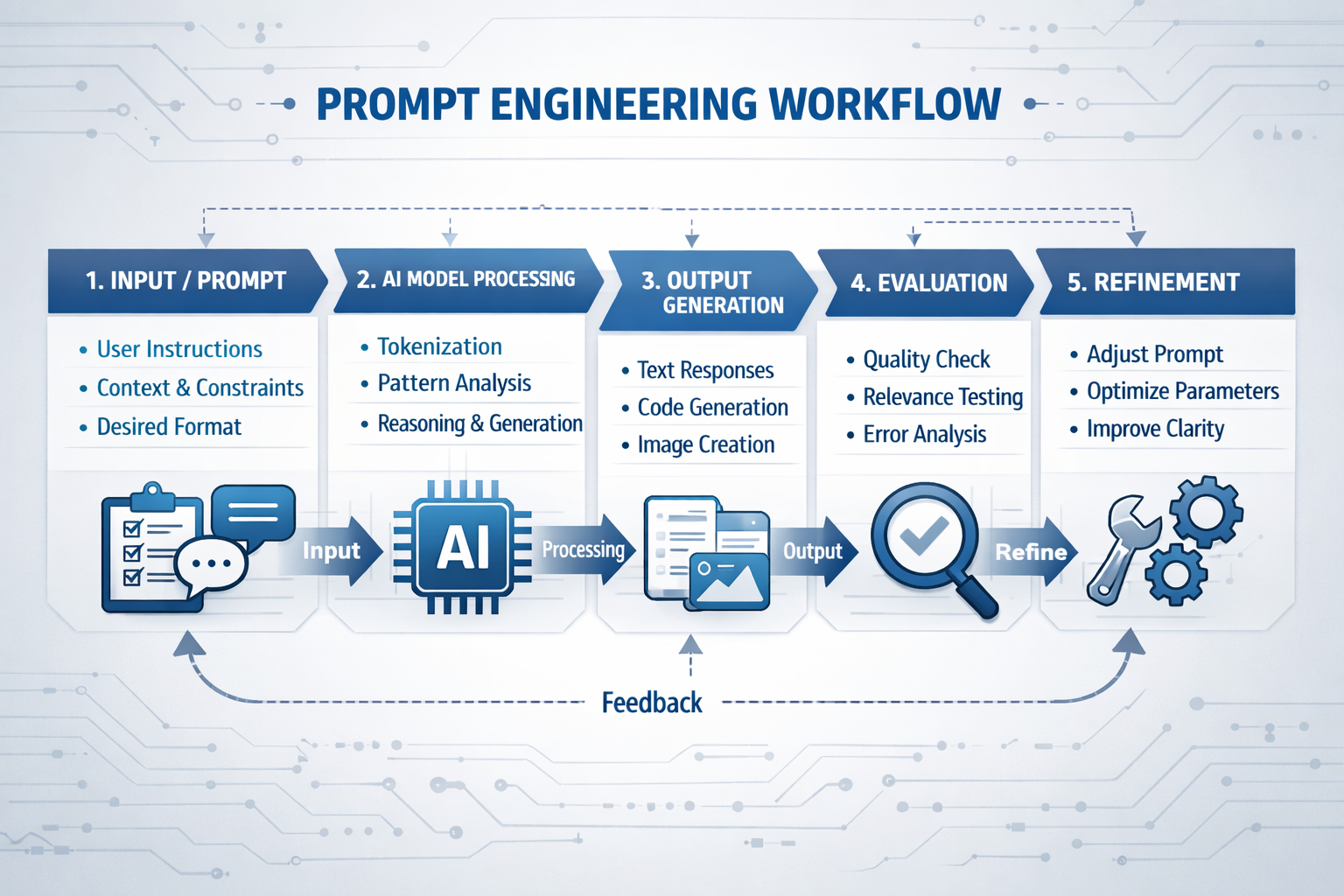
The engineers getting the most out of AI tools right now are not the ones with the best software, they are the ones mastering prompt engineering for engineering design. In CAD drafting and design workflows, the difference between a useful AI output and a useless one often comes down to a single sentence.
Prompt engineering for engineering design, the skill of writing precise, structured instructions that guide AI models, is rapidly becoming one of the most valuable technical skills. Whether you are using ChatGPT for engineers, working with AI prompts for CAD drafting, or experimenting with text-to-CAD tools, the quality of your prompt determines the quality of your result.
This guide is written for engineers, CAD drafters, and technical managers who want to understand prompt engineering CAD workflows, improve efficiency, and use AI engineering tools 2026 effectively.
This guide is written specifically for engineers, CAD drafters, and technical managers. It covers what prompt engineering is, why it matters for engineering workflows, how to write prompts that actually work for design and drafting tasks, and the common mistakes that waste time.
What Is Prompt Engineering, and Why Should Engineers Care?
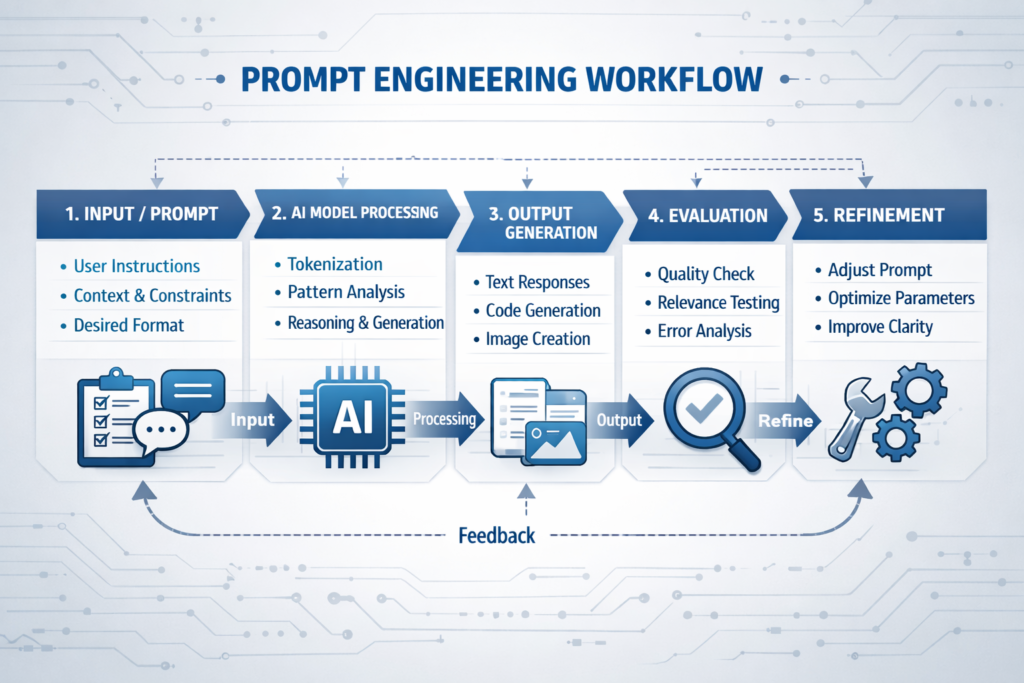
Prompt engineering is the practice of designing structured inputs to generate accurate and useful outputs from AI systems. In the context of AI for CAD, this means giving detailed, technical instructions that align with real engineering requirements.
For engineers, this matters because AI-assisted drafting and generative CAD tools are becoming part of daily workflows. Platforms like Autodesk AI, SolidWorks AI, and other CAD AI tools are enabling faster design iterations, automation, and even generative design prompts for complex parts.
But these tools depend heavily on how well you communicate with them.
None of these tools work well with vague instructions. Tell an AI to ‘design a bracket’ and you will get something generic that requires significant rework. Tell it to ‘design a steel mounting bracket for a 15 kg HVAC unit, bolted to a 150×150 RHS column, with four M12 bolt holes on a 100 mm bolt circle, material grade 350’ and you get something you can actually evaluate.
Prompt engineering is not a skill reserved for software developers. Any engineer or drafter who uses AI tools is already doing it, the question is whether they are doing it well.
According to the Prompt Engineering Guide, one of the most widely cited references in the field, the key principles are specificity, context, format instructions, and iterative refinement. All four apply directly to engineering AI tasks.
This is where prompt engineering CAD becomes critical.
The Anatomy of a Good Engineering Prompt
Most engineers who are disappointed with AI outputs are writing prompts that are too short, too vague, or missing critical context. A well-structured engineering prompt has five components — and most poorly written prompts are missing at least three of them.
| Component | What It Does | Engineering Example |
|---|---|---|
| Role / context | Tells the AI who it is and what domain it is working in | “You are a structural engineer producing fabrication drawings to AISC standards.” |
| Task | States clearly what you want the AI to produce | “Write a material specification note for a hot-dip galvanised steel handrail.” |
| Constraints | Defines the boundaries, standards, dimensions, format, word count | “Use ASTM A123 for galvanising. Maximum 80 words. Use bullet points.” |
| Context / inputs | Provides the specific data, dimensions, or design parameters the AI needs | “The handrail is 1100 mm high, 48.3 mm OD tube, Grade 350 steel, outdoor exposed environment.” |
| Output format | Tells the AI how to structure or present the result | “Present as a numbered list suitable for inclusion in a drawing general notes section.” |
Weak Prompt vs Strong Prompt: Side-by-Side
| Weak Prompt | Strong Prompt |
|---|---|
| Write a specification for a steel beam. | You are a structural engineer. Write a material and fabrication specification note for a 310UB46.2 Grade 350 steel floor beam. Include: steel standard (AS/NZS 3678), surface preparation (Sa 2.5), primer coat (75 micron epoxy zinc phosphate), and web stiffener requirements at point load locations. Maximum 100 words. Format as numbered notes for inclusion on a shop drawing. |
| Create a 3D model of a bracket. | Generate a parametric 3D model of a flat plate mounting bracket. Plate dimensions: 150 mm x 100 mm x 8 mm thick. Four M10 clearance holes (11 mm diameter) at 20 mm from each corner. Material: mild steel, Grade 250. Two 10 mm radius fillets at the base. Output as a STEP file compatible with SolidWorks. |
| Summarise this drawing. | You are reviewing an engineering drawing for a pressure vessel flange. Summarise the following drawing notes in plain English for a non-technical project manager. Include: material grade, pressure rating, surface finish requirement, and any special inspection notes. Maximum 150 words. |
Key insight: The strong prompt takes about 30 seconds longer to write. The output it produces takes minutes less to rework. In a workflow where you run dozens of AI tasks per day, that ratio compounds quickly.
You may also like 20 Best Claude Prompt Every Engineer Should Used
Prompt Engineering Techniques That Work in Engineering Contexts
Several well-established prompting techniques from the AI field translate directly into engineering and CAD workflows. These are not theoretical, they produce measurably better outputs on the kinds of tasks engineers do every day.
1. Few-Shot Prompting
Few-shot prompting means showing the AI one or two examples of exactly what you want before making your actual request. This is one of the most reliable techniques for enforcing a specific format or terminology standard.
Engineering application: If you want drawing notes written in a specific house style, provide one or two examples of your existing notes before asking the AI to write the new one. The AI will match the format, tone, and structure precisely, saving significant editing time.
2. Chain-of-Thought Prompting
Chain-of-thought prompting asks the AI to reason through a problem step by step before giving a final answer. For engineering design decisions, this is particularly useful because it forces the AI to surface its assumptions, which you can then verify or correct.
Engineering application: When using AI to evaluate whether a connection detail is appropriate, ask it to ‘first list the load conditions, then check the bolt capacity, then check the plate thickness, then give a pass/fail verdict.’ The step-by-step reasoning is far easier to audit than a single-sentence answer.
3. Role Assignment
Assigning the AI a specific expert role at the start of the prompt significantly improves output quality for technical tasks. ‘You are a mechanical engineer specialising in pressure vessels’ produces more technically accurate output than no role assignment at all, because it activates the relevant domain knowledge the model has been trained on.
Engineering application: Use role assignment every time you need domain-specific accuracy, ‘You are a structural drafter working to AISC standards,’ ‘You are a civil engineer reviewing a drainage calculation,’ ‘You are a CAD technician producing a BOM from an assembly list.’
4. Constraint Setting
One of the most common prompt failures in engineering contexts is not setting explicit constraints on format, length, or standards compliance. Without constraints, the AI defaults to verbose, generic output. With them, you get precise, usable content.
Engineering application: Always specify: the applicable standard (ASME, ISO, AISC, AS/NZS), the output format (bullet list, table, numbered notes, paragraph), the length limit (maximum 100 words, one sentence per item), and the audience (fabricator, project manager, inspecting engineer).
5. Iterative Refinement
Iterative prompting treats AI output as a draft, not a final answer. After the first output, follow up with specific correction instructions, ‘Change the bolt grade from 8.8 to 10.9,’ ‘Remove the reference to ISO and replace with ASME Y14.5,’ ‘Shorten the second note to one sentence.’ This is far faster than rewriting from scratch and gives you full control over the final result.
Common mistake: Treating AI output as final without review. AI tools do not know your project-specific constraints, your client’s preferences, or your jurisdiction’s code requirements. Prompt engineering improves the starting point, human engineering judgment remains non-negotiable for review and sign-off.
Real-World Prompt Engineering Use Cases in CAD and Engineering Design
Here’s how engineers are applying prompt engineering for engineering design in real workflows:
| Task | AI Tool Type | Example Prompt Skeleton |
|---|---|---|
| Generating drawing general notes | ChatGPT / Claude | “You are a mechanical drafter. Write 5 general notes for a machined aluminium part drawing to ASME Y14.5. Include: material spec, surface finish default, deburring requirement, heat treatment, and inspection standard. Maximum 15 words per note.” |
| Writing a design brief summary | ChatGPT / Claude | “Summarise the following design requirements into a one-paragraph engineering brief suitable for issuing to a CAD outsource partner. Include: part function, key dimensions, material, tolerance class, and delivery format. [Paste requirements below]” |
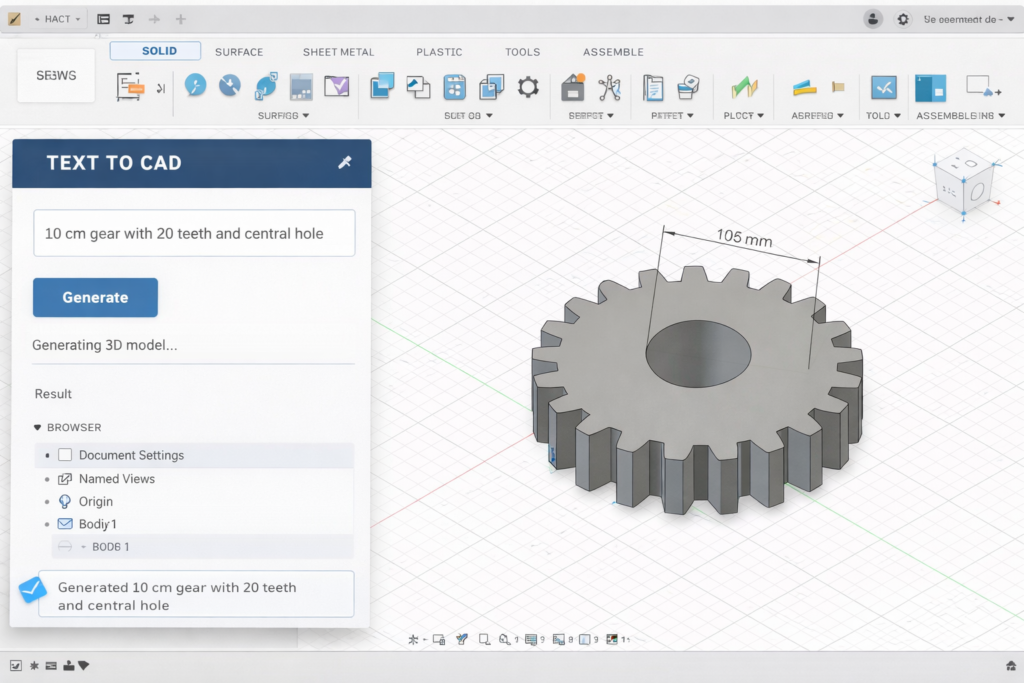
| Generating 3D geometry from description | Zoo / Leo AI / Fusion 360 AI | “Generate a parametric 3D model of a [part name]. Dimensions: [list]. Material: [grade]. Key features: [holes, threads, fillets]. Output format: STEP AP214. Optimise for CNC machining.” |
| Automating BOM descriptions | ChatGPT / Claude | “You are a structural drafter. Convert the following list of steel members into a formatted Bill of Materials table with columns: Mark, Description, Section Size, Grade, Length (mm), Qty, Finish. Apply consistent naming to AISC conventions. [Paste member list]” |
| Reviewing a drawing for completeness | ChatGPT / Claude | “You are a senior mechanical engineer reviewing a drawing for issue to fabrication. Check the following drawing notes for: missing tolerances, unspecified material, ambiguous surface finish callouts, and missing revision references. Flag each issue as HIGH / MEDIUM / LOW priority. [Paste drawing notes]” |
| Drafting an RFI response | ChatGPT / Claude | “You are a structural engineer. Write a formal RFI response addressing the following query from a steel fabricator. Tone: professional and concise. Maximum 150 words. Reference the relevant drawing number. [Paste RFI query]” |

The Most Common Prompt Engineering Mistakes Engineers Make
- Being too vague on dimensions and standards: ‘Design a structural connection’ gives the AI nothing to work with. Always specify member sizes, loads, applicable standard, and material grade.
- Skipping the role assignment: Without a defined role, AI defaults to a generalist voice. Set the role in every prompt that requires domain-specific accuracy.
- Asking multiple unrelated questions in one prompt: Break complex tasks into sequential prompts. Each prompt should have one clear output goal.
- Not specifying the output format: If you need bullet points, say so. If you need a table, say so. If you need the output in 80 words for a drawing note, state the limit.
- Accepting the first output: The first output is a draft. Use follow-up prompts to refine, correct, and shorten until the result meets your standard.
- Assuming AI knows your project context: AI has no memory of your project unless you include it in the prompt. Paste the relevant context, drawing notes, specifications, design parameters into every prompt that needs it.
Frequently Asked Questions
1. What is prompt engineering in simple terms?
It’s the process of writing structured inputs for AI tools to improve outputs in engineering design, CAD drafting, and modeling.
2. Can prompt engineering be used for CAD drafting?
Yes, it’s widely used in AI prompts for CAD drafting, documentation, and text-to-CAD modeling.
3. What AI tools do engineers use for CAD and design?
The most widely used are ChatGPT and Claude for text tasks, Zoo Design Studio and Leo AI for text-to-CAD generation, DraftAid for automated drawing annotation, and Autodesk Fusion 360 AI and SolidWorks 2026 for AI-assisted modeling and drawing creation.
4. Do I need coding skills for prompt engineering?
No. Prompt engineering for most engineering tasks requires no coding, just clear, structured writing. Advanced applications like prompt chaining or API integration do benefit from coding knowledge, but everyday use does not.
5. What is text-to-CAD?
Text-to-CAD is a category of AI tools that generate 3D CAD models or 2D drawings from natural language text prompts. You describe the part, the AI generates the geometry as an editable CAD file.
6. How do I write a good prompt for engineering drawings?
Include: a role assignment (‘You are a structural drafter’), the specific task, the applicable standard, key dimensions and material, and the required output format. Be explicit, vague prompts produce generic outputs.
7. Is AI replacing CAD engineers and drafters?
No. AI tools handle repetitive, formulaic tasks faster, but engineering judgment, design problem-solving, and drawing review still require human expertise. AI makes skilled drafters faster, not redundant.
The Bottom Line
Prompt engineering is not a passing trend for engineers, it is a practical, learnable skill that directly improves the speed and quality of AI-assisted design and drafting work. The engineers who invest 20 minutes learning how to write a well-structured prompt are consistently getting better outputs from the same tools their colleagues are frustrated with.
The five components of a good engineering prompt ,role, task, constraints, context, and output format, apply whether you are writing drawing notes, generating 3D geometry, drafting specifications, or reviewing documentation. Build the habit of including all five, and the quality of your AI outputs will improve immediately.
At SimuTecra, we have built AI-assisted workflows into our CAD drafting and engineering design services, which means clients get the speed benefits of AI tools without the learning curve or the quality risk of unreviewed outputs.
Want AI-Ready Engineering Drawings Without the Learning Curve?
SimuTecra’s engineering team combines deep CAD expertise with AI-assisted workflows to deliver faster, more accurate 2D drafting packages and 3D models. You get the output, without needing to master any prompting tools yourself.
Share your project brief and get a clear quote, no obligation.
Leave a Reply